Zoom to Fill - Ultrawide Video icon

Zoom to Fill Chrome Extension Analysis

Niche Lifestyle & Gaming Hacks

Store listing title: Zoom to Fill - Ultrawide Video

Chrome extension ID: adpjimagbfpknkodpofjphpbdlfkeiho

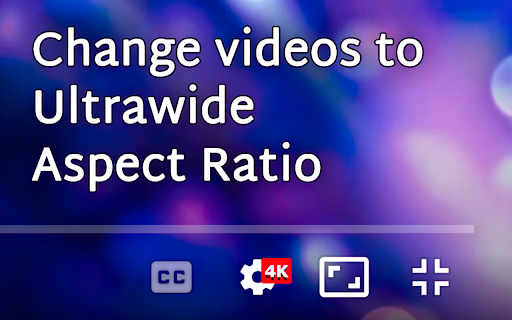
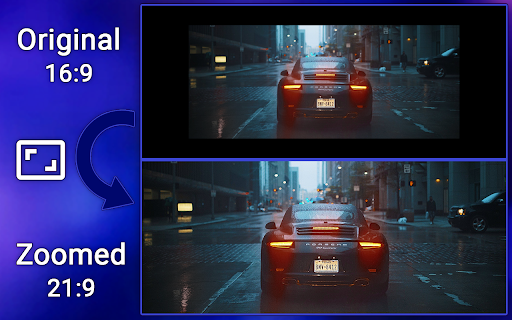
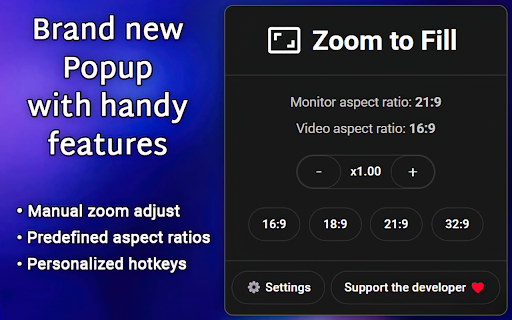
Zoom to Fill is a browser extension that allows users to adjust the aspect ratio of streaming video content. It provides both automatic and manual zoom capabilities to help users optimize video playback for 21:9 or 32:9 monitor resolutions.

Developer:Zoom to Fill
Version:2.2.1
Size:126KiB
Last updated:

Overview

Installs

200K+

Rating

3.9

648 reviews

Languages

55 locales

Includes Deutsch, English, English (Australia), English (United Kingdom)...

Market analysis

Review-backed positioning, friction, and market signals for this Chrome extension.

Backed by review samples

Macro category

Niche Lifestyle & Gaming Hacks

Pricing friction

Low review signal

Complaint intensity

High review signal

Listing & review signals
Observed signals from store listing text and review samples.

Listing positioning

The extension positions itself as an essential tool for ultrawide monitor users to eliminate black bars on popular streaming platforms like Netflix, Disney+, and YouTube. It emphasizes ease of use through shortcut keys, manual zoom controls, and a persistent mode for screen adjustment.

Inferred product pattern

Utility extension that monetizes via potentially intrusive redirects and ad-based cross-promotion.

Review-backed pain points

Users expressed significant concern over potential malware, phishing redirects, and intrusive advertising patterns that appear post-installation.

Observed feature gaps

Lack of granular control for panning/scrolling within the zoomed video frame; intermittent issues with automatic activation on new video episodes.

Tags
UltrawideVideo ZoomAspect RatioNetflixStreaming
Target users

- Ultrawide monitor owners

- Streaming media consumers

Primary use cases

- Removing video black bars

- Customizing video aspect ratio on streaming sites

Positive themes

- Clean and user-friendly interface

- Effective zoom functionality on major streaming platforms

- Helpful for ultrawide screen setups

Negative themes

- Allegations of phishing and malicious redirection

- Intrusive popup ads and partner extension promotion

- Concerns regarding high-privilege site access

Observed friction

- Performance complaints detected

- Privacy complaints detected

- No direct payment friction reported, but high reports of intrusive marketing and redirect behavior.

Evidence boundary: Evidence gathered from 614 reviews, showing a sharp divide between functional praise and severe security/privacy accusations. Review data contains conflicting accounts regarding the safety and intent of the extension's redirection behavior.
Complaint summaries
Review-backed complaint signals grouped by operational area.

Support

Users report malicious redirects and scareware-style warnings, leading to severe trust issues.

Reliability

Complaints mention the extension not triggering consistently on consecutive video episodes and requiring persistent manual input.

Privacy

Severe complaints regarding the extension's data access permissions and alleged phishing redirects on the developer's website.

Access & pricing

- Ad-supported model observed

- No account requirement observed

- Free plan or free usage claimed

Store listing facts

Listing assets

- Screenshots: 5

- Videos: 0

- Languages: 55

Trust signals

- Privacy policy

- Developer contact

- Official website

Store metadata

- Version: 2.2.1

- Size: 126KiB

- Last updated:

Store description excerpt
Short excerpt from the public Chrome Web Store listing; full copy is available on the official store page.
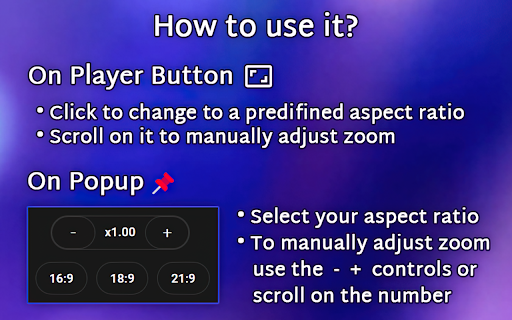
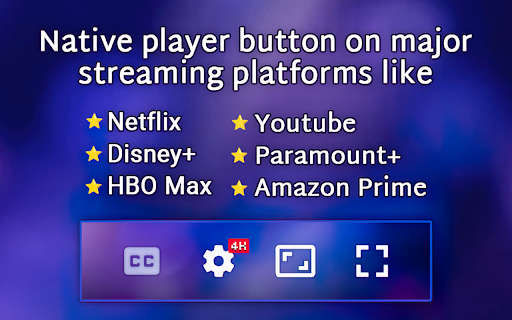
Change aspect ratio of any video on any website, removing black bars ⬛ from videos and correcting the aspect ratio 🎉 Works on most websites, officially tested on major streaming platforms like: ⭐ Netflix ⭐ Amazon Prime ⭐ Disney+ ⭐ HBO Max ⭐ Youtube ⭐ and many more popular streaming websites! This extension was made for primarily for ultrawide 🖥️ screens (21:9, 32:9), but you can use it on any resolution and any video you like to zoom! If you have a 16:9 screen, this extension is very useful for 4:3 videos. ❇️How to use it? Very simple, if you want to use the player button (available for that site): *️⃣Click on the button to zoom, this will use your predefined aspect ratio. *️⃣Scroll on the button, to manually adjust your zoom level. ⚠️If there is no button, you can use the popup *️⃣Select a predefined aspect ratio (16:9, 18:9, 21:9, 32:9). Selecting it again will reset the video aspec…

Listing SEO keywords

Search intent keywords
Keyword signals for evaluating how users may discover, compare, or search for this extension category.

Core discovery

remove black barsultrawide video extensionaspect ratio zoomnetflix ultrawide

Comparison

UltraWideo alternativevideo zoom extension

Problem

malicious redirectphishing extensionintrusive ads

Alternative

best ultrawide extension

Similar extensions

Jump to related discovery paths:

FAQ

What is Zoom to Fill mainly used for?
Zoom to Fill is a browser extension that allows users to adjust the aspect ratio of streaming video content. It provides both automatic and manual zoom capabilities to help users optimize video playback for 21:9 or 32:9 monitor resolutions.
What market signals stand out?
Established adoption with moderate review base. Last known update: 06/01/2026.
What should builders compare before entering this space?
Compare install concentration, rating quality, update recency, screenshots, developer portfolio, listing claims, and review-backed friction signals.
Is this page review-backed?
Backed by review samples. This page combines store metadata with selected review signals, while raw store metrics remain visible for comparison.

Screenshots

Zoom to Fill - Ultrawide Video screenshot

Links

Recommended Chrome extensions

Related listings from the same category, trending peers, and the same publisher portfolio.

Browse entertainment
Watch Netflix Together icon

Watch Netflix Together

Watch Netflix Together

Effortlessly watch Netflix together!

Installs

60K+

Rating

3.8

MEOWSING icon

MEOWSING

MONYA

The more you move the mouse cursor, the more cats gather from beyond the window.

Installs

60K+

Rating

4.2

Xiaohongshu for Desktop icon

Xiaohongshu for Desktop

Seiri

Experience Xiaohongshu for desktop like never before: Chrome extension that brings exciting and creative content to your screen

Installs

50K+

Rating

3.4

Auto Youtube Shorts Scroller icon

Auto Youtube Shorts Scroller

Tyson3101

Automatically scrolls to the next Youtube Short when one ends!

Installs

50K+

Rating

3.9

小电视空降助手 icon

小电视空降助手

hanyd

恰饭?桌子都给你掀了(/= _ =)/~┴┴ 带你精准空降到赞助广告结束或者高能时刻,自动跳过视频中的赞助广告、订阅提醒等片段。你也可以亲自标记视频中的广告并上传,所有人都会从您的贡献中受益。

Installs

50K+

Rating

4.9

Crunchyroll: Picture in Picture [QVI] icon

Crunchyroll: Picture in Picture [QVI]

Awesome Extensions

Extension to watch Crunchyroll in Picture in Picture mode. Enables a floating window for your favorite videos.

Installs

50K+

Rating

4.2

Sauce for Strava™ icon

Sauce for Strava™

Sauce, LLC

Additional functionality for your cycling and running analysis. This extension upgrades the Strava™ website.

Installs

50K+

Rating

4.7

VLC online - multimedia player icon

VLC online - multimedia player

Winfy

Play most multimedia files, and various streaming protocols with this VLC distributed online.

Installs

50K+

Rating

3.0

Dideo icon

Dideo

dideo

Watch Youtube, Aparat, etc videos without restrictions

Installs

50K+

Rating

4.3

치즈 나이프 - 치지직 CHZZK 도구 모음 icon

치즈 나이프 - 치지직 CHZZK 도구 모음

argo

치지직에 유용한 기능과 도구를 추가합니다.

Installs

40K+

Rating

4.9