

Video Speed Control Chrome Extension Analysis
Automation & Workflow EfficiencyChrome extension ID: aejbmaihhlajphnlcdbojkjbdckkfdki
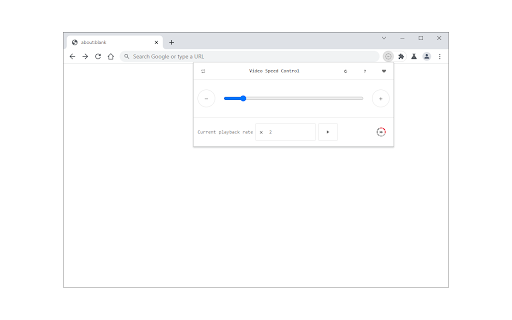
Video Speed Control allows users to adjust the playback speed of HTML5 videos on websites, supporting speeds from 0.07x to 16x. It features a toolbar popup UI and a dark mode option, functioning as a standalone utility for media consumption.
Overview
Installs
30K+
Rating
★ 4.9
66 reviews
Languages
1 locales
Includes English
Market analysis
Review-backed positioning, friction, and market signals for this Chrome extension.
Macro category
Automation & Workflow Efficiency
Pricing friction
Low review signal
Complaint intensity
Low review signal
Listing positioning
The extension positions itself as a universal tool for controlling HTML5 video playback speeds across various web platforms. It emphasizes manual control through a popup interface and explicitly notes that user interaction is required for operation.
Inferred product pattern
Simple utility extension focused on DOM manipulation of video elements.
Review-backed pain points
The most frequent requests are for keyboard hotkeys to manage speed and a desire for persistent settings so manual reactivation isn't required for every new video or page reload.
Observed feature gaps
The extension lacks native hotkey support for speed adjustment, and settings do not persist automatically across page loads or new video instances.
- General web users
- Students
- Professionals watching training videos
- Content consumers
- Adjusting speed of educational or corporate training videos
- Bypassing native platform speed limitations
- Customizing playback speed for video platforms lacking native controls
- Broad website compatibility
- Works reliably on specific platforms like Disney+ Hotstar and SharePoint
- Effective functionality for custom speed requirements
- Lack of keyboard shortcuts
- Requirement for manual activation per video
- Manual persistence issues (speed not saving automatically)
- None identified; the extension is free to use.
Support
No support complaints; feedback is primarily feature requests.
Reliability
Users generally find it reliable, though some note the design choice of requiring a manual 'Play' button click for each video is a usability friction point.
Privacy
No privacy complaints; one user noted that the extension does not appear to track activity.
- Free usage observed
- No account requirement observed
- Free plan or free usage claimed
Store listing facts
- Screenshots: 1
- Videos: 0
- Languages: 1
- Privacy policy
- Developer contact
- Official website
- Version: 0.1.6
- Size: 50.6KiB
- Last updated:
Listing SEO keywords
Core discovery
Comparison
Problem
Alternative
Similar extensions
Jump to related discovery paths:
FAQ
Screenshots
Links
Website: mybrowseraddon.com
Privacy policy: https://mybrowseraddon.com/privacy-policy/video-speed-control.html




![Ad Skipper for Prime Video [QVI] icon](https://extspot.com/api/v1/assets/googleusercontent/aHR0cHM6Ly9saDMuZ29vZ2xldXNlcmNvbnRlbnQuY29tL0xBdWhvQVV1WEZZYmJUZUNVWDlpVzBZcjBDY0NRZWw1TnhRRzBlM2VBWERoWElmX2FkbVNmcFlIQURlVl9ZemtfQm1aNnB5dUtfU0ZNcEltNXNMMEkwdEQ)



![Netflix™ Extended [QVI] icon](https://extspot.com/api/v1/assets/googleusercontent/aHR0cHM6Ly9saDMuZ29vZ2xldXNlcmNvbnRlbnQuY29tL2xkTmNjTWt4R1B2QndNdkhvMDEyc2FmRWktRjNzTExTR2pBOUpubF9GUnRNUHpZMUFZNXZXb3Y0ZEFpUTdEVWswaVlDWmZneUNkQ04za3Z0NjREZ2RyX0xmUWM)