Passwordstate icon

Passwordstate Chrome Extension Analysis

Privacy, Security & Ad Blockers

Chrome extension ID: appojfilknpkghkebigcdkmopdfcjhim

A browser extension designed to automatically retrieve and fill website login credentials from a centralized Passwordstate server. It is built for enterprise scalability with 256-bit AES encryption and Active Directory integration.

Version:10.0.0.28
Size:248KiB
Last updated:

Overview

Installs

100K+

Rating

3.2

17 reviews

Languages

1 locales

Includes English

Market analysis

Review-backed positioning, friction, and market signals for this Chrome extension.

Backed by review samples

Macro category

Privacy, Security & Ad Blockers

Pricing friction

Moderate review signal

Complaint intensity

Moderate review signal

Listing & review signals
Observed signals from store listing text and review samples.

Listing positioning

The product is positioned as an enterprise-grade form filler extension that connects to an on-premise Passwordstate installation. It emphasizes secure team collaboration, role-based administration, and end-to-end auditing for sensitive password resources.

Inferred product pattern

Companion browser extension for a self-hosted enterprise credential vault.

Review-backed pain points

Users report the extension stopping work entirely, becoming stuck in an 'authenticating' loop after entering the master password, and failing to contact the server.

Observed feature gaps

Users noted a lack of intuitive automation, mentioning the necessity of reading the manual to make it work properly, and mentioned the extension can be overzealous in populating random fields.

Tags
Password ManagerEnterprise SecurityForm FillerCredential Management
Target users

- Enterprise IT Teams

- Corporate Security Administrators

- Organizations using on-premise credential management

Primary use cases

- Automating login credential entry

- Securely sharing sensitive passwords across corporate teams

- Integrating on-premise password vaults with web browsers

Positive themes

- Strong integration with the core product

- Effectiveness for its intended purpose

Negative themes

- Authentication failures

- Extension instability

- Steep learning curve for setup

Observed friction

- Payment required for meaningful usage

- Performance complaints detected

- No specific pricing complaints found in reviews, though the product is marketed as an enterprise solution.

Evidence boundary: Data extracted from the Chrome Web Store listing and a sample of user reviews. The review sample size is very small relative to the user count, which may limit the representativeness of the negative signals.
Complaint summaries
Review-backed complaint signals grouped by operational area.

Support

No direct support interaction complaints, but users reported unresolved technical failures despite reinstallation.

Reliability

Reports of total breakage, inability to contact servers, and infinite authentication loops.

Privacy

No observed privacy complaints.

Access & pricing

- Enterprise pricing observed

- Account required for core usage

- Paid-only usage observed

Store listing facts

Listing assets

- Screenshots: 1

- Videos: 1

- Languages: 1

Trust signals

- Privacy policy

- Developer contact

- Official website

Store metadata

- Version: 10.0.0.28

- Size: 248KiB

- Last updated:

Store description excerpt
Short excerpt from the public Chrome Web Store listing; full copy is available on the official store page.
Passwordstate for Chrome is a form filler extension that obtains credentials from your on-premise Passwordstate installation. Passwordstate is a web based solution for Enterprise Password Management, where teams of people can access and share sensitive password resources. Role based administration and end-to-end event auditing, provides a secure platform for password storage and collaboration. Our Chrome extension allows you to save new web site login credentials, and automatically retrieve and form-fill web site logins. In addition, Passwordstate provides these other key features: * Reset passwords just about everywhere * Remote sessions without passwords * Mobile app support * Role-based access controls * Two-factor authentication options * Application Programming Interface (API) * Auditing and compliance reporting * Active Directory integration * Discover Admin Accounts & Resources *…

Listing SEO keywords

Search intent keywords
Keyword signals for evaluating how users may discover, compare, or search for this extension category.

Core discovery

Passwordstate Chrome extensionenterprise password form filleron-premise credential management

Comparison

Passwordstate vs enterprise password managersPasswordstate browser extension vs alternatives

Problem

secure team password sharingcorporate credential auto-fillon-premise password storage

Alternative

Passwordstate alternativesenterprise password vault for Chrome

Similar extensions

Jump to related discovery paths:

FAQ

What is Passwordstate mainly used for?
A browser extension designed to automatically retrieve and fill website login credentials from a centralized Passwordstate server. It is built for enterprise scalability with 256-bit AES encryption and Active Directory integration.
What market signals stand out?
Established adoption with limited review base. Last known update: 06/01/2026.
What should builders compare before entering this space?
Compare install concentration, rating quality, update recency, screenshots, developer portfolio, listing claims, and review-backed friction signals.
Is this page review-backed?
Backed by review samples. This page combines store metadata with selected review signals, while raw store metrics remain visible for comparison.

Screenshots

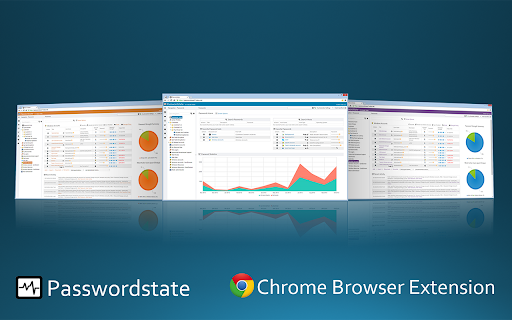
Passwordstate screenshot

Links