No sleep icon

No sleep Chrome Extension Analysis

Chrome extension ID: bomdbfmieohagcjbfckpihndjdeeabgo

Chrome extension to keep your device awake, that works on mobile phones What it does? This extension allows you to prevent your device from going to dim/sleep/hibernate/lock state when there is no user activity. It is helpful for example during reading article or cooking meal using recipe from your favourite food blog. The lock is active only on the page on…

Developer:HandyByte
Version:0.1.0
Size:36.08KiB
Last updated:

Overview

Installs

1K+

Rating

4.0

4 reviews

Languages

1 locales

Includes English

Market analysis

Baseline market signals from the Chrome Web Store listing while review-backed signals are pending.

Adoption signal

Early or small audience

Review depth

Limited review base

Maintenance

Needs freshness check

Baseline research view
Review-backed signals are not available for this listing yet.

Store positioning

This extension allows you to prevent your device from going to dim/sleep/hibernate/lock

Discovery context

Store category: household. Developer: HandyByte.

Trust checks

The listing exposes at least one trust signal such as a privacy policy or developer contact.

Next analysis step

Review-backed pain points, pricing friction, positive themes, and negative themes will appear after this extension is processed.

Store listing facts

Listing assets

- Screenshots: 1

- Videos: 0

- Languages: 1

Trust signals

- Developer contact

Store metadata

- Version: 0.1.0

- Size: 36.08KiB

- Last updated:

Store description excerpt
Short excerpt from the public Chrome Web Store listing; full copy is available on the official store page.
Chrome extension to keep your device awake, that works on mobile phones What it does? This extension allows you to prevent your device from going to dim/sleep/hibernate/lock state when there is no user activity. It is helpful for example during reading article or cooking meal using recipe from your favourite food blog. The lock is active only on the page on which you activate it, so you don't have to remember to release it when you're done. How it works? When you are on the page, and you don't want your screen to go dim while reading this page just click the icon of this extension. The lock releases when you: - go to another page - change tab in your browser - refresh the page - close/minimize browser - click on extension icon again How to use on mobile? Check Kiwi Browser - it is Chrome based mobile browser that supports chrome extensions Why it is better that other similar extenstions…

Listing SEO keywords

Search intent keywords
Keyword signals for evaluating how users may discover, compare, or search for this extension category.

Core discovery

pagebrowsersleepdevicelockmobilewhenallowspreventgoinghibernateworks

Similar extensions

Jump to related discovery paths:

FAQ

What is No sleep mainly used for?
Chrome extension to keep your device awake, that works on mobile phones What it does? This extension allows you to prevent your device from going to dim/sleep/hibernate/lock state when there is no user activity. It is helpful for example during reading article or cooking meal using recipe from your favourite food blog. The lock is active only on the page on…
What market signals stand out?
Early or small audience with limited review base. Last known update: 07/08/2022.
What should builders compare before entering this space?
Compare install concentration, rating quality, update recency, screenshots, developer portfolio, listing claims, and review-backed friction signals.
Is this page review-backed?
This page is currently based on store metadata. Review-backed signals will appear after this extension is processed.

Screenshots

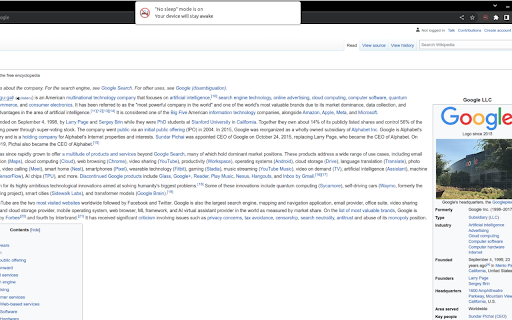
No sleep screenshot

Recommended Chrome extensions

Related listings from the same category, trending peers, and the same publisher portfolio.

Browse household