
Todoist for Gmail Chrome Extension Analysis
Automation & Workflow EfficiencyStore listing title: Todoist for Gmail: Planner & Calendar
Chrome extension ID: clgenfnodoocmhnlnpknojdbjjnmecff
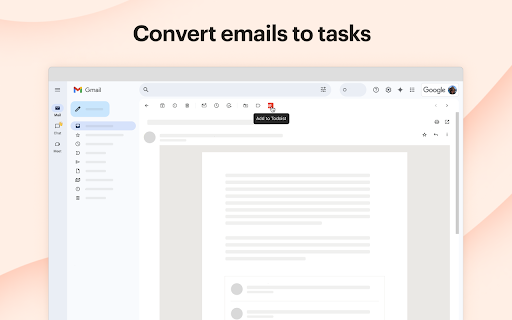
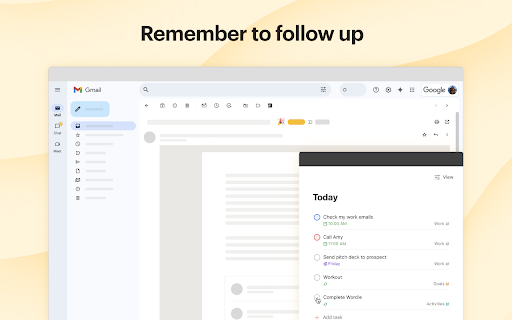
This extension bridges the gap between email management and personal task management. It allows users to track follow-ups, organize daily plans, and complete tasks directly within their browser's Gmail environment.
Overview
Installs
100K+
Rating
★ 3.6
470 reviews
Languages
20 locales
Includes Deutsch, English, Nederlands, Türkçe...
Market analysis
Review-backed positioning, friction, and market signals for this Chrome extension.
Macro category
Automation & Workflow Efficiency
Pricing friction
Low review signal
Complaint intensity
High review signal
Listing positioning
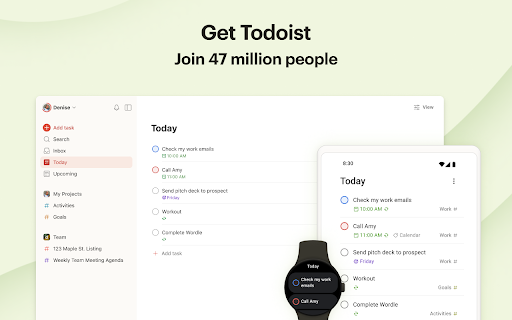
Todoist for Gmail positions itself as an essential tool for achieving inbox zero by allowing users to instantly convert emails into tasks. It emphasizes seamless integration with the Todoist ecosystem, enabling users to add deadlines, priorities, and project organization without leaving the Gmail interface.
Inferred product pattern
Legacy browser extension integration that struggles with modern authentication and browser performance updates.
Review-backed pain points
The most frequent pain point is a persistent 'infinite loop' authentication error that prevents users from connecting their accounts, effectively rendering the extension unusable. Users also report performance issues, including browser crashes and UI elements that interfere with Gmail's native keyboard shortcuts.
Observed feature gaps
Reviewers note a lack of robust keyboard-only workflows and insufficient integration with Gmail's built-in sidebar, preferring a less intrusive interface than the current pop-up window.
- Remote workers
- Project managers
- Todoist power users
- Converting emails into actionable tasks
- Setting reminders and deadlines for emails
- Managing daily task lists within Gmail
- Helpful for task tracking
- Convenient access to Todoist features inside Gmail
- Infinite login loops
- Keyboard focus grabbing issues
- Chrome browser instability on specific hardware
- Lack of efficient keyboard shortcuts
- Account blocking complaints detected
- Performance complaints detected
- While the extension is free to install, paid subscribers report frustration that their premium status does not resolve persistent technical bugs, leading to dissatisfaction with the value of their subscription.
Support
Users report a lack of responsiveness from developers regarding persistent bugs and authentication failures that have reportedly existed for extended periods.
Reliability
High incidence of reports regarding login loops, browser crashes, and UI focus-grabbing issues that disrupt native Gmail navigation.
Privacy
No specific privacy or data security complaints noted in the reviewed sample.
- Free entry with paid features
- Login needed for core features
- Free plan or free usage claimed
Store listing facts
- Screenshots: 3
- Videos: 0
- Languages: 20
- Privacy policy
- Developer contact
- Official website
- Support link
- Version: 7.7.4
- Size: 1.44MiB
- Last updated:
Listing SEO keywords
Core discovery
Comparison
Problem
Alternative
Similar extensions
Jump to related discovery paths:
FAQ
Screenshots
Links
Website: todoist.com
Privacy policy: https://doist.com/privacy
Support links: https://todoist.com/help