DragFree (Mouse Unblock+Char Count+Image Save+Capture) icon

DragFree (Mouse Unblock+Char Count+Image Save+Capture) Chrome Extension Analysis

Automation & Workflow Efficiency

Chrome extension ID: cnfngpgfjllafbghaimjcmailafcdhod

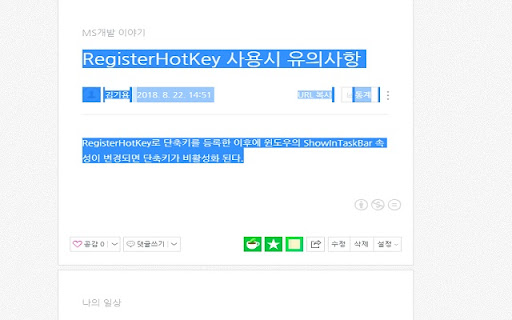
This browser extension restores user control over web pages that block standard interactions like text highlighting, copying, and right-clicking. Beyond unlocking, it bundles utility tools such as a character counter, full-page screen capture, and bulk image downloader for enhanced productivity.

Developer:김기용
Version:10.1
Size:125KiB
Last updated:

Overview

Installs

500K+

Rating

4.3

229 reviews

Languages

16 locales

Includes Deutsch, English, Indonesia, Tiếng Việt...

Market analysis

Review-backed positioning, friction, and market signals for this Chrome extension.

Backed by review samples

Macro category

Automation & Workflow Efficiency

Pricing friction

Low review signal

Complaint intensity

Moderate review signal

Listing & review signals
Observed signals from store listing text and review samples.

Listing positioning

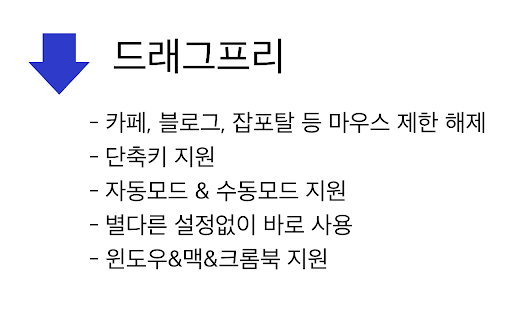
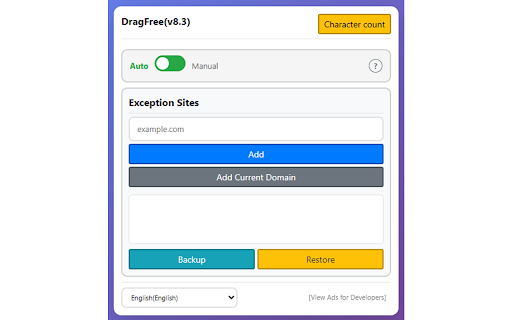
DragFree positions itself as an essential utility for overcoming website-imposed restrictions on right-clicking, text selection, and image saving. It highlights a hybrid approach, offering both automated domain-wide unlocking and manual trigger modes for precision control.

Inferred product pattern

Free utility suite focusing on UI manipulation and web page content extraction.

Review-backed pain points

Users frequently report site-specific failures (e.g., Naver Blogs, Rakuten), breakage following extension updates, and concerns regarding the necessity of expanded browser permissions.

Observed feature gaps

Users desire better integration of core features like the character counter into the main menu, and expanded flexibility for domain exception management in Manual Mode.

Tags
Right-Click UnlockText SelectionBulk Image DownloaderWeb Scraping Tool
Target users

- Researchers

- Students

- Content Curators

- Casual Browsers

Primary use cases

- Bypassing text copy restrictions

- Extracting text from protected websites

- Bulk downloading images

- Capturing screenshots of full web pages

Positive themes

- Effective at restoring basic site interaction

- Convenient alternative to site-specific scraping tools

- Appreciated developer responsiveness to feature requests

Negative themes

- Post-update breakage

- Failure to bypass advanced site protections

- Privacy concerns regarding new permission requests

- Occasional installation corruption errors

Observed friction

- Performance complaints detected

- Privacy complaints detected

- None; the product appears to be provided for free without explicit monetization.

Evidence boundary: Analysis is based on 225 user reviews and the product's official feature list, reflecting a blend of utility satisfaction and regression-related frustration. Review sentiments are heavily influenced by specific regional websites and periodic update cycles which may not affect all users globally.
Complaint summaries
Review-backed complaint signals grouped by operational area.

Support

Some users express frustration when troubleshooting steps (reinstalling/updating) fail to resolve regressions introduced by updates.

Reliability

Significant complaints exist regarding sudden loss of functionality after updates and extension 'corruption' errors requiring reinstallations.

Privacy

Users have questioned the necessity of new 'Download' permissions requested in recent updates.

Access & pricing

- Free usage observed

- No account requirement observed

- Free plan or free usage claimed

Store listing facts

Listing assets

- Screenshots: 3

- Videos: 0

- Languages: 16

Trust signals

- Developer contact

- Official website

Store metadata

- Version: 10.1

- Size: 125KiB

- Last updated:

Store description excerpt
Short excerpt from the public Chrome Web Store listing; full copy is available on the official store page.
## **Unlock Mouse Drag & Right-Click Restrictions** If you've ever felt frustrated by being unable to select text or right-click on news articles, blogs, study materials, or shopping pages, try **DragFree**. ### **【 Key Features 】** * **Unblock Restrictions:** Enable mouse dragging, right-clicking, text selection, copying, and pasting. * **"Auto" Mode:** Automatically unlocks restrictions on every website you visit. * **"Manual" Mode:** Unlock only when needed by clicking the [Unlock] button or using a shortcut. * **View Text:** View the page's HTML/text in a new tab (extracts content even within iframes). * **Batch Image Save:** Download all images from a page at once. * **4 Capture Modes:** Current screen, Select area, Select element, and Full scroll page. * **Built-in Word Counter:** Easily check the character count of any text. ### **【 How to Use 】** * **"Manual" Mode (Recommended)*…

Listing SEO keywords

Search intent keywords
Keyword signals for evaluating how users may discover, compare, or search for this extension category.

Core discovery

enable right clickallow text selectioncopy blocked textbatch image downloadchrome extension remove restriction

Comparison

best right click unlockerDragFree vs absolute enable right click

Problem

cannot right click on websitecant select text on webpagehow to copy protected text

Alternative

right click extensionallow copy extension

Similar extensions

Jump to related discovery paths:

FAQ

What is DragFree (Mouse Unblock+Char Count+Image Save+Capture) mainly used for?
This browser extension restores user control over web pages that block standard interactions like text highlighting, copying, and right-clicking. Beyond unlocking, it bundles utility tools such as a character counter, full-page screen capture, and bulk image downloader for enhanced productivity.
What market signals stand out?
Established adoption with moderate review base. Last known update: 05/15/2026.
What should builders compare before entering this space?
Compare install concentration, rating quality, update recency, screenshots, developer portfolio, listing claims, and review-backed friction signals.
Is this page review-backed?
Backed by review samples. This page combines store metadata with selected review signals, while raw store metrics remain visible for comparison.

Screenshots

DragFree (Mouse Unblock+Char Count+Image Save+Capture) screenshot

Links

Website: devroid.com

Recommended Chrome extensions

Related listings from the same category, trending peers, and the same publisher portfolio.

Browse tools