InsertLearning Chrome Extension Analysis
Automation & Workflow EfficiencyChrome extension ID: dehajjkfchegiinhcmoclkfbnmpgcahj
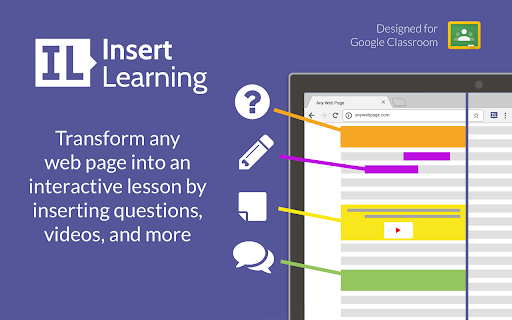
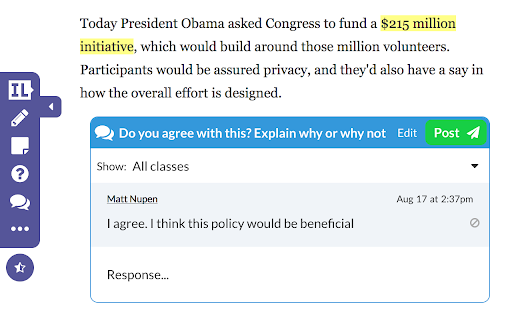
InsertLearning is a web annotation and lesson creation tool that lets educators modify any web page with interactive widgets. Users can embed quizzes, discussion prompts, videos, and custom notes directly into the text. Students can then interact with these elements in real time while reading online.
Overview
Installs
200K+
Rating
★ 4.3
60 reviews
Languages
1 locales
Includes English
Market analysis
Review-backed positioning, friction, and market signals for this Chrome extension.
Macro category
Automation & Workflow Efficiency
Pricing friction
Low review signal
Complaint intensity
High review signal
Listing positioning
InsertLearning positions its Chrome extension as an essential tool for teachers and students to save time and increase engagement by turning any website into an interactive learning experience. It allows educators to insert questions, discussions, videos, and custom insights directly into web pages. The extension also highlights seamless integration with Google Classroom for easy roster importing and assignment sharing.
Inferred product pattern
Web annotation overlay for instructional design and real-time student feedback.
Review-backed pain points
Users report significant friction when trying to cancel paid subscriptions, noting that support does not respond to email requests and continues billing. Some users are frustrated by the lack of personal email registration options, and trainers note role-switching constraints (such as teachers being unable to join classes as students for demo purposes).
Observed feature gaps
Reviews highlight a lack of standard personal email registration options and the inability for users to change their account role (e.g., from teacher to student) without creating a new account. Additionally, there are reports of bugs where annotations fail to load automatically or persist inappropriately onto other pages.
- K-12 Teachers
- Educational Technology Specialists
- Online Educators
- Students
- Creating interactive digital reading lessons from any website
- Embedding comprehension questions and discussions directly into online articles
- Providing real-time teacher annotations and voice instructions for students
- Integrating web lessons directly into Google Classroom rosters and grading workflows
- Seamless integration with Google Classroom for rapid roster and grading sync
- Ability to embed diverse interactive elements like quizzes, videos, and audio recordings directly into web text
- Transforming static websites into active reading tools, helping students build digital literacy skills
- Frustration with cancelling paid subscriptions and non-responsive customer support
- Required registration via Google or Microsoft accounts instead of standard personal emails
- Bugs causing annotations to appear on unrelated pages or failing to automatically display saved content
- Refund complaints detected
- Performance complaints detected
- The pricing is generally considered reasonable ($40 annually), but significant friction exists regarding the cancellation process. Users must email support to cancel their subscription, and reports show support can be unresponsive, leading to unwanted automatic renewals.
Support
Multiple support emails regarding subscription cancellations reportedly went completely ignored, resulting in ongoing billing after teachers attempted to discontinue their paid services.
Reliability
Some users report a bug where annotations or questions appear on unrelated web pages while editing, or fail to load automatically when returning to the modified page.
Privacy
No direct privacy or security complaints, though there is user resistance to the requirement of Google or Microsoft SSO for registration instead of personal email options.
- Free entry with paid features
- Account required for core usage
- Limited free usage observed
Store listing facts
- Screenshots: 2
- Videos: 0
- Languages: 1
- Privacy policy
- Developer contact
- Official website
- Version: 2.2.0
- Size: 297KiB
- Last updated:
Listing SEO keywords
Core discovery
Comparison
Problem
Alternative
Similar extensions
Jump to related discovery paths:
FAQ
Screenshots