

TickTick Chrome Extension Analysis
Automation & Workflow EfficiencyStore listing title: TickTick - Todo & Task List
Chrome extension ID: diankknpkndanachmlckaikddgcehkod
TickTick is a task management application that allows users to create, track, and sync tasks across multiple devices, including web, mobile, and desktop. The Chrome extension provides a gateway to the service, enabling users to manage agendas, set reminders, and capture tasks directly from their browser environment.
Overview
Installs
100K+
Rating
★ 4.2
708 reviews
Languages
2 locales
Includes English, 中文(中国)
Market analysis
Review-backed positioning, friction, and market signals for this Chrome extension.
Macro category
Automation & Workflow Efficiency
Pricing friction
Low review signal
Complaint intensity
Moderate review signal
Listing positioning
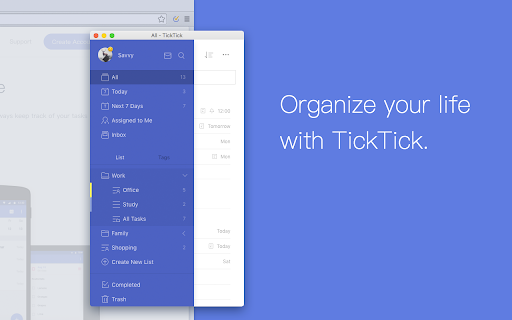
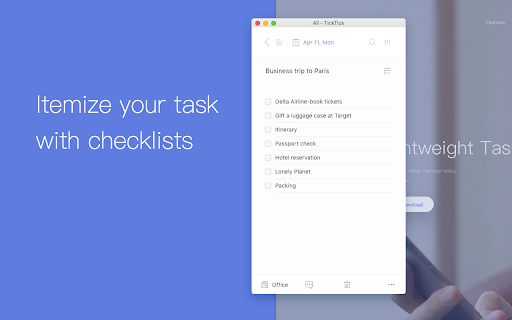
TickTick is positioned as a cross-platform task management solution designed to organize life and work via synchronized to-do lists. It emphasizes utility through recurring tasks, reminders, calendar integration, and cross-device syncing capabilities.
Inferred product pattern
A bridge extension that wraps a full web application rather than providing a native, lightweight Chrome interface.
Review-backed pain points
Users frequently report that the extension feels like an 'anachronism' because it opens a full web page rather than a lightweight pop-up, causing significant lag and productivity friction. Additionally, persistent session expiration and login loops are recurring frustrations.
Observed feature gaps
Lack of a lightweight, native extension pop-up interface; missing granular permission controls (e.g., users dislike the broad 'read all site data' permission); ineffective badge notification updates.
- Individual Task Managers
- Project Planners
- Cross-Platform Power Users
- Managing daily to-do lists
- Scheduling calendar agendas
- Converting emails to tasks
- Collaborative task sharing
- Effective core task management features
- Convenience of integration within Gmail
- Reliability of the standalone TickTick service
- Unoptimized extension performance and slow load times
- Poor UI/UX regarding window behavior (opens in new window vs. pop-up)
- Forced account registration
- Persistent re-login requirements
- Performance complaints detected
- Privacy complaints detected
- Users expressed frustration over forced registration requirements and the value proposition of the premium tier when the extension functionality is perceived as slow or unresponsive.
Support
Reviewers highlight consistent technical bugs, such as failure to retain login sessions and inaccurate task indicator badge counts, with little evidence of resolution.
Reliability
Severe performance complaints cite slow loading speeds and the extension requiring a full web page reload for every interaction, leading many to label the extension as 'unusable'.
Privacy
Significant user concern regarding the scope of permissions requested, specifically the requirement to 'read and change all data on websites you visit'.
- Free entry with paid features
- Account required for core usage
- Limited free usage observed
Store listing facts
- Screenshots: 5
- Videos: 0
- Languages: 2
- Privacy policy
- Developer contact
- Official website
- Support link
- Version: 1.2.1.2
- Size: 194KiB
- Last updated:
Listing SEO keywords
Core discovery
Comparison
Problem
Alternative
Similar extensions
Jump to related discovery paths:
FAQ
Screenshots


Links
Website: ticktick.com
Privacy policy: https://ticktick.com/about/privacy
Support links: https://support.ticktick.com