

PerfectPixel by WellDoneCode (pixel perfect) Chrome Extension Analysis
Developer & Designer ToolsChrome extension ID: dkaagdgjmgdmbnecmcefdhjekcoceebi
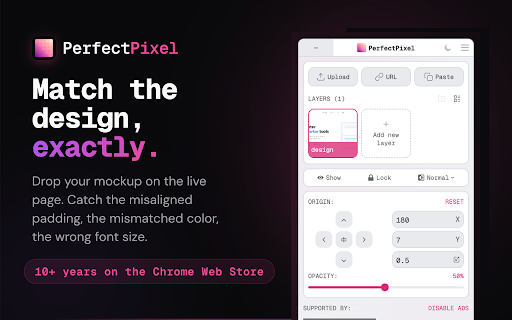
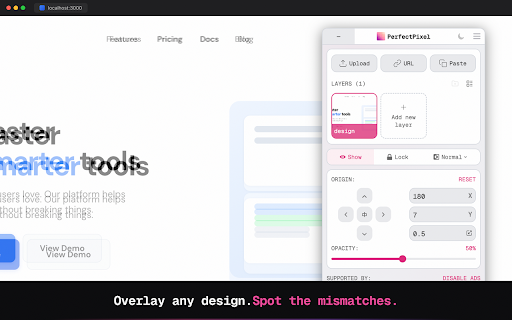
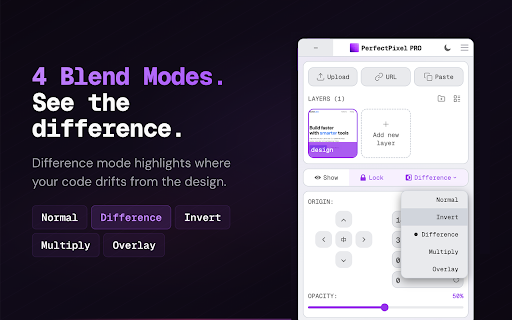
PerfectPixel is a Chrome extension that overlays a semi-transparent image onto any live web page. This enables users to compare their frontend implementation with a design mockup for pixel-perfect accuracy. It supports various image formats and offers adjustable opacity, blend modes, and positioning for detailed visual comparison.
Overview
Installs
300K+
Rating
★ 4.3
635 reviews
Languages
3 locales
Includes English, русский, 日本語
Market analysis
Review-backed positioning, friction, and market signals for this Chrome extension.
Macro category
Developer & Designer Tools
Pricing friction
Moderate review signal
Complaint intensity
High review signal
Listing positioning
PerfectPixel is positioned as a tool for frontend developers and QA engineers to ensure pixel-perfect comparison between live web pages and design mockups. It allows users to overlay images and compare them directly in the browser, streamlining the development and verification process.
Inferred product pattern
Visual overlay tool for web development, transitioning from a feature-rich free tier to a freemium model with paid upgrades for advanced features.
Review-backed pain points
Users express significant disappointment with the recent limitation of the free tier to only 2 layers, which was previously unlimited. This change is perceived as greedy and makes the extension "near worthless" for free users. Some users also report the extension installing itself without their explicit consent and experiencing performance issues like slowness or crashing.
Observed feature gaps
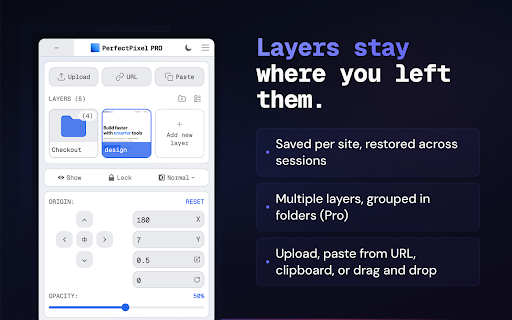
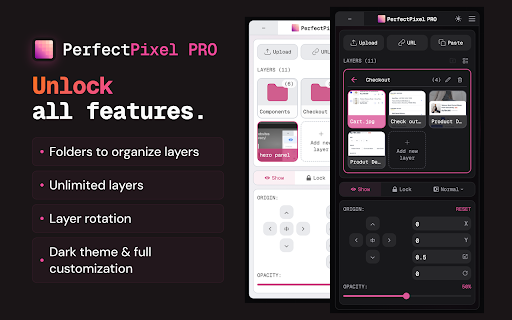
While the listing mentions 'Pro features' like unlimited layers, folders, and rotation, the primary observed 'gap' from reviews is the restriction of multiple layers in the free tier, which was previously a core benefit for users.
- Frontend Developers
- QA Engineers
- Web Designers
- Development Teams
- Pixel-perfect design comparison
- Frontend implementation verification
- Identifying discrepancies between design and code
- Overlaying mockups on live web pages
- Historically reliable and useful tool
- Satisfied users for many years
- Frustration over the introduction of a free tier limit on layers
- Perception of monetization driving feature limitations
- Concerns about the extension installing itself
- Free-tier complaints detected
- Performance complaints detected
- Privacy complaints detected
- The introduction of a paid tier with a $25/year subscription for features previously available in the free tier, specifically the ability to use more than 2 image layers, has created significant pricing friction for long-time users.
Support
No direct support complaints were observed, but negative reviews suggest dissatisfaction with the monetization strategy which impacts the perceived value of the free offering.
Reliability
Some reviews mention the extension becoming slower, crashing more often, or simply stopping to work after updates, requiring reinstallation. This indicates potential reliability issues for some users.
Privacy
One review explicitly states the extension installed itself, raising concerns about privacy and unauthorized installation.
- Free entry with paid features
- No clear access signal
- Limited free usage observed
Store listing facts
- Screenshots: 5
- Videos: 0
- Languages: 3
- Privacy policy
- Developer contact
- Official website
- Version: 3.1.0.7
- Size: 946KiB
- Last updated:
Listing SEO keywords
Core discovery
Comparison
Problem
Alternative
Similar extensions
Jump to related discovery paths:
FAQ
Screenshots
Links
Website: welldonecode.com
Privacy policy: https://www.welldonecode.com/privacy/