Compress PDF icon

Compress PDF Chrome Extension Analysis

Automation & Workflow Efficiency

Chrome extension ID: hjoenpcoghflmcbjdfknjebchdndmnoo

A Chrome extension that allows users to compress PDF files via a web-based interface. It provides high-quality compression to help users meet file size restrictions for digital transmissions.

Developer:Zonepdf Inc.
Version:4.7
Size:30.76KiB
Last updated:

Overview

Installs

30K+

Rating

3.6

33 reviews

Languages

9 locales

Includes Deutsch, English, español, français...

Market analysis

Review-backed positioning, friction, and market signals for this Chrome extension.

Backed by review samples

Macro category

Automation & Workflow Efficiency

Pricing friction

High review signal

Complaint intensity

High review signal

Listing & review signals
Observed signals from store listing text and review samples.

Listing positioning

The product is positioned as a fast, secure, and easy-to-use online tool for reducing PDF file sizes. It emphasizes utility for website uploads, email attachments, and archiving to save storage space.

Inferred product pattern

A cloud-based utility wrapper that offers a minimal free trial to convert users into paid subscribers.

Review-backed pain points

Users report extreme frustration with the pricing model, claiming the tool requires payment after only one attempt or for very small files. Some users expressed dissatisfaction with the time it takes to process files.

Observed feature gaps

Lack of local/offline processing to alleviate privacy concerns regarding file uploads.

Tags
PDF CompressorFile OptimizationProductivity Tool
Target users

- Office workers

- Web administrators

- Students

- Remote professionals

Primary use cases

- Reducing PDF size for email attachments

- Optimizing PDFs for website loading speed

- Shrinking documents for digital archiving

Positive themes

- Basic functionality works for some users

- General satisfaction with outcome

Negative themes

- Aggressive monetization

- Strictly limited free usage

- Processing delays

- Requirement to upload files to a server

Observed friction

- Payment required for meaningful usage

- Free-tier complaints detected

- Performance complaints detected

- Significant friction; multiple reviews state the service is essentially 'pay-only' or limits free use to a single attempt before demanding a subscription.

Evidence boundary: Analysis based on store listing and 10 user review samples. Review sample size is small, which may overrepresent extreme negative sentiments.
Complaint summaries
Review-backed complaint signals grouped by operational area.

Support

No specific support or account management complaints observed in samples.

Reliability

Some users reported that the tool took a long time to process and ultimately failed to function.

Privacy

Users noted the requirement to upload files to the developer's server as a point of contention.

Access & pricing

- Free entry with paid features

- No clear access signal

- Limited free usage observed

Store listing facts

Listing assets

- Screenshots: 4

- Videos: 0

- Languages: 9

Trust signals

- Privacy policy

- Developer contact

- Official website

- Support link

Store metadata

- Version: 4.7

- Size: 30.76KiB

- Last updated:

Store description excerpt
Short excerpt from the public Chrome Web Store listing; full copy is available on the official store page.
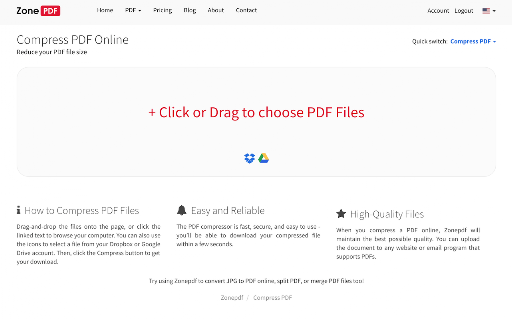
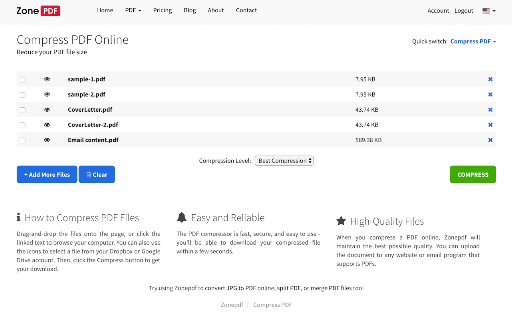
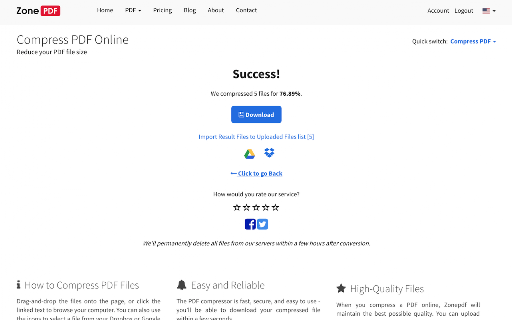
Easy, smart and secure way to Compress PDF Files Online! Reduce your PDF file size quickly and securely with our easy-to-use PDF compressor. Perfect for making small PDFs for: * Website Uploads: Meet file size limits and improve website loading speed. * Email Attachments: Send PDFs without exceeding attachment size restrictions. * Archiving: Save valuable storage space by compressing large PDF documents. How it Works: * Select or Drag & Drop: Choose your PDF files from Browser or directly from your computer. * Compress with One Click: Simply click the "Compress" button. * Download Your Small PDF: Get your optimized PDF file instantly. Key Features: * High-Quality Compression: Maintain excellent PDF quality while significantly reducing file size. * Web-Optimized PDFs: Create PDFs perfectly sized for websites, ensuring fast loading times and improved user experience. * Email-Friendly: Com…

Listing SEO keywords

Search intent keywords
Keyword signals for evaluating how users may discover, compare, or search for this extension category.

Core discovery

compress pdfreduce pdf sizeonline pdf compressorshrink pdf file

Comparison

best pdf compressorfree pdf compressor vs paid

Problem

pdf too large for emailpdf file size limithow to make pdf smaller

Alternative

free pdf compressor alternativeoffline pdf shrinker

Similar extensions

Jump to related discovery paths:

FAQ

What is Compress PDF mainly used for?
A Chrome extension that allows users to compress PDF files via a web-based interface. It provides high-quality compression to help users meet file size restrictions for digital transmissions.
What market signals stand out?
Visible niche traction with limited review base. Last known update: 05/11/2026.
What should builders compare before entering this space?
Compare install concentration, rating quality, update recency, screenshots, developer portfolio, listing claims, and review-backed friction signals.
Is this page review-backed?
Backed by review samples. This page combines store metadata with selected review signals, while raw store metrics remain visible for comparison.

Screenshots

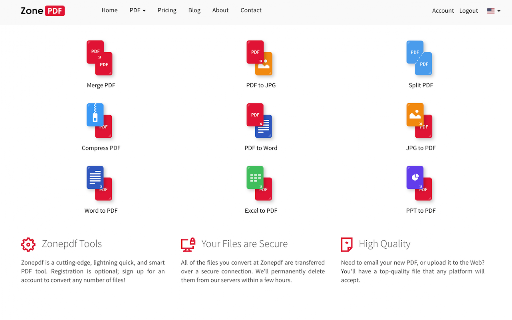
Compress PDF screenshot

Links

Recommended Chrome extensions

Related listings from the same category, trending peers, and the same publisher portfolio.

Browse tools