
Umami Chrome Extension Analysis
Niche Lifestyle & Gaming HacksChrome extension ID: ijlhanbdodlfgklfafdmlnfodbndbkph
Umami is a Chrome extension and app ecosystem that extracts recipes from websites into a simplified view. It allows users to digitize family recipes, import bookmarks, and organize saved dishes into shared or private recipe books.
Overview
Installs
5K+
Rating
★ 3.9
18 reviews
Languages
1 locales
Includes English (United States)
Market analysis
Review-backed positioning, friction, and market signals for this Chrome extension.
Macro category
Niche Lifestyle & Gaming Hacks
Pricing friction
Low review signal
Complaint intensity
Moderate review signal
Listing positioning
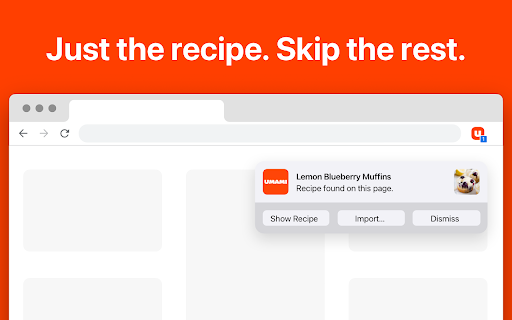
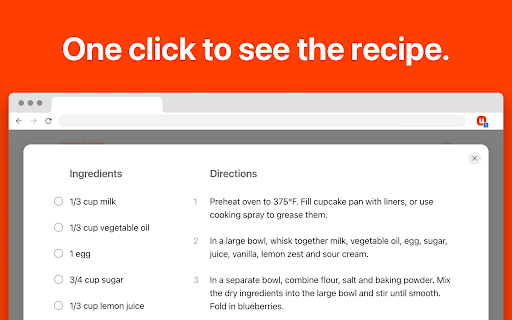
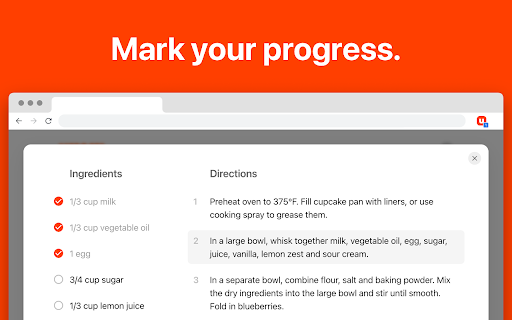
The product positions itself as a tool to eliminate 'recipe blog bloat' by stripping away everything except the ingredients and directions. It emphasizes a clean, side-by-side cooking interface with progress tracking and the ability to save and customize recipes in personalized books.
Inferred product pattern
Content-stripping utility paired with a cloud-based organizational database for niche lifestyle data.
Review-backed pain points
Users report significant reliability issues with the Chrome extension's ability to detect recipes on various websites, often forcing them to manually enter data or switch to the mobile app.
Observed feature gaps
The Chrome extension lacks the robust scraping reliability found in the mobile version of the product.
- Home cooks
- Digital recipe collectors
- Users frustrated by long-form recipe blog posts
- Extracting recipes from food blogs
- Digitizing handwritten family recipes
- Organizing web recipes into themed collections
- Tracking progress while cooking
- Clean and intuitive user interface
- Effective digitization of old recipes
- Versatile export options (PDF, HTML, JSON)
- Ad-free experience
- Poor recipe detection on the Chrome extension
- Inconsistency between extension and mobile app performance
- Frequent 'No Recipe Found' errors
- Performance complaints detected
- No pricing friction observed; one user specifically praised the lack of ads.
Support
One user noted the developer was responsive and friendly to questions.
Reliability
Strong evidence of reliability failure regarding the extension's core scraping functionality across multiple websites.
Privacy
No privacy complaints observed.
- No clear monetization signal
- Account required for core usage
- No clear pricing signal
Store listing facts
- Screenshots: 3
- Videos: 0
- Languages: 1
- Privacy policy
- Developer contact
- Official website
- Support link
- Version: 1.0.5
- Size: 24.17KiB
- Last updated:
Listing SEO keywords
Core discovery
Comparison
Problem
Alternative
Similar extensions
Jump to related discovery paths:
FAQ
Screenshots
Links
Website: umami.recipes
Privacy policy: https://www.umami.recipes/privacy
Support links: https://www.umami.recipes/support