

Automa Chrome Extension Analysis
Automation & Workflow EfficiencyChrome extension ID: infppggnoaenmfagbfknfkancpbljcca
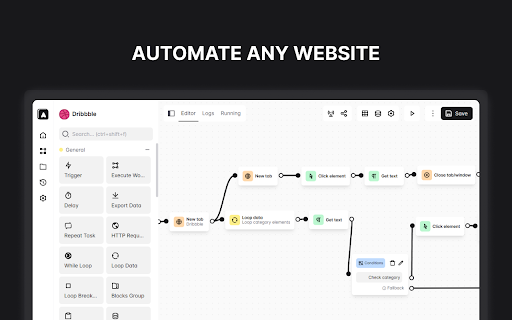
Automa is a browser extension that allows users to create custom automation workflows for web browsers without extensive manual coding. It provides a drag-and-drop interface to build sequences of actions, which can be triggered or scheduled to perform routine web tasks.
Overview
Installs
200K+
Rating
★ 4.4
281 reviews
Languages
1 locales
Includes English
Market analysis
Review-backed positioning, friction, and market signals for this Chrome extension.
Macro category
Automation & Workflow Efficiency
Pricing friction
Low review signal
Complaint intensity
High review signal
Listing positioning
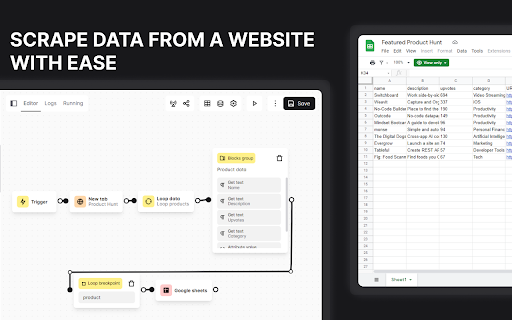
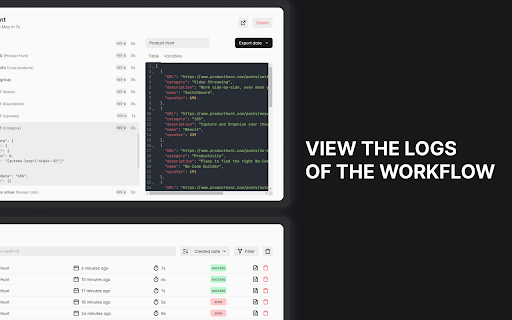
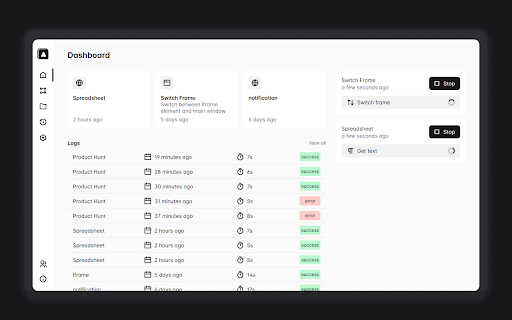
Automa positions itself as a versatile browser-based automation tool capable of handling form filling, repetitive tasks, screenshots, and web data scraping. It emphasizes user control through a visual workflow builder and offers scheduling capabilities for executing automated sequences.
Inferred product pattern
Open-source browser automation builder with a complex node-based UI that struggles with maintenance and user onboarding.
Review-backed pain points
Users struggle with steep learning curves, sparse documentation, and broken workflow recording. Frequent complaints exist regarding UI design, specifically window focus issues during execution and removal of legacy navigation shortcuts.
Observed feature gaps
Lack of comprehensive, up-to-date documentation and templates. Absence of a background execution mode that doesn't disrupt foreground work. Potential bugs in trigger logic and tab management.
- Web developers
- Data analysts
- Power users
- Automation enthusiasts
- Web form automation
- Automated web data scraping
- Browser task scheduling
- UI interaction workflows
- High potential for complex task automation
- Powerful visual workflow builder
- Poor documentation and outdated tutorials
- High learning curve requiring coding knowledge
- UI usability issues
- Intermittent functional breakage after updates
- Account blocking complaints detected
- Performance complaints detected
- Users expressed frustration over login failures and the presence of premium features in an environment that may not be fully functional.
Support
Documentation is frequently cited as outdated, incomplete, or confusing, leaving users unable to build simple workflows.
Reliability
High frequency of reports regarding broken triggers, failed execution, memory leaks during loops, and poor compatibility with certain browser versions.
Privacy
No specific privacy or security concerns regarding data handling were identified in the review set.
- Free entry with paid features
- Login needed for core features
- Limited free usage observed
Store listing facts
- Screenshots: 4
- Videos: 1
- Languages: 1
- Privacy policy
- Developer contact
- Official website
- Support link
- Version: 1.30.01
- Size: 2.57MiB
- Last updated:
Listing SEO keywords
Core discovery
Comparison
Problem
Alternative
Similar extensions
Jump to related discovery paths:
FAQ
Screenshots
Links
Website: extension.automa.site
Privacy policy: https://extension.automa.site/privacy
Support links: https://github.com/automaapp/automa/issues
Videos: Watch