QR Code Reader icon

QR Code Reader Chrome Extension Analysis

Automation & Workflow Efficiency

Chrome extension ID: jhigigpkpbeofhknomiadocogenlpcde

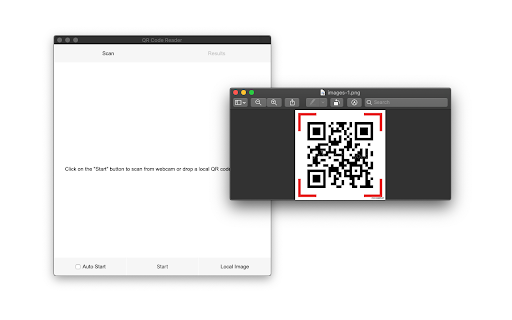
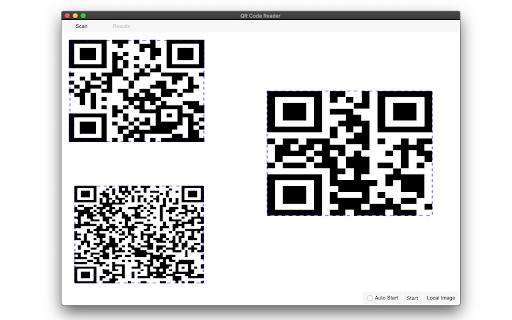
This utility allows users to decode various formats, including text, links, ISBNs, and coupons, via webcam or uploaded files. It utilizes the ZBar library to enable detection of multiple codes within a single frame. The tool operates entirely locally to ensure user privacy.

Developer:joue.quroi
Version:0.3.2
Size:247KiB
Last updated:

Overview

Installs

40K+

Rating

4.1

22 reviews

Languages

1 locales

Includes English

Market analysis

Review-backed positioning, friction, and market signals for this Chrome extension.

Backed by review samples

Macro category

Automation & Workflow Efficiency

Pricing friction

Low review signal

Complaint intensity

High review signal

Listing & review signals
Observed signals from store listing text and review samples.

Listing positioning

The extension positions itself as a powerful, privacy-centric tool for scanning QR codes and barcodes. It emphasizes the ability to scan from both a webcam and local image files without any server-side interaction. It also highlights support for multiple protocols and a scan history feature.

Inferred product pattern

A utility-focused, privacy-centric scanner for local and webcam-based code detection.

Review-backed pain points

Multiple users reported the extension fails to work entirely. Other users mentioned that the interface is difficult to navigate, hard to move on screen, or disappears unexpectedly.

Observed feature gaps

Automatic redirection for scanned links (currently requires manual copy-pasting) and a more stable/intuitive user interface.

Tags
QR Code ScannerBarcode ReaderData ExtractionPrivacy Focused
Target users

- Office workers

- Retail employees

- Digital archivists

- General productivity users

Primary use cases

- Scanning QR codes from local images

- Reading barcodes via webcam

- Extracting text or links from codes

- Maintaining a history of scanned items

Positive themes

- Effective webcam scanning

- Privacy-first approach with no extra permissions

- Useful scan history feature

- Convenient right-click functionality

Negative themes

- Total functionality failure

- Clunky or unintuitive user interface

- Unexpected UI behavior

Observed friction

- No pricing-related information or complaints were observed.

Evidence boundary: Extracted from store description and 10 user reviews highlighting both functional success and critical failures. The sample size of reviews is relatively small (21 total), which may not capture the full spectrum of user experience.
Complaint summaries
Review-backed complaint signals grouped by operational area.

Support

No support-related complaints were identified.

Reliability

Users reported significant reliability issues, ranging from the extension not working at all to the interface disappearing unexpectedly.

Privacy

No privacy complaints; the listing specifically highlights local-only processing.

Access & pricing

- No clear monetization signal

- No account requirement observed

- No clear pricing signal

Store listing facts

Listing assets

- Screenshots: 2

- Videos: 1

- Languages: 1

Trust signals

- Developer contact

- Official website

Store metadata

- Version: 0.3.2

- Size: 247KiB

- Last updated:

Store description excerpt
Short excerpt from the public Chrome Web Store listing; full copy is available on the official store page.
A powerful QR-code (Quick Response code) and barcode scanner supports scanning from the camera or local image files and keeps the history of the last 100 scans. It supports almost all known formats, including text, link, ISBN, coupon, and contact. Privacy: This extension does not rely on any external services to perform detection. There is no server-side interaction whatsoever. Features: 1. Read multiple QR-codes on a single image 2. Supports multiple protocols 3. Saves the history of scanned items 4. Drop local image files to the user interface 5. Uses both native method and ZBar library to maximize the detection power. This extension uses ZBar c-library, to extract multiple QR-codes and barcodes in a single image frame. What is a QR code? It is a type of matrix barcode that is a machine-readable optical label. A QR code contains information about the item to which it is attached. A QR…

Listing SEO keywords

Search intent keywords
Keyword signals for evaluating how users may discover, compare, or search for this extension category.

Core discovery

QR code readerbarcode scanner extensionscan QR from imagewebcam barcode scanner

Comparison

QR code reader vs barcode scanner

Problem

QR code not workingbarcode scanner brokencannot scan QR code

Alternative

QR scanner for ChromeBarcode reader extension

Similar extensions

Jump to related discovery paths:

FAQ

What is QR Code Reader mainly used for?
This utility allows users to decode various formats, including text, links, ISBNs, and coupons, via webcam or uploaded files. It utilizes the ZBar library to enable detection of multiple codes within a single frame. The tool operates entirely locally to ensure user privacy.
What market signals stand out?
Visible niche traction with limited review base. Last known update: 02/18/2026.
What should builders compare before entering this space?
Compare install concentration, rating quality, update recency, screenshots, developer portfolio, listing claims, and review-backed friction signals.
Is this page review-backed?
Backed by review samples. This page combines store metadata with selected review signals, while raw store metrics remain visible for comparison.

Screenshots

QR Code Reader screenshot

Links

Website: webextension.org

Videos: Watch

Recommended Chrome extensions

Related listings from the same category, trending peers, and the same publisher portfolio.

Browse tools