Netsweeper Client Filter icon

Netsweeper Client Filter Chrome Extension Analysis

Privacy, Security & Ad Blockers

Chrome extension ID: kdbgbpcphmnekmkhbcfmbdahceffhddn

This extension functions as a mandatory enterprise filter that reroutes web traffic through a designated Netsweeper policy server. It is designed for institutional deployment (schools or businesses) to enforce usage restrictions and monitor web requests at the network level.

Developer:Netsweeper Inc.
Version:13.59.55.56
Size:13.32MiB
Last updated:

Overview

Installs

10K+

Rating

1.4

10 reviews

Languages

1 locales

Includes English

Market analysis

Review-backed positioning, friction, and market signals for this Chrome extension.

Backed by review samples

Macro category

Privacy, Security & Ad Blockers

Pricing friction

Low review signal

Complaint intensity

High review signal

Listing & review signals
Observed signals from store listing text and review samples.

Listing positioning

Netsweeper Client Filter is positioned as an enterprise-grade utility that integrates Chrome browsers with a central Netsweeper Policy Service. It focuses on administrative control, allowing organizations to enforce web filtering policies and brand browser defaults for managed users.

Inferred product pattern

Enterprise-mandated administrative filtering and management extension.

Review-backed pain points

Users, primarily students or end-users in institutional settings, report severe frustration regarding the inability to remove the software, loss of autonomy over browser usage, and blocking of recreational sites.

Observed feature gaps

The extension lacks end-user transparency or control, which is intentional given its design as an administrative enforcement tool.

Tags
Content FilteringWeb SecurityEnterprise PolicyNetwork SecurityCompliance
Target users

- IT Administrators

- Enterprise Organizations

- Educational Institutions

Primary use cases

- Web content filtering

- Enterprise policy enforcement

- Network security compliance

Positive themes

- Functionally accurate according to developer claims

Negative themes

- Difficulty in removal

- Restrictive blocking of websites

- Perceived performance degradation or lag

Observed friction

- Performance complaints detected

- None; the extension is free but requires an existing enterprise Netsweeper infrastructure to function.

Evidence boundary: Data is derived from public store listing details and a collection of user reviews, which reflect high levels of end-user friction due to its nature as a restrictive management tool. Reviews are heavily skewed toward end-users (e.g., students) rather than the intended administrative purchasers, reflecting frustration with restrictions rather than product functionality failures.
Complaint summaries
Review-backed complaint signals grouped by operational area.

Support

Users expressed frustration over the inability to remove the software, though this is by design for managed enterprise devices.

Reliability

Users reported perceived lag and interference with gaming or non-work-related browsing activities.

Privacy

No specific privacy violation claims found; users focus primarily on the restriction of content.

Access & pricing

- Free usage observed

- Account required for core usage

- Free plan or free usage claimed

Store listing facts

Listing assets

- Screenshots: 1

- Videos: 0

- Languages: 1

Trust signals

- Privacy policy

- Developer contact

- Official website

- Support link

Store metadata

- Version: 13.59.55.56

- Size: 13.32MiB

- Last updated:

Store description excerpt
Short excerpt from the public Chrome Web Store listing; full copy is available on the official store page.
Netsweeper Client Filter for Chrome allows users running a Netsweeper Filtering service to integrate Chrome browsers to their central filtering service. The Netsweeper Chrome Client Filter will send all URL requests to a Netsweeper Policy Service to filter web surfing. The Netsweeper Policy Service is configurable and can be set to any deployed Netsweeper system. The policy service can be password protected by the Administrator of the policy service by setting a Client Filter uninstall password. You can configure the Chrome Client FIlter using the gSuite enterprise policy or via the Windows Registry/MacOS pList files. This allows you to customize and brand your defaults for all your users. When using the Netsweeper Client Filter the following data is transmitted to the Policy Service for filtering purposes: The complete URL of each web request and all elements on a web page The account…

Listing SEO keywords

Search intent keywords
Keyword signals for evaluating how users may discover, compare, or search for this extension category.

Core discovery

Netsweeper Chrome filterweb content filtering softwarebrowser security management

Comparison

enterprise web filter alternativesschool browser filter

Problem

how to remove netsweeperunblock websites at school

Alternative

web gateway filternetwork policy service

Similar extensions

Jump to related discovery paths:

FAQ

What is Netsweeper Client Filter mainly used for?
This extension functions as a mandatory enterprise filter that reroutes web traffic through a designated Netsweeper policy server. It is designed for institutional deployment (schools or businesses) to enforce usage restrictions and monitor web requests at the network level.
What market signals stand out?
Visible niche traction with limited review base. Last known update: 04/13/2026.
What should builders compare before entering this space?
Compare install concentration, rating quality, update recency, screenshots, developer portfolio, listing claims, and review-backed friction signals.
Is this page review-backed?
Backed by review samples. This page combines store metadata with selected review signals, while raw store metrics remain visible for comparison.

Screenshots

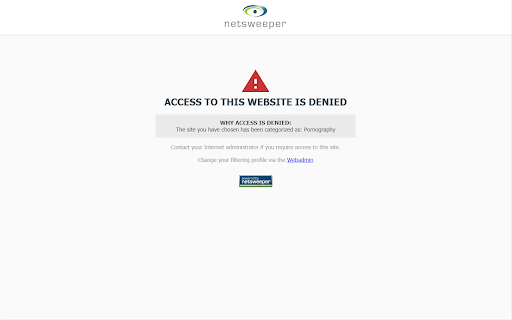
Netsweeper Client Filter screenshot

Links

Recommended Chrome extensions

Related listings from the same category, trending peers, and the same publisher portfolio.

Browse workflow