Video Player for Local Files icon

Video Player for Local Files Chrome Extension Analysis

Video & Image Downloaders

Chrome extension ID: kfcfjmdnmmokdhndbpfcachlkliggggc

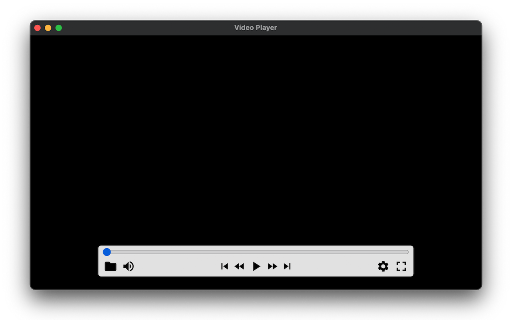
This extension functions as a browser-based player for local media files, leveraging native browser codecs to play videos and audio. It operates entirely offline and provides basic playback controls like playlist management and loop mode.

Version:1.0.0
Size:29.54KiB
Last updated:

Overview

Installs

20K+

Rating

3.9

47 reviews

Languages

2 locales

Includes English, 中文(中国)

Market analysis

Review-backed positioning, friction, and market signals for this Chrome extension.

Backed by review samples

Macro category

Video & Image Downloaders

Pricing friction

Low review signal

Complaint intensity

Moderate review signal

Listing & review signals
Observed signals from store listing text and review samples.

Listing positioning

The store listing positions this tool as a lightweight, offline-first video and audio player specifically for local files. It emphasizes simple drag-and-drop functionality and keyboard shortcut controls for a streamlined media experience directly within the browser.

Inferred product pattern

Minimalist browser-based utility that relies on native browser codecs for media playback.

Review-backed pain points

Users frequently report that the player fails to open common file formats like MP4 and AVI, and they struggle with the lack of subtitle support, which many view as a critical feature.

Observed feature gaps

Missing support for external/independent subtitle files, lack of audio track switching for dual-audio files, and no ability to customize keyboard shortcuts.

Tags
Video PlayerLocal MediaBrowser UtilityMedia Player
Target users

- Casual media consumers

- Users needing to share local video files in screen-sharing sessions

- Desktop browser enthusiasts

Primary use cases

- Playing local video and audio files

- Looping media content

- Managing simple file playlists for local consumption

Positive themes

- Ease of use

- Effective for basic screen-sharing use cases

- Simple, lightweight UI

Negative themes

- Limited file format and codec support

- Lack of subtitle support

- Unexpected playback pauses

- UI navigation frustrations regarding playlists

Observed friction

- Performance complaints detected

- None; the product is free to use.

Evidence boundary: Analysis is based on public listing details and user reviews from the Chrome Web Store highlighting common technical limitations and usability feedback. Review data is limited to a small sample size, which may not capture the experience of the entire user base.
Complaint summaries
Review-backed complaint signals grouped by operational area.

Support

No specific support complaints, though users express frustration regarding the developer's lack of updates on feature requests.

Reliability

Some users report abrupt playback pauses and instances where the player displays a black screen while only audio plays.

Privacy

None reported.

Access & pricing

- Free usage observed

- No account requirement observed

- Free plan or free usage claimed

Store listing facts

Listing assets

- Screenshots: 1

- Videos: 0

- Languages: 2

Trust signals

- Privacy policy

- Developer contact

- Official website

Store metadata

- Version: 1.0.0

- Size: 29.54KiB

- Last updated:

Store description excerpt
Short excerpt from the public Chrome Web Store listing; full copy is available on the official store page.
An easy-to-use and very lightweight video player for local video/audio files, powered by Web technology. It works completely offline. In addition to using the mouse, it supports many useful keyboard shortcuts, as well as a few simple settings. Homepage: https://webvideoplayer.org/ Updates: 1.0.0 (May 1, 2023): Support playlist UI and loop playback mode. FAQ: 1.How to open the player? Click the extension icon. 2.How to open files? • Click the "Folder" icon in the panel • Keyboard shortcut: Ctrl/Cmd + O • Drag and drop files to the player 3.Subtitles Independent or embedded subtitles are not supported. Maybe I will support independent subtitle files in the future. Of course, if the subtitles are already in the video stream, they can be displayed. 4.Online streaming media Currently only supports local file playback. There are no plans to support online streaming media. 5.Video format and c…

Listing SEO keywords

Search intent keywords
Keyword signals for evaluating how users may discover, compare, or search for this extension category.

Core discovery

local video player chromeplay local files in browserchrome video player extension

Comparison

alternative to VLC for chromebrowser media player

Problem

video not playing in chrome extensioncant open mp4 in extension

Alternative

video player extensionmedia playback tool

Similar extensions

Jump to related discovery paths:

FAQ

What is Video Player for Local Files mainly used for?
This extension functions as a browser-based player for local media files, leveraging native browser codecs to play videos and audio. It operates entirely offline and provides basic playback controls like playlist management and loop mode.
What market signals stand out?
Visible niche traction with limited review base. Last known update: 08/25/2023.
What should builders compare before entering this space?
Compare install concentration, rating quality, update recency, screenshots, developer portfolio, listing claims, and review-backed friction signals.
Is this page review-backed?
Backed by review samples. This page combines store metadata with selected review signals, while raw store metrics remain visible for comparison.

Screenshots

Video Player for Local Files screenshot

Links

Website: guokai.dev

Privacy policy: https://guokai.dev/privacy/

Recommended Chrome extensions

Related listings from the same category, trending peers, and the same publisher portfolio.

Browse entertainment
Tab Groups Extension icon

Tab Groups Extension

Jackie(Guokai) Han

Automatically group tabs, save tabs/groups, and provide shortcuts for tabs/groups.

Installs

100K+

Rating

4.4

QR Code icon

QR Code

Jackie(Guokai) Han

Generate and Scan QR Code.

Installs

80K+

Rating

4.7

Watch Netflix Together icon

Watch Netflix Together

Watch Netflix Together

Effortlessly watch Netflix together!

Installs

60K+

Rating

3.8

MEOWSING icon

MEOWSING

MONYA

The more you move the mouse cursor, the more cats gather from beyond the window.

Installs

60K+

Rating

4.2

Xiaohongshu for Desktop icon

Xiaohongshu for Desktop

Seiri

Experience Xiaohongshu for desktop like never before: Chrome extension that brings exciting and creative content to your screen

Installs

50K+

Rating

3.4

Auto Youtube Shorts Scroller icon

Auto Youtube Shorts Scroller

Tyson3101

Automatically scrolls to the next Youtube Short when one ends!

Installs

50K+

Rating

3.9

小电视空降助手 icon

小电视空降助手

hanyd

恰饭?桌子都给你掀了(/= _ =)/~┴┴ 带你精准空降到赞助广告结束或者高能时刻,自动跳过视频中的赞助广告、订阅提醒等片段。你也可以亲自标记视频中的广告并上传,所有人都会从您的贡献中受益。

Installs

50K+

Rating

4.9

Crunchyroll: Picture in Picture [QVI] icon

Crunchyroll: Picture in Picture [QVI]

Awesome Extensions

Extension to watch Crunchyroll in Picture in Picture mode. Enables a floating window for your favorite videos.

Installs

50K+

Rating

4.2

Sauce for Strava™ icon

Sauce for Strava™

Sauce, LLC

Additional functionality for your cycling and running analysis. This extension upgrades the Strava™ website.

Installs

50K+

Rating

4.7

VLC online - multimedia player icon

VLC online - multimedia player

Winfy

Play most multimedia files, and various streaming protocols with this VLC distributed online.

Installs

50K+

Rating

3.0