

Control Panel for Twitter Chrome Extension Analysis
Social Media Growth & MarketingChrome extension ID: kpmjjdhbcfebfjgdnpjagcndoelnidfj
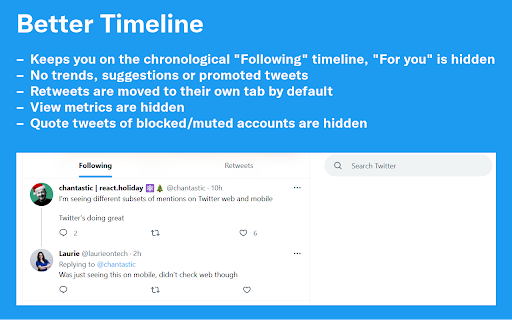
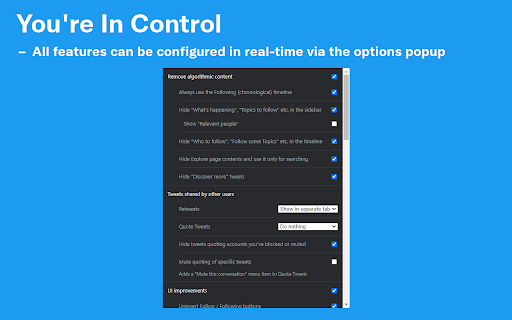
This browser extension offers a wide array of granular toggles to modify the X web experience, including hiding algorithmic elements, reformatting timelines, and adjusting UI density. It aims to restore a legacy-style, chronological user experience by providing tools to hide specific interface components and automated prompts.
Overview
Installs
300K+
Rating
★ 4.7
894 reviews
Languages
7 locales
Includes English, español, français, italiano...
Market analysis
Review-backed positioning, friction, and market signals for this Chrome extension.
Macro category
Social Media Growth & Marketing
Pricing friction
Low review signal
Complaint intensity
Moderate review signal
Listing positioning
Control Panel for Twitter positions itself as a comprehensive customization suite designed to de-clutter the X (formerly Twitter) interface and reclaim user control. It emphasizes the removal of algorithmic content, restoration of chronological timelines, and granular UI element management to reduce distractions.
Inferred product pattern
An open-utility interface tweaker that relies on DOM manipulation to hide and restructure web elements.
Review-backed pain points
Users frequently report performance issues such as browser freezing or page reloads. Specific functionality, such as timeline filtering or direct messages, occasionally breaks following updates to the host platform, requiring users to disable the extension to restore functionality.
Observed feature gaps
The extension lacks a user-friendly setup wizard for initial configuration, leading to frustration with aggressive default settings. Users also report issues with compatibility between custom CSS overrides and the extension's native update cycle.
- Power users
- Productivity-focused social media users
- Users preferring chronological feeds
- Forcing chronological timeline
- Removing 'For You' algorithms
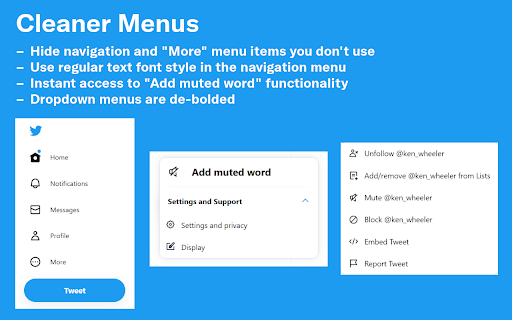
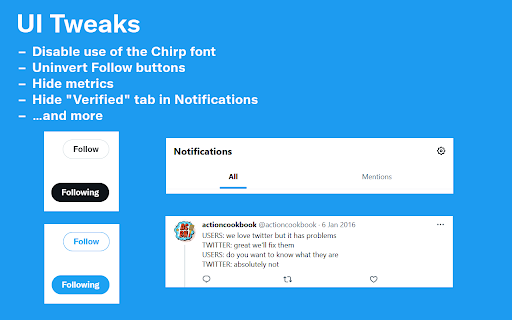
- Hiding UI elements like sidebars and metric counters
- Customizing navigation density
- High degree of granular customization
- Effective removal of unwanted UI noise
- Useful for managing timeline density
- Periodic breakage after X platform updates
- Browser performance degradation (freezing/slowness)
- Conflicts between custom CSS settings and core extension features
- Intrusive default settings
- Performance complaints detected
- None identified; the tool is reported as free, with users expressing willingness to pay for stability.
Support
Users generally report bugs and request fixes via public reviews, noting that specific features break when X updates its UI.
Reliability
Significant reports of browser performance issues, including freezing and slowness, often linked to the extension's impact on DOM manipulation.
Privacy
No specific privacy or data handling complaints found in the provided sample.
- Free usage observed
- No account requirement observed
- Free plan or free usage claimed
Store listing facts
- Screenshots: 5
- Videos: 0
- Languages: 7
- Privacy policy
- Developer contact
- Official website
- Support link
- Version: 4.22.5
- Size: 143KiB
- Last updated:
Listing SEO keywords
Core discovery
Comparison
Problem
Alternative
Similar extensions
Jump to related discovery paths:
FAQ
Screenshots

Links
Website: soitis.dev
Privacy policy: https://soitis.dev/control-panel-for-twitter/privacy-policy
Support links: https://soitis.dev/control-panel-for-twitter#support


