JSON Viewer icon

JSON Viewer Chrome Extension Analysis

Developer & Designer Tools

Chrome extension ID: lbigodiljbelalmflhlapgiclaieahae

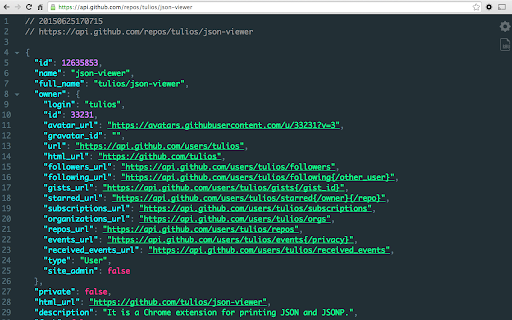
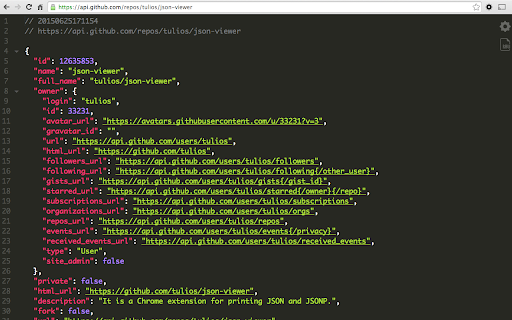
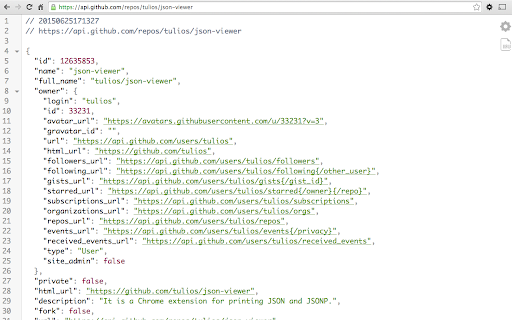
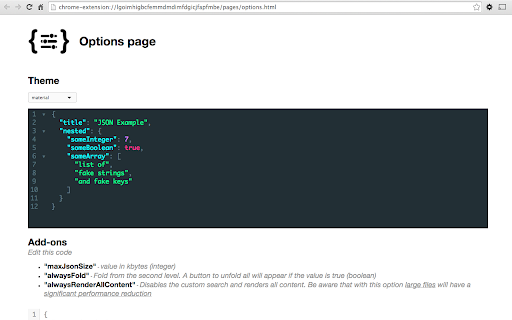
A Chrome extension designed to format, highlight, and make JSON/JSONP data more readable. It offers features like collapsible nodes, multiple built-in themes, a scratchpad for testing, and support for local files.

Developer:Master Tools
Version:3.0.1
Size:453KiB
Last updated:

Overview

Installs

361

Rating

5.0

4 reviews

Languages

1 locales

Includes English

Market analysis

Review-backed positioning, friction, and market signals for this Chrome extension.

Backed by review samples

Macro category

Developer & Designer Tools

Pricing friction

Low review signal

Complaint intensity

Low review signal

Listing & review signals
Observed signals from store listing text and review samples.

Listing positioning

The product positions itself as a highly aesthetic and customizable tool for viewing JSON and JSONP data. It emphasizes visual appeal and user control through various themes and formatting options.

Inferred product pattern

An open-source, developer-centric utility focused on high-quality data visualization and user customization.

Review-backed pain points

No review-backed pain points available.

Observed feature gaps

No feature gaps identified from reviews or listing.

Tags
JSON ViewerSyntax HighlighterDeveloper ToolsJSON Formatter
Target users

- Web Developers

- Data Engineers

- API Developers

Primary use cases

- Visualizing formatted JSON data in the browser

- Debugging API responses

- Testing JSON strings in a scratchpad

Positive themes

- High aesthetic quality

- Excellent customization

Negative themes

No negative theme data.

Observed friction

- No pricing friction observed.

Evidence boundary: Analysis based on the Chrome Web Store listing and two high-rating reviews. The sample size is extremely small, with only four total reviews available.
Complaint summaries
Review-backed complaint signals grouped by operational area.

Support

No support complaints observed.

Reliability

No reliability complaints observed.

Privacy

No privacy complaints observed.

Access & pricing

- No clear monetization signal

- No account requirement observed

- No clear pricing signal

Store listing facts

Listing assets

- Screenshots: 5

- Videos: 0

- Languages: 1

Trust signals

- Privacy policy

- Developer contact

- Official website

Store metadata

- Version: 3.0.1

- Size: 453KiB

- Last updated:

Store description excerpt
Short excerpt from the public Chrome Web Store listing; full copy is available on the official store page.
It is a Chrome extension for printing JSON and JSONP. Notes: * This extension might crash with other JSON highlighters/formatters, you may need to disable them * To highlight local files and incognito tabs you have to manually enable these options on the extensions page * Sometimes when the plugin updates chrome leaves the old background process running and revokes some options, like the access to local files. When this happen just recheck the option that everything will work again * Works on local files (if you enable this in chrome://extensions) Features * Syntax highlighting * 26 built-in themes * Collapsible nodes * Clickable URLs (optional) * URL does not matter (the content is analysed to determine if its a JSON or not) * Inspect your json typing "json" in the console * Hot word `json-viewer` into omnibox (type `json-viewer` + TAB and paste your JSON into omnibox, hit ENTER and it…

Listing SEO keywords

Search intent keywords
Keyword signals for evaluating how users may discover, compare, or search for this extension category.

Core discovery

JSON viewerJSON formatterJSON highlighterJSONP viewer

Comparison

JSON highlightersJSON formatters

Problem

unformatted JSONhard to read JSON

Alternative

JSON viewer extensionChrome JSON formatter

Similar extensions

Jump to related discovery paths:

FAQ

What is JSON Viewer mainly used for?
A Chrome extension designed to format, highlight, and make JSON/JSONP data more readable. It offers features like collapsible nodes, multiple built-in themes, a scratchpad for testing, and support for local files.
What market signals stand out?
Early or small audience with limited review base. Last known update: 01/29/2025.
What should builders compare before entering this space?
Compare install concentration, rating quality, update recency, screenshots, developer portfolio, listing claims, and review-backed friction signals.
Is this page review-backed?
Backed by review samples. This page combines store metadata with selected review signals, while raw store metrics remain visible for comparison.

Screenshots

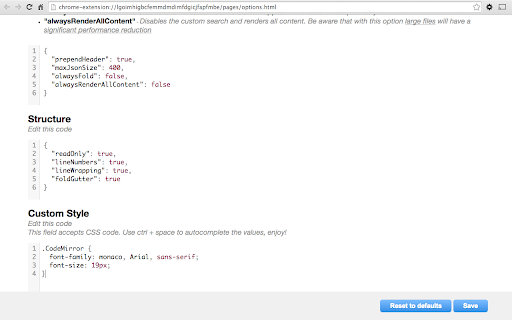
JSON Viewer screenshot

Links

Recommended Chrome extensions

Related listings from the same category, trending peers, and the same publisher portfolio.

Browse developer