
Screenshot Chrome Extension Analysis
Automation & Workflow EfficiencyChrome extension ID: mafopchedjkbgkpbbnbgifaolempmdgh
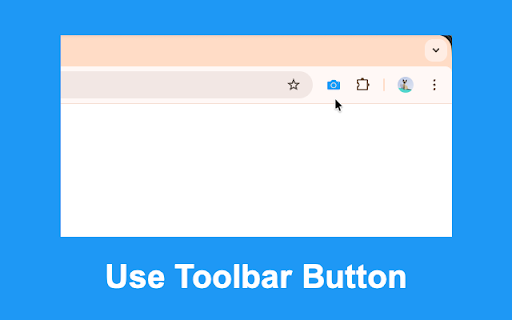
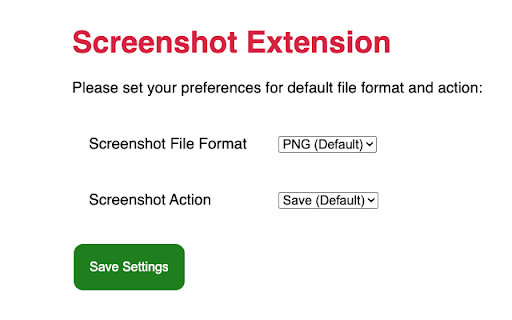
This is a simple browser utility designed to take a screenshot of the currently visible area of a web page. It supports saving files as PNG or JPEG and offers an optional configuration to open the captured image in a new tab instead of saving it directly.
Overview
Installs
40K+
Rating
★ 4.5
63 reviews
Languages
1 locales
Includes English
Market analysis
Review-backed positioning, friction, and market signals for this Chrome extension.
Macro category
Automation & Workflow Efficiency
Pricing friction
Low review signal
Complaint intensity
Moderate review signal
Listing positioning
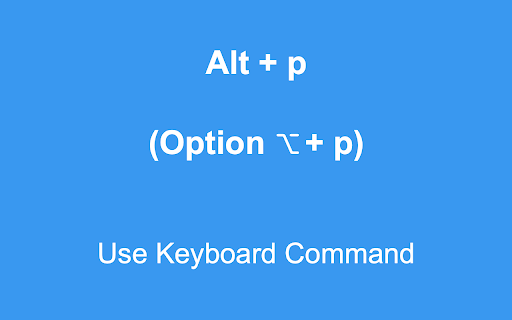
The store listing positions this extension as a lightweight, fast, and privacy-focused tool for capturing the visible area of a browser tab. It emphasizes simplicity and speed, explicitly highlighting its keyboard shortcut functionality and automatic saving options.
Inferred product pattern
Minimalist single-purpose utility extension.
Review-backed pain points
The most significant pain point is the absence of a scrolling/full-page capture feature, which users frequently request. Additionally, some users have reported the extension button or shortcut failing to trigger entirely.
Observed feature gaps
The lack of full-page scrolling capture is the primary feature gap. Users also desire more granular control over saving directories and basic image editing capabilities.
- Casual web users
- UI/UX testers
- Office workers needing quick visual references
- Quickly capturing visible UI elements
- Creating temporary visual reminders
- Saving web content without manual file management
- Fast and intuitive usage
- Reliable keyboard shortcut (Alt+P)
- Minimalist design without bloatware
- Lack of full-page scrolling screenshot functionality
- Occasional functional failure of the button/command
- Limited configuration for file saving directories
- Performance complaints detected
- None identified; the extension is free to use.
Support
No specific reports of poor developer support, though users have reported intermittent bugs with the capture command.
Reliability
Minor reports of the extension failing to respond to user input (button or shortcut presses).
Privacy
None; users cite its privacy-friendly, non-bloated nature as a benefit.
- Free usage observed
- No account requirement observed
- Free plan or free usage claimed
Store listing facts
- Screenshots: 3
- Videos: 0
- Languages: 1
- Privacy policy
- Developer contact
- Official website
- Version: 0.0.7
- Size: 12.82KiB
- Last updated:
Listing SEO keywords
Core discovery
Comparison
Problem
Alternative
Similar extensions
Jump to related discovery paths:
FAQ
Screenshots
Links
Website: browsernative.com
Privacy policy: https://browsernative.com/extensions-privacy-policy/