

Lightshot (screenshot tool) Chrome Extension Analysis
Automation & Workflow EfficiencyChrome extension ID: mbniclmhobmnbdlbpiphghaielnnpgdp
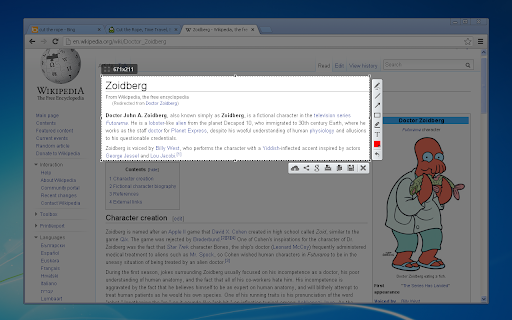
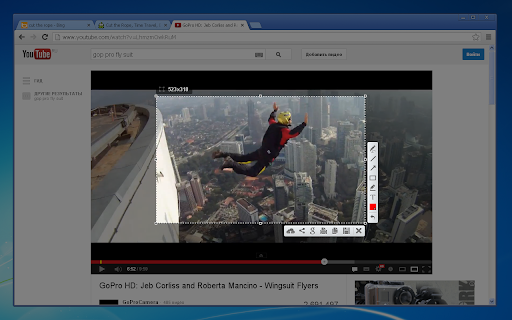
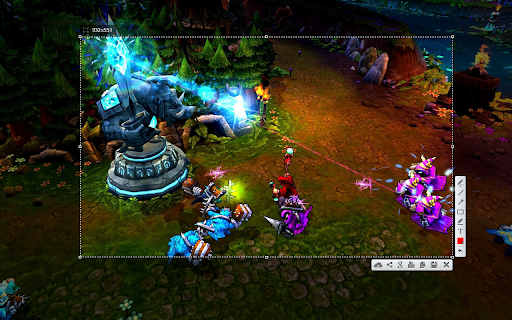
A screenshot extension that allows users to capture specific areas of a webpage, apply on-the-fly edits, and save the result locally or upload it to the cloud for easy sharing via links.
Overview
Installs
2.0M+
Rating
★ 4.4
7,026 reviews
Languages
40 locales
Includes Deutsch, English, Indonesia, Nederlands...
Market analysis
Review-backed positioning, friction, and market signals for this Chrome extension.
Macro category
Automation & Workflow Efficiency
Pricing friction
Low review signal
Complaint intensity
Moderate review signal
Listing positioning
Positions itself as the fastest and most lightweight way to take customizable screenshots. It emphasizes a simple interface and a streamlined workflow for selecting, editing, and sharing images.
Inferred product pattern
Lightweight utility pattern focusing on a single-purpose task (capture/share) with a freeware model.
Review-backed pain points
Users report significant frustration with 'blank' screenshots where the capture fails, as well as the loss of important saved data from the cloud service without warning.
Observed feature gaps
The tool lacks a scrolling screenshot feature to capture full pages beyond the visible area.
- General web users
- Content creators
- Remote workers
- Support specialists
- Quick area capture
- Visual annotation for feedback
- Cloud-based image sharing
- Clipboard copying of screen regions
- Historical reliability
- Ease of use
- Speed of capture
- Technical breakage causing blank screenshots
- Unexpected deletion of cloud-stored images
- Lack of full-page scrolling capability
- OS compatibility issues with Windows 11 and macOS
- Performance complaints detected
- No pricing friction observed as the tool is presented as free.
Support
No direct support interaction complaints, but users report a lack of notifications regarding data deletion.
Reliability
Severe reliability issues reported recently, including frequent blank image captures and software instability on newer operating systems.
Privacy
No privacy complaints found in the provided samples.
- Free usage observed
- No account requirement observed
- Free plan or free usage claimed
Store listing facts
- Screenshots: 3
- Videos: 1
- Languages: 40
- Privacy policy
- Developer contact
- Official website
- Support link
- Version: 7.0.1
- Size: 685KiB
- Last updated:
Listing SEO keywords
Core discovery
Comparison
Problem
Alternative
Similar extensions
Jump to related discovery paths:
FAQ
Screenshots
Links
Website: app.prntscr.com
Privacy policy: https://app.prntscr.com/en/privacy.html?privacy
Support links: https://app.prntscr.com/help.html
Videos: Watch


