BlazeMeter | The Continuous Testing Platform icon

BlazeMeter Chrome Extension Analysis

Developer & Designer Tools

Store listing title: BlazeMeter | The Continuous Testing Platform

Chrome extension ID: mbopgmdnpcbohhpnfglgohlbhfongabi

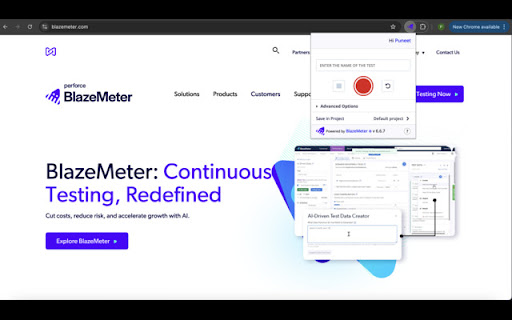
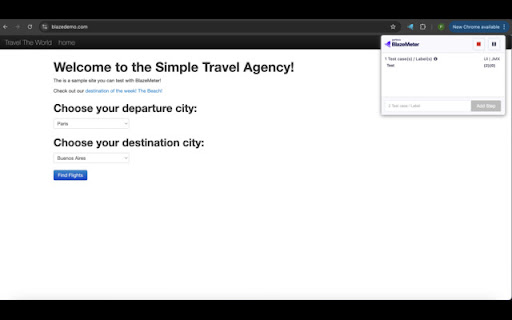
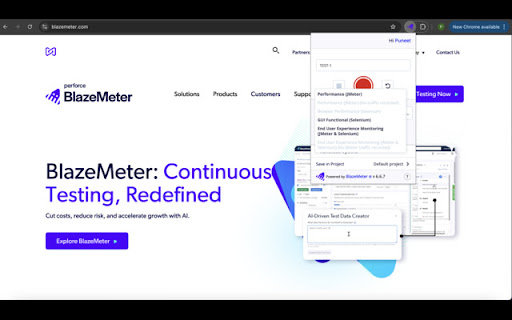
A developer-focused Chrome extension used to record HTTP/S requests and user GUI actions. These recordings are converted into JMX or YAML scripts and can be executed on the BlazeMeter platform for performance and functional testing.

Version:6.6.10
Size:2.11MiB
Last updated:

Overview

Installs

100K+

Rating

4.1

158 reviews

Languages

1 locales

Includes English

Market analysis

Review-backed positioning, friction, and market signals for this Chrome extension.

Backed by review samples

Macro category

Developer & Designer Tools

Pricing friction

Low review signal

Complaint intensity

High review signal

Listing & review signals
Observed signals from store listing text and review samples.

Listing positioning

BlazeMeter positions itself as a continuous testing platform that simplifies the creation of load and functional tests. It offers a way to record browser interactions and HTTP traffic to automatically generate JMeter and Selenium scripts.

Inferred product pattern

A developer utility that bridges browser-based user behavior to professional load testing environments via automated script generation.

Review-backed pain points

Users report significant technical hurdles including broken login/signup flows (redirecting to undefined URLs), ERR_FILE_NOT_FOUND errors, and failure to export recorded scripts to .jmx format.

Observed feature gaps

The extension shows gaps in reliable authentication stability and consistent script export functionality.

Tags
Load TestingSelenium RecorderJMeter SupportPerformance Testing
Target users

- QA Engineers

- Software Developers

- DevOps Engineers

- Performance Testers

Primary use cases

- Automated load test generation

- Functional test recording

- API testing

- Selenium script creation

Positive themes

- Review-backed positive themes are not available in the provided sample.

Negative themes

- Authentication and signup failures

- Broken redirect links

- Data loss during script export

- Unexpected high-volume network requests

Observed friction

- Account blocking complaints detected

- Performance complaints detected

- Privacy complaints detected

- No specific pricing friction was identified in the reviews.

Evidence boundary: Data extracted from user reviews highlighting critical authentication bugs, export failures, and network activity concerns. The review sample provided consists entirely of low-rating reviews; positive user sentiment is not represented.
Complaint summaries
Review-backed complaint signals grouped by operational area.

Support

Users are encountering critical errors such as 'Your file couldn't be accessed' and are requesting help to resolve broken functionality.

Reliability

Significant reliability issues exist regarding account access, script recording stability, and the successful export of test data.

Privacy

One user reported the extension sending a high volume of unexpected network requests (spamming) to external sites.

Access & pricing

- Free entry with paid features

- Account required for core usage

- Limited free usage observed

Store listing facts

Listing assets

- Screenshots: 3

- Videos: 0

- Languages: 1

Trust signals

- Privacy policy

- Developer contact

Store metadata

- Version: 6.6.10

- Size: 2.11MiB

- Last updated:

Store description excerpt
Short excerpt from the public Chrome Web Store listing; full copy is available on the official store page.
The BlazeMeter Chrome extension enables you to - Record. Upload. Run. The Chrome extension records all HTTP/S requests and actual user interactions that your browser sends. It creates a JMeter or Selenium script, and automatically uploads it to BlazeMeter.com, where you can execute tests with a single click. No need to install JMeter nor Selenium to record or run GUI Functional, API Functional, or Performance tests, the Chrome extension will create the JMeter (JMX) and Taurus Selenium (YAML) scripts automatically. The extension will also allow you to debug and test your recorded Selenium session on your local Chrome browser. By using JMeter locally, you can debug and enhance the JMX file created by the Chrome Extension to ensure your script is ready to go. WHAT'S NEW: https://guide.blazemeter.com/hc/en-us/articles/115004970329-Chrome-Extension-Changelog-Chrome-Extension-Changelog Featur…

Listing SEO keywords

Search intent keywords
Keyword signals for evaluating how users may discover, compare, or search for this extension category.

Core discovery

load testing chrome extensionSelenium script recorderJMeter script generatorHTTP traffic recorderperformance testing tool

Comparison

JMeterSeleniumTaurus

Problem

record web traffic for testingconvert browser actions to JMetercreate Selenium scripts without coding

Alternative

Selenium IDEJMeter recorderbrowser automation tools

Similar extensions

Jump to related discovery paths:

FAQ

What is BlazeMeter mainly used for?
A developer-focused Chrome extension used to record HTTP/S requests and user GUI actions. These recordings are converted into JMX or YAML scripts and can be executed on the BlazeMeter platform for performance and functional testing.
What market signals stand out?
Established adoption with moderate review base. Last known update: 05/28/2026.
What should builders compare before entering this space?
Compare install concentration, rating quality, update recency, screenshots, developer portfolio, listing claims, and review-backed friction signals.
Is this page review-backed?
Backed by review samples. This page combines store metadata with selected review signals, while raw store metrics remain visible for comparison.

Screenshots

BlazeMeter | The Continuous Testing Platform screenshot

Links