Subtitle Reader for Netflix icon

Subtitle Reader for Netflix Chrome Extension Analysis

Niche Lifestyle & Gaming Hacks

Chrome extension ID: mefblbojlnanpbommjbkmpfmplmpfaim

This extension adds a text-to-speech layer over Netflix subtitles, intended to support language learners and those with hearing impairments. It requires specific browser configurations and offers language-specific support across 13 languages.

Developer:ToopExt
Version:0.0.5
Size:418KiB
Last updated:

Overview

Installs

379

Rating

3.4

16 reviews

Languages

8 locales

Includes Deutsch, English, español, français...

Market analysis

Review-backed positioning, friction, and market signals for this Chrome extension.

Backed by review samples

Macro category

Niche Lifestyle & Gaming Hacks

Pricing friction

Low review signal

Complaint intensity

Moderate review signal

Listing & review signals
Observed signals from store listing text and review samples.

Listing positioning

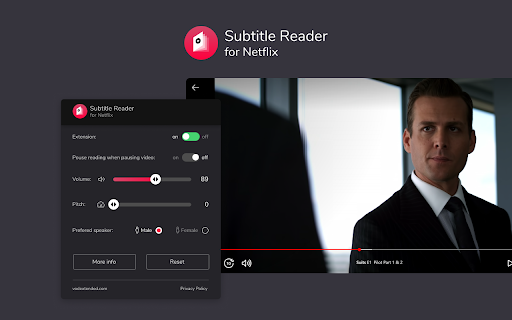
The product positions itself as an accessibility and learning tool that enhances Netflix content by converting subtitles into audio voiceovers. It emphasizes an immersive experience with customizable TTS settings, including volume, pitch, and speaker gender.

Inferred product pattern

Single-purpose browser extension using client-side scripts to manipulate Netflix DOM elements for text-to-speech processing.

Review-backed pain points

Users report significant performance issues, including audio lag, inability to sync with high-speed video, and technical failures where the extension fails to activate.

Observed feature gaps

The lack of playback speed adjustment for the TTS voice is a primary complaint, as is the inability to use native OS system voices.

Tags
NetflixText-To-SpeechAccessibilityLanguage LearningSubtitles
Target users

- Language learners

- Users with visual impairments

- Multilingual viewers

Primary use cases

- Audio-guided subtitle reading

- Language learning enhancement

- Accessibility aid for Netflix

Positive themes

- Appreciated core concept

- Functionality works when configured correctly

Negative themes

- TTS voice lag and latency

- Failure to initialize or detect subtitles

- Repetitive audio reading

- Lack of playback speed controls

Observed friction

- Performance complaints detected

- No specific pricing friction identified; users are primarily concerned with product functionality.

Evidence boundary: Evidence based on 10 user reviews highlighting a mix of successful activation and common technical bugs regarding latency and initialization. The sample size is small and reflects a high frequency of technical failure reports relative to the total rating.
Complaint summaries
Review-backed complaint signals grouped by operational area.

Support

Users expressed frustration regarding set-up instructions and the need for better troubleshooting guides.

Reliability

Multiple users reported the extension fails to trigger or read text consistently, sometimes causing interface display issues on Netflix.

Privacy

No privacy complaints observed.

Access & pricing

- No clear monetization signal

- No account requirement observed

- Free plan or free usage claimed

Store listing facts

Listing assets

- Screenshots: 5

- Videos: 0

- Languages: 8

Trust signals

- Privacy policy

- Developer contact

- Support link

Store metadata

- Version: 0.0.5

- Size: 418KiB

- Last updated:

Store description excerpt
Short excerpt from the public Chrome Web Store listing; full copy is available on the official store page.
❗Disclaimer: NETFLIX MUST HAVE THE INTERFACE SET TO ENGLISH (not subtitles, only the interface).❗ Subtitle Reader for Netflix 🎥🎧 Transform your viewing experience by turning subtitles into an immersive auditory adventure with the help of our Text-to-Speech (TTS) model! Indulge in your favorite Netflix movies and series with an innovative layer of audio, enhancing accessibility and providing a versatile viewing experience for multilingual users, language learners, and anyone who wants to enjoy content in a fresh new way! 🌍🎉 🚀 How it Works: 1️⃣ Install the extension and dive into your Netflix journey 🎬 2️⃣ Choose your desired subtitle language from 13 options 🌐 3️⃣ Sit back and listen as the TTS model converts subtitles into an engaging voiceover 🗣️ 4️⃣ Manage your audio experience via an intuitive pop-up control panel 🔊 Enjoy in 13 Languages: English, Spanish, Polish, German, Fr…

Listing SEO keywords

Search intent keywords
Keyword signals for evaluating how users may discover, compare, or search for this extension category.

Core discovery

Netflix text to speechread subtitles aloudNetflix accessibility extensionlanguage learning tool for Netflix

Comparison

Netflix subtitle reader alternativeTTS for streaming

Problem

subtitle reader not workingNetflix extension laghow to make Netflix read subtitles

Alternative

browser accessibility toolsscreen reader for Netflix

Similar extensions

Jump to related discovery paths:

FAQ

What is Subtitle Reader for Netflix mainly used for?
This extension adds a text-to-speech layer over Netflix subtitles, intended to support language learners and those with hearing impairments. It requires specific browser configurations and offers language-specific support across 13 languages.
What market signals stand out?
Early or small audience with limited review base. Last known update: 10/13/2025.
What should builders compare before entering this space?
Compare install concentration, rating quality, update recency, screenshots, developer portfolio, listing claims, and review-backed friction signals.
Is this page review-backed?
Backed by review samples. This page combines store metadata with selected review signals, while raw store metrics remain visible for comparison.

Screenshots

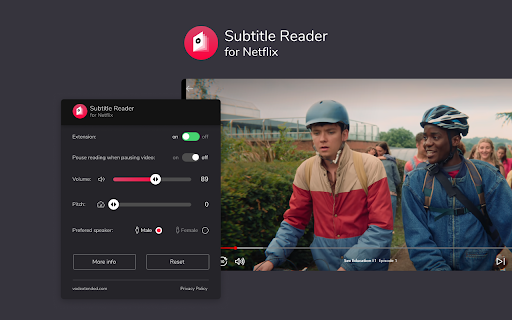
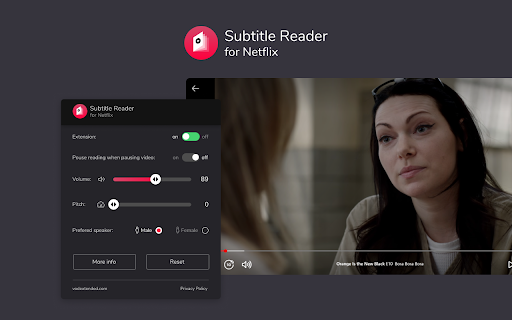
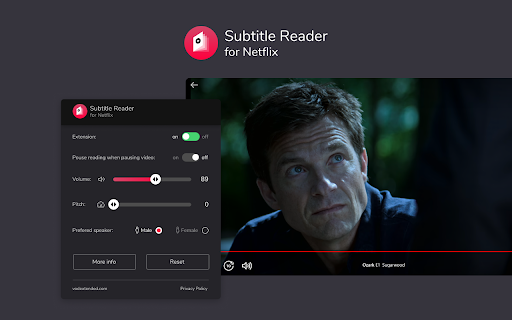
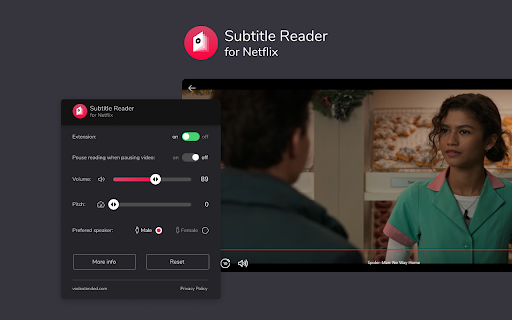
Subtitle Reader for Netflix screenshot

Links

Recommended Chrome extensions

Related listings from the same category, trending peers, and the same publisher portfolio.

Browse entertainment
Netflix Picture in Picture now for Prime & D+ [QVI] icon

Netflix Picture in Picture now for Prime & D+ [QVI]

ToopExt

Stream your favorite video content in Picture in Picture mode.

Installs

100K+

Rating

4.1

Amazon Prime Freevee Skipper: skip ads, intros & more [QVI] icon

Amazon Prime Freevee Skipper: skip ads, intros & more [QVI]

ToopExt

Automatically skip intros, recaps, block ads, and click the next episode button on Amazon Prime Freevee

Installs

30K+

Rating

4.2

600% Sound Volume Booster icon

600% Sound Volume Booster

Aliaksandr

Tab audio booster (up to 600%). Optional Turbo: EQ, toolbar boost & higher cap; checkout in the extension when you upgrade.

Installs

80K+

Rating

4.6

Sweezy Custom Progress Bar for Youtube™ icon

Sweezy Custom Progress Bar for Youtube™

Sweezy

Revamp your YouTube vibe! Swap the borring progress bar with funky animations & colors. It's time to play, the stylish way!

Installs

80K+

Rating

4.9

SpotiAds - Ads remover for Spotify™ icon

SpotiAds - Ads remover for Spotify™

Tomer

Removes audio ads on Spotify™ Web Player

Installs

80K+

Rating

4.1

Sparkles Giveaway icon

Sparkles Giveaway

iffective

Enable YouTube users that are part of Sparkles community to encrypt their steam trade up urls.

Installs

80K+

Rating

4.1

Ad Skipper for Prime Video [QVI] icon

Ad Skipper for Prime Video [QVI]

dogooodapp

Automatically block ads on Prime Video

Installs

70K+

Rating

4.4

Universal Video Downloader icon

Universal Video Downloader

villalovosig

Download videos from Instagram, Facebook, TikTok, Twitch, Vimeo and more. Supports MP4, FLV, WEBM. Detects video while browsing

Installs

70K+

Rating

3.5

Sweezy Custom Doodle for Google™ icon

Sweezy Custom Doodle for Google™

Sweezy

Change Google logo with amazing Doodle arts. Set your own text and replace Google Doodle with something fun on the Homepage.

Installs

70K+

Rating

4.8

Sync Watch icon

Sync Watch

Semro

Watch videos together at the same time!

Installs

70K+

Rating

4.2