MaxAI: Ask AI anything as you browse (GPT, Gemini, Claude, Grok, etc.) icon

MaxAI Chrome Extension Analysis

AI & Writing Assistants

Store listing title: MaxAI: Ask AI anything as you browse (GPT, Gemini, Claude, Grok, etc.)

Chrome extension ID: mhnlakgilnojmhinhkckjpncpbhabphi

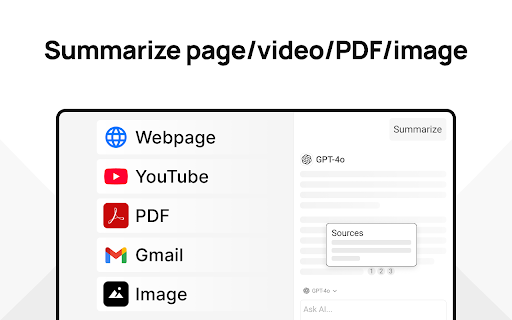
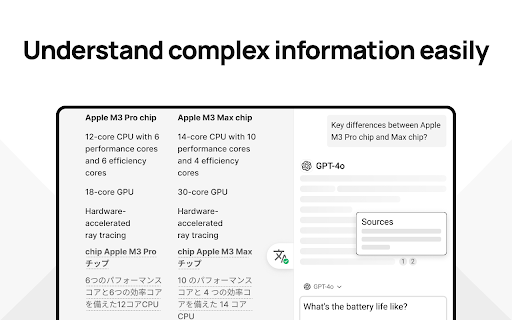
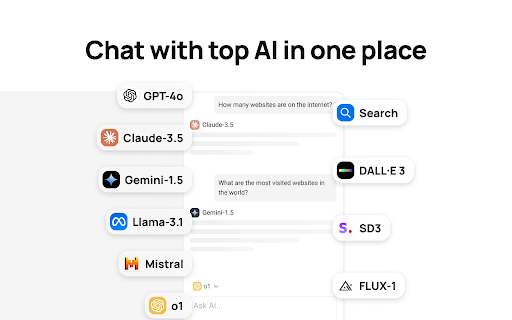
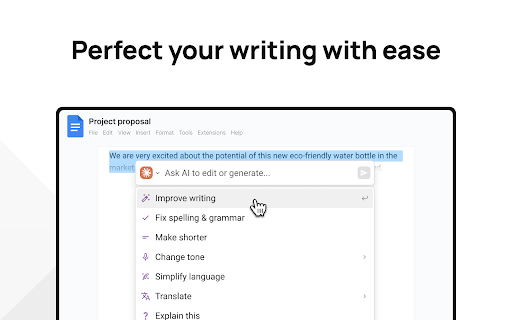
A Chrome extension that provides a unified interface to access multiple LLMs including GPT-4o, Claude 3.7, and Gemini. It offers tools for webpage summarization, content analysis, writing improvement, and image generation through a freemium model.

Developer:MaxAI
Version:8.37.2
Size:30.7MiB
Last updated:

Overview

Installs

700K+

Rating

4.7

14,563 reviews

Languages

55 locales

Includes Deutsch, English, English (United Kingdom), English (United States)...

Market analysis

Review-backed positioning, friction, and market signals for this Chrome extension.

Backed by review samples

Macro category

AI & Writing Assistants

Pricing friction

Low review signal

Complaint intensity

High review signal

Listing & review signals
Observed signals from store listing text and review samples.

Listing positioning

Positions itself as a comprehensive AI assistant integrated into the browser via a sidebar and context menu. It emphasizes saving time by helping users read, write, and search faster across platforms like Google Docs, Gmail, and LinkedIn.

Inferred product pattern

AI model aggregator acting as a productivity overlay for the browser.

Review-backed pain points

Users report severe frustration with predatory billing practices, specifically automatic annual renewals without warning and a strict non-refundable policy.

Observed feature gaps

Reviews indicate a lack of a free trial for the Pro tier and reports of certain tools, such as image generation, disappearing from the interface.

Tags
AI SidebarMulti-Model AIWriting AssistantWeb SummarizerProductivity Tool
Target users

- Knowledge workers

- Students

- Researchers

- Content creators

- Corporate professionals

Primary use cases

- Summarizing long articles

- Drafting and editing emails

- Comparing answers across different AI models

- Translating web content

- Generating and debugging code

Positive themes

- Effective prompt creation

- Utility of prompt variables

- General functionality for intended tasks

Negative themes

- Aggressive automatic renewals

- Difficult subscription cancellation

- Unresponsive customer support

- False positive account bans

- UI instability

Observed friction

- Account blocking complaints detected

- Refund complaints detected

- Performance complaints detected

- High friction caused by automatic annual charges and difficulty in navigating the cancellation process.

Evidence boundary: Data extracted from the official store listing and a set of helpful/low-rating user reviews. The provided review samples are predominantly negative, which may overrepresent billing and support issues relative to the overall user base.
Complaint summaries
Review-backed complaint signals grouped by operational area.

Support

Support is described as slow and evasive, failing to resolve billing disputes or unlock frozen accounts.

Reliability

Reports of the AI sidebar disappearing/reappearing and accounts being frozen due to alleged unusual activity.

Privacy

No specific privacy or security complaints observed in the provided samples.

Access & pricing

- Free entry with paid features

- Account required for core usage

- Limited free usage observed

Store listing facts

Listing assets

- Screenshots: 5

- Videos: 1

- Languages: 55

Trust signals

- Privacy policy

- Developer contact

- Official website

Store metadata

- Version: 8.37.2

- Size: 30.7MiB

- Last updated:

Store description excerpt
Short excerpt from the public Chrome Web Store listing; full copy is available on the official store page.
MaxAI for Chrome offers a complete set of powerful AI tools in a clean, minimalist interface designed to boost your productivity online, no matter what task you're working on. ➤ How it works MaxAI adds an AI sidebar and an AI context menu to your browser. With the AI sidebar, you can ask questions about the webpage you're viewing, such as summarizing content, finding information, analyzing data, or getting answers to your questions. The AI context menu lets you select any text online and have the AI improve your writing, translate, explain, or answer the selected text with a single click. ➤ What's included? ~ Free The free version of MaxAI includes basic AI features designed to help you read, write, and search more quickly and effectively. • Ask AI anything in the AI sidebar • Ask about webpages and your files • AI web search • AI writing assistance • AI reading assistance • AI reply (e…

Listing SEO keywords

Search intent keywords
Keyword signals for evaluating how users may discover, compare, or search for this extension category.

Core discovery

AI browser assistantGPT-4o extensionClaude 3.7 ChromeGemini browser sidebarAI web summarizer

Comparison

MaxAI vs ChatGPTMaxAI vs Claudebest AI browser extensionMaxAI vs Monica

Problem

how to summarize webpagesimprove writing in gmailAI for google docsread faster online

Alternative

MaxAI alternativesbest AI sidebar extensionfree AI writing assistant

Similar extensions

Jump to related discovery paths:

FAQ

What is MaxAI mainly used for?
A Chrome extension that provides a unified interface to access multiple LLMs including GPT-4o, Claude 3.7, and Gemini. It offers tools for webpage summarization, content analysis, writing improvement, and image generation through a freemium model.
What market signals stand out?
Established adoption with very deep review base. Last known update: 06/03/2026.
What should builders compare before entering this space?
Compare install concentration, rating quality, update recency, screenshots, developer portfolio, listing claims, and review-backed friction signals.
Is this page review-backed?
Backed by review samples. This page combines store metadata with selected review signals, while raw store metrics remain visible for comparison.

Screenshots

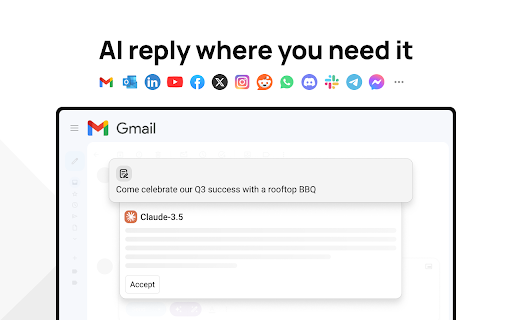
MaxAI: Ask AI anything as you browse (GPT, Gemini, Claude, Grok, etc.) screenshot

Links

Website: maxai.co

Privacy policy: https://www.maxai.me/privacy

Videos: Watch

Recommended Chrome extensions

Related listings from the same category, trending peers, and the same publisher portfolio.

Browse tools
Zotero Connector icon

Zotero Connector

Zotero

Save references to Zotero from your web browser

Installs

8.0M+

Rating

4.0

WPS PDF - Read, Edit, Fill, Convert, and AI Chat PDF with Ease icon

WPS PDF - Read, Edit, Fill, Convert, and AI Chat PDF with Ease

www.wps.com

Easy-to-use PDF tools to view, edit, convert, fill, e-sign PDF files, and more in your browser.

Installs

7.0M+

Rating

4.5

AnyDoc Translator - Translate Web and PDF icon

AnyDoc Translator - Translate Web and PDF

www.wps.com

The ultimate AI translator for web, files, ebooks, academic papers, images, and text

Installs

6.0M+

Rating

4.6

Video DownloadHelper icon

Video DownloadHelper

Aclap

Download Videos from the Web.

Installs

5.0M+

Rating

4.5

Sider: Chat with all AI: GPT-5, Claude, DeepSeek, Gemini, Grok icon

Sider: Chat with all AI: GPT-5, Claude, DeepSeek, Gemini, Grok

ChatGPT Sidebar

ChatGPT, DeepSeek, Gemini, Claude, Grok all in one AI sidebar, for AI search, read, and write.

Installs

5.0M+

Rating

4.9

Norton Safe Search icon

Norton Safe Search

NortonLifeLock Inc

Search safely online by enabling Norton Safe Search as your default search provider for maximum protection on Chrome.

Installs

5.0M+

Rating

2.4

Shazam: Find song names from your browser icon

Shazam: Find song names from your browser

Shazam

Identify music, search lyrics & more

Installs

5.0M+

Rating

4.7

IE Tab icon

IE Tab

Blackfish Software

Display web pages using IE within Chrome. Use Java, Silverlight, ActiveX, Sharepoint, and more.

Installs

4.0M+

Rating

4.3

Microsoft Bing Homepage & Search for Chrome icon

Microsoft Bing Homepage & Search for Chrome

Microsoft Corporation

Set Microsoft Bing as your default homepage and default search engine

Installs

4.0M+

Rating

3.8

Monica: All-In-One AI Assist & Smartest  AI Agent icon

Monica: All-In-One AI Assist & Smartest AI Agent

Monica Team

One stop AI Assistant with GPT, Claude, Gemini: Chat, Write, Translate, Search, Summarize, image generator, video generation

Installs

3.0M+

Rating

4.9