Pixplain: Capture Screenshot + GPT4 Vision icon

Pixplain Chrome Extension Analysis

AI & Writing Assistants

Store listing title: Pixplain: Capture Screenshot + GPT4 Vision

Chrome extension ID: nfddopbgedlmbjbnpomhcamablpkbpnb

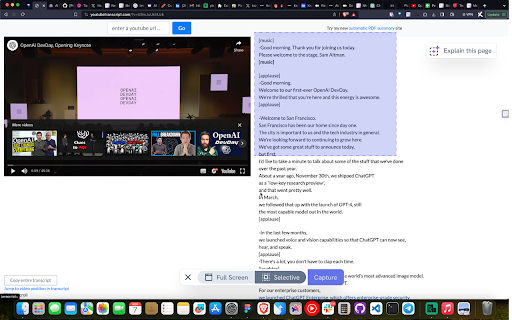
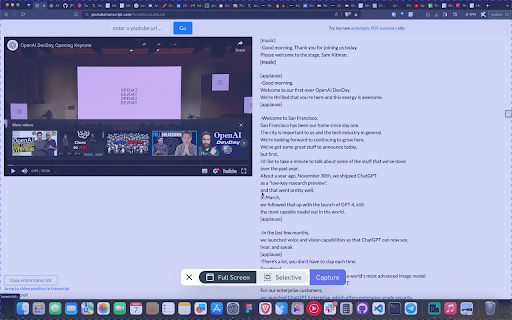
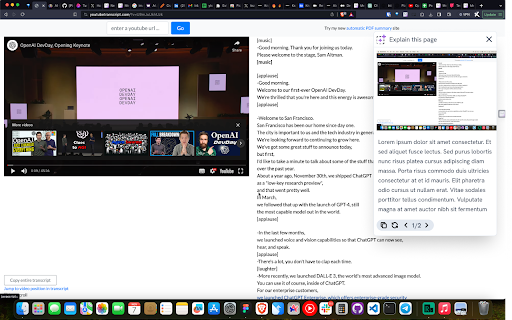
Pixplain is a Chrome extension that allows users to capture screen regions and send them to GPT-4 for analysis. It provides users with automated explanations, summarization of visual content, and content generation based on captured images.

Developer:Foyer Tech
Version:0.3.2
Size:318KiB
Last updated:

Overview

Installs

1K+

Rating

4.0

16 reviews

Languages

1 locales

Includes English

Market analysis

Review-backed positioning, friction, and market signals for this Chrome extension.

Backed by review samples

Macro category

AI & Writing Assistants

Pricing friction

Low review signal

Complaint intensity

High review signal

Listing & review signals
Observed signals from store listing text and review samples.

Listing positioning

Pixplain positions itself as a versatile AI-powered screenshot utility that leverages GPT-4 Vision to interpret visual content. It highlights use cases ranging from explaining complex math and academic concepts to generating creative social media captions.

Inferred product pattern

A visual AI utility that likely acts as a front-end for GPT-4 Vision APIs, currently suffering from maintenance or API connectivity issues.

Review-backed pain points

Recent reviews indicate a complete loss of functionality, with users reporting the tool simply stopped working without clear feedback from the developer.

Observed feature gaps

Evidence suggests a potential abandonment or critical maintenance failure, as current users report the extension fails to render any output.

Tags
AI VisionScreenshot ToolGPT-4Image AnalysisProductivity
Target users

- Students

- Content Creators

- Researchers

- General Productivity Users

Primary use cases

- Explaining math formulas

- Summarizing YouTube presentations

- Generating Instagram captions

- Simplifying complex webpage elements

Positive themes

- Seamless integration

- Effective at simplifying complex topics

- Minimalist and clean user interface

- High utility for educational and social media tasks

Negative themes

- Product stopped working

- Lack of developer communication regarding maintenance

- General failure to launch or display content

Observed friction

- Performance complaints detected

- No direct complaints about pricing models; frustration is focused entirely on product breakage.

Evidence boundary: Analysis is based on a mix of highly positive early adoption reviews and recent reports of complete product failure. The sample size is small, and the discrepancy between positive historical reviews and recent reports suggests a significant change in product health.
Complaint summaries
Review-backed complaint signals grouped by operational area.

Support

Users expressed frustration regarding the lack of communication from developers after the product ceased functioning.

Reliability

Multiple recent reports indicate the extension is completely non-functional or broken.

Privacy

No privacy-related complaints observed.

Access & pricing

- Free entry with paid features

- Login needed for core features

- Limited free usage observed

Store listing facts

Listing assets

- Screenshots: 3

- Videos: 1

- Languages: 1

Trust signals

- Privacy policy

- Developer contact

- Official website

Store metadata

- Version: 0.3.2

- Size: 318KiB

- Last updated:

Store description excerpt
Short excerpt from the public Chrome Web Store listing; full copy is available on the official store page.
Take a screen shot or capture part of the screen and ask AI to described it for you, write content on based of it and do anything with it. With this extension you can 1. Ask AI to give explain like I am 5 (ELI5) 2. Ask AI to explain the meaning of complex math formulas or solve equations based on it. 3. Ask AI to explain a presentation in b/w a youtube video 4. Go over complex amazon.com pages and make sense of it. 5. Give you the perfect caption for your Instagram post.

Listing SEO keywords

Search intent keywords
Keyword signals for evaluating how users may discover, compare, or search for this extension category.

Core discovery

GPT-4 Vision Chrome extensionscreenshot AI explanationimage to text AIAI math solver tool

Comparison

Merlin AI alternativeGPT image captureAI vision browser tool

Problem

extension not workingPixplain brokencannot capture screen

Alternative

best AI vision extensionscreen capture analysis

Similar extensions

Jump to related discovery paths:

FAQ

What is Pixplain mainly used for?
Pixplain is a Chrome extension that allows users to capture screen regions and send them to GPT-4 for analysis. It provides users with automated explanations, summarization of visual content, and content generation based on captured images.
What market signals stand out?
Early or small audience with limited review base. Last known update: 02/19/2024.
What should builders compare before entering this space?
Compare install concentration, rating quality, update recency, screenshots, developer portfolio, listing claims, and review-backed friction signals.
Is this page review-backed?
Backed by review samples. This page combines store metadata with selected review signals, while raw store metrics remain visible for comparison.

Screenshots

Pixplain: Capture Screenshot + GPT4 Vision screenshot

Links

Recommended Chrome extensions

Related listings from the same category, trending peers, and the same publisher portfolio.

Browse tools