
BrowserStack Chrome Extension Analysis
Developer & Designer ToolsChrome extension ID: nkihdmlheodkdfojglpcjjmioefjahjb
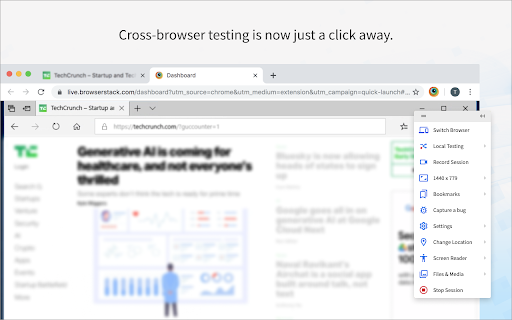
BrowserStack is a Chrome extension designed for developers and QA engineers to launch their current webpage into various simulated desktop and mobile browser environments for compatibility testing. It enables debugging with integrated Dev Tools, observing page behavior under real user conditions, and reporting bugs directly from the testing interface.
Overview
Installs
100K+
Rating
★ 2.8
102 reviews
Languages
1 locales
Includes English
Market analysis
Review-backed positioning, friction, and market signals for this Chrome extension.
Macro category
Developer & Designer Tools
Pricing friction
High review signal
Complaint intensity
High review signal
Listing positioning
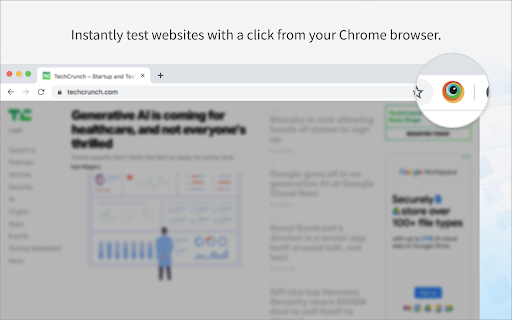
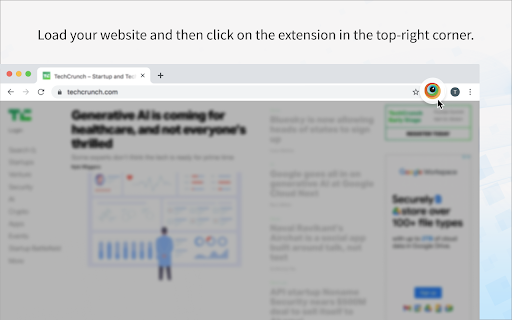
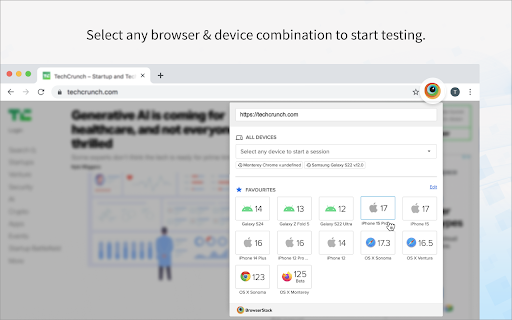
The store listing positions BrowserStack as a quick launch extension for instantly testing webpages on any desktop or mobile browser. It emphasizes efficiency by allowing users to select browser/device combinations or set up favorites, facilitating immediate review of changes, and integrating cross-browser testing into the development workflow.
Inferred product pattern
A companion Chrome extension for a subscription-based web testing platform, designed to provide quick access to cross-browser testing environments directly from the browser, requiring an existing account for core functionality.
Review-backed pain points
Users express significant frustration over the extension's unreliability, including persistent connection errors, failure to launch the intended webpage, and non-functional local testing features. The login process and free trial restrictions also create friction, with some users unable to access the service or reporting incorrect password messages.
Observed feature gaps
Reviews indicate a gap in robust and reliable local testing capabilities, as well as a lack of clarity or functionality for testing 'localhost' websites. There are also complaints regarding the inability to easily customize or add specific browser/device combinations to quick launch options, limiting relevant testing scenarios.
- Web Developers
- QA Engineers
- Software Testers
- Front-end Developers
- Cross-browser compatibility testing
- Mobile browser testing
- Debugging web applications across diverse environments
- Streamlining bug reporting for web projects
No positive theme data.
- Frequent connection errors and performance issues during testing sessions
- Confusing user interface and unexpected redirections to login pages
- Inability to launch the correct webpage for testing (loads other tabs instead)
- Significant difficulties with local testing setup and functionality
- Problems with free trial limits and account access, including incorrect password prompts
- Payment required for meaningful usage
- Free-tier complaints detected
- Account blocking complaints detected
- Performance complaints detected
- Users reported issues with the free trial, specifically receiving messages about "0 mins left" and needing to purchase a plan, even when other users with the same login could access it. This indicates friction around the free tier and conversion to a paid subscription.
Support
One user mentioned contacting support for multiple days regarding a persistent performance issue without resolution. Additionally, complaints about login failures (incorrect password) suggest issues with account access support.
Reliability
Significant reliability complaints include the extension failing to connect to remote devices, loading incorrect tabs for testing, displaying blank pages, and the local testing feature consistently showing errors or not working at all. Some users reported the extension not running or opening.
Privacy
No specific privacy or security complaints were observed in the provided reviews, although one user noted Firefox flagging an SSL as invalid on the BrowserStack site itself, which is not a complaint against the extension's privacy practices.
- Subscription model observed
- Account required for core usage
- Trial or limited free usage before paid plan
Store listing facts
- Screenshots: 4
- Videos: 0
- Languages: 1
- Privacy policy
- Developer contact
- Official website
- Support link
- Version: 3.1.11
- Size: 2.34MiB
- Last updated:
Listing SEO keywords
Core discovery
Comparison
Problem
Alternative
Similar extensions
Jump to related discovery paths:
FAQ
Screenshots
Links
Website: browserstack.com
Privacy policy: https://www.browserstack.com/privacy
Support links: http://www.browserstack.com/support/