Keyboard & Mouse for Xbox Cloud Gaming (xCloud) Chrome Extension Analysis
Niche Lifestyle & Gaming HacksChrome extension ID: nmfedkijhhigaikbadoijiolmjjgoimd
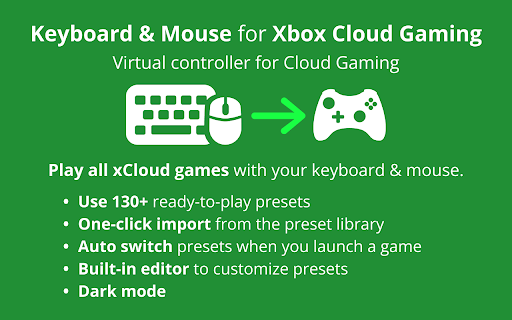
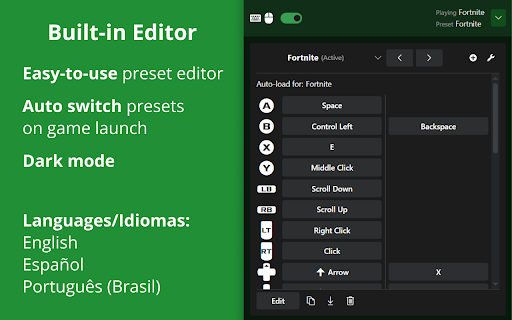
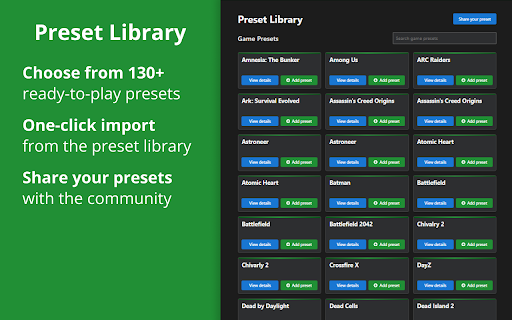
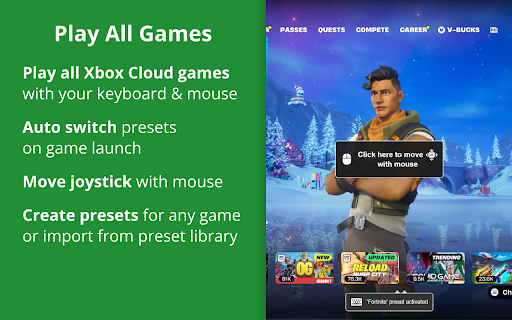
This browser extension enables users to play Xbox Cloud Gaming (xCloud) titles using their keyboard and mouse. It offers a vast library of pre-configured controls for over 130 games, allowing for one-click imports and customization. The tool supports automatic switching of profiles based on launched games and ensures no input delay.
Overview
Installs
100K+
Rating
★ 2.3
758 reviews
Languages
3 locales
Includes English, español, português (Brasil)
Market analysis
Review-backed positioning, friction, and market signals for this Chrome extension.
Macro category
Niche Lifestyle & Gaming Hacks
Pricing friction
High review signal
Complaint intensity
High review signal
Listing positioning
This extension positions itself as a solution to play Xbox Cloud Gaming (xCloud) with keyboard and mouse. It emphasizes its compatibility with all games, a large preset library for easy setup, and advanced configuration options. The listing also highlights its one-time payment model and privacy focus.
Inferred product pattern
Gaming controller emulation extension with a focus on cloud gaming platforms, offering a library of presets and a one-time purchase model.
Review-backed pain points
Users express frustration with the pricing model, reporting that the extension is expensive for its functionality and that the free trial registration is broken. Several users claim the extension simply does not work, is a 'scam,' or stops functioning after a short period. Additionally, some users found that installing the extension caused persistent issues with their actual Xbox controllers.
Observed feature gaps
Some reviews indicate a lack of crucial features and jankiness for serious gameplay, with one user specifically mentioning it was impossible to perform a 'Lockpick' action in Kingdom Come Deliverance 2. Another user noted that the extension doesn't allow for mapping inputs, and xCloud doesn't recognize a controller is connected.
- Xbox Cloud Gaming players
- Gamers who prefer keyboard and mouse
- Users seeking controller alternatives for cloud gaming
- Playing Xbox Cloud Gaming titles with keyboard and mouse
- Customizing game controls for cloud gaming
- Improving gaming precision and control on xCloud
- Works amazingly and offers a lifetime purchase option.
- Excellent idea with good performance, though precision could be improved.
- Users are charged for basic keybind changes and find the price expensive.
- The extension does not work at all with Xbox, leading to wasted money.
- The free trial email registration is not working.
- The extension can interfere with the use of actual Xbox controllers even after uninstallation.
- Users report the extension stops working shortly after installation or initial use.
- Payment required for meaningful usage
- Free-tier complaints detected
- Performance complaints detected
- Users report issues with the free trial registration and complain about the overall cost of the extension, with one review stating the price 'keeps changing.' Some also feel it is expensive for basic keybind changes.
Support
The email provided for free trial registration is reported as not working ('This email has been used too many times.'). Users are unable to access the full functionality without payment after the supposed free trial.
Reliability
Multiple users report that the extension 'doesn't work at all,' 'stops working after 15 minutes,' or simply does not progress past the free trial screen. One user noted issues with it not recognizing controller inputs, and another mentioned it permanently remapped keys.
Privacy
The extension claims to respect user privacy, stating that no keyboard/mouse data is recorded or sent. No privacy complaints were observed in the provided reviews.
- One-time purchase observed
- No clear access signal
- Trial or limited free usage before paid plan
Store listing facts
- Screenshots: 4
- Videos: 0
- Languages: 3
- Privacy policy
- Developer contact
- Official website
- Support link
- Version: 4.1.2
- Size: 1.72MiB
- Last updated:
Listing SEO keywords
Core discovery
Comparison
Problem
Alternative
Similar extensions
Jump to related discovery paths:
FAQ
Screenshots