ClickUp: Tasks, Screenshots, Email, Time icon

ClickUp Chrome Extension Analysis

Automation & Workflow Efficiency

Store listing title: ClickUp: Tasks, Screenshots, Email, Time

Chrome extension ID: pliibjocnfmkagafnbkfcimonlnlpghj

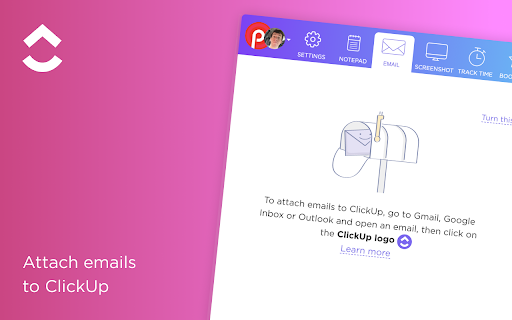
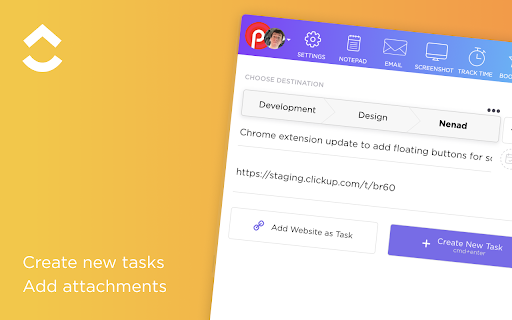
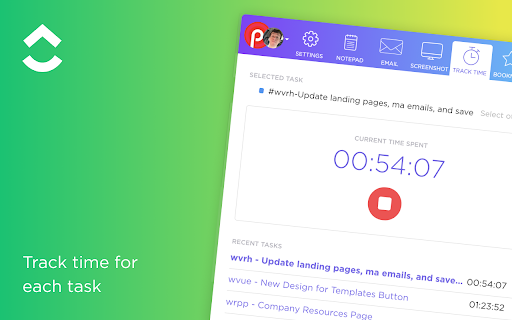
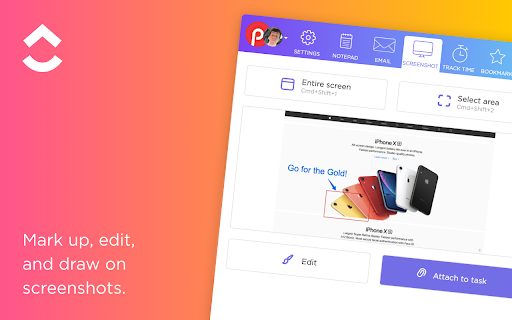
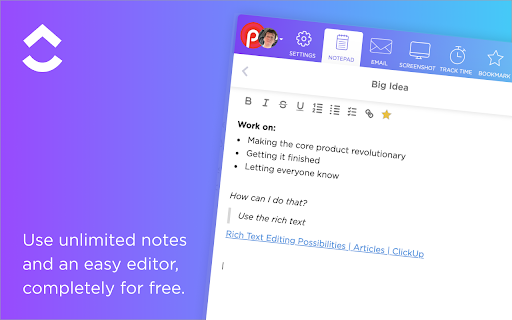
A browser-based integration for ClickUp that enables users to create tasks from websites, track time on activities, capture and mark up screenshots, and manage emails as actionable tasks. It includes a floating button for quick access to various tools and a synced notepad.

Developer:ClickUp
Version:1.10.18
Size:3.8MiB
Last updated:

Overview

Installs

200K+

Rating

2.6

389 reviews

Languages

1 locales

Includes English

Market analysis

Review-backed positioning, friction, and market signals for this Chrome extension.

Backed by review samples

Macro category

Automation & Workflow Efficiency

Pricing friction

Low review signal

Complaint intensity

High review signal

Listing & review signals
Observed signals from store listing text and review samples.

Listing positioning

The extension positions itself as an all-in-one productivity suite that replaces five separate applications. It aims to centralize task management, time tracking, screenshot annotation, email capture, and note-taking directly within the browser.

Inferred product pattern

A feature-dense productivity utility experiencing significant technical debt and stability issues.

Review-backed pain points

Frequent technical breakage requiring daily reinstalls, inability to use the Gmail integration button, and repetitive logouts.

Observed feature gaps

Removal of two-way sync functionality within Gmail.

Tags
Task ManagementTime TrackingScreenshot ToolEmail IntegrationProductivity
Target users

- Project Managers

- Remote Teams

- Freelancers

- Knowledge Workers

Primary use cases

- Creating tasks from web pages

- Attaching time to ClickUp tasks

- Capturing and annotating screenshots for feedback

- Converting emails into tasks

Positive themes

- High potential for workflow integration when functional

Negative themes

- Extreme unreliability and frequent breaking

- Technical instability following Chrome updates

- Authentication and login issues

- Feature regressions in Gmail integration

Observed friction

- Account blocking complaints detected

- Performance complaints detected

- Privacy complaints detected

- Users expressed frustration regarding core features being removed or shifted behind new paywalls.

Evidence boundary: Evidence is drawn from user reviews highlighting critical reliability failures, login loops, and feature regressions. The negative sentiment is highly concentrated in recent reviews, which may reflect a specific version's instability.
Complaint summaries
Review-backed complaint signals grouped by operational area.

Support

Users reported that customer service failed to resolve recurring technical breakage issues.

Reliability

Severe unreliability characterized by the extension breaking after browser updates and requiring frequent reinstalls.

Privacy

Concerns regarding data visibility where owners lack access to content created by users.

Access & pricing

- Free entry with paid features

- Login needed for core features

- Limited free usage observed

Store listing facts

Listing assets

- Screenshots: 5

- Videos: 0

- Languages: 1

Trust signals

- Privacy policy

- Developer contact

- Official website

- Support link

Store metadata

- Version: 1.10.18

- Size: 3.8MiB

- Last updated:

Store description excerpt
Short excerpt from the public Chrome Web Store listing; full copy is available on the official store page.
ClickUp's revolutionary Chrome Extension replaces five separate apps, virtually allowing you to do anything! 1. Create Tasks & Save Websites as Tasks 2. Time Tracking: Easily attach time to ClickUp tasks 3. Screenshots: Capture, mark up, and edit screenshots 4. Email: Create tasks and attach emails to tasks 5. Notepad ClickUp is free forever for up to 100MB of files storage. Installing the Chrome Extension 1. Click ADD TO CHROME 2. Click Add extension in the next popup 3. Click the ClickUp extension icon at the top of your browser window. 4. Log in to your ClickUp Account 5. Select the Workspace(s) that should have access Create Tasks & Saves Websites as Tasks Creating a new task 1. Select the "New Task" tab 2. Write a title for your task 3. Add assignees and a due date 4. Write a description for your task. (Pro tip: Use Markdown Shortcuts in your description fast rich text editing) 5.…

Listing SEO keywords

Search intent keywords
Keyword signals for evaluating how users may discover, compare, or search for this extension category.

Core discovery

task management extensiontime tracking chrome extensionclickup chrome extensionscreenshot markup tool

Comparison

ClickUp alternativesAsana browser extensionMonday.com productivity tools

Problem

ClickUp extension brokenClickUp Gmail integration not workingClickUp login errors

Alternative

workflow automation extensionsbrowser productivity tools

Similar extensions

Jump to related discovery paths:

FAQ

What is ClickUp mainly used for?
A browser-based integration for ClickUp that enables users to create tasks from websites, track time on activities, capture and mark up screenshots, and manage emails as actionable tasks. It includes a floating button for quick access to various tools and a synced notepad.
What market signals stand out?
Established adoption with moderate review base. Last known update: 08/25/2025.
What should builders compare before entering this space?
Compare install concentration, rating quality, update recency, screenshots, developer portfolio, listing claims, and review-backed friction signals.
Is this page review-backed?
Backed by review samples. This page combines store metadata with selected review signals, while raw store metrics remain visible for comparison.

Screenshots

ClickUp: Tasks, Screenshots, Email, Time screenshot

Links

Recommended Chrome extensions

Related listings from the same category, trending peers, and the same publisher portfolio.

Browse workflow