Sound Booster - Boost My Bass icon

Sound Booster Chrome Extension Analysis

Niche Lifestyle & Gaming Hacks

Store listing title: Sound Booster - Boost My Bass

Chrome extension ID: plmlopfeeobajiecodiggabcihohcnge

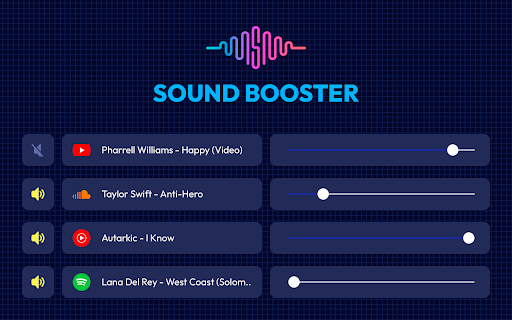
A Chrome extension that amplifies audio output for speakers or headphones across any browser tab. It provides a slider interface to increase volume and bass levels beyond the standard limits.

Developer:BoostMySound
Version:3.3.9
Size:281KiB
Last updated:

Overview

Installs

100K+

Rating

4.8

1,394 reviews

Languages

23 locales

Includes Deutsch, English, English (United Kingdom), English (United States)...

Market analysis

Review-backed positioning, friction, and market signals for this Chrome extension.

Backed by review samples

Macro category

Niche Lifestyle & Gaming Hacks

Pricing friction

Low review signal

Complaint intensity

Moderate review signal

Listing & review signals
Observed signals from store listing text and review samples.

Listing positioning

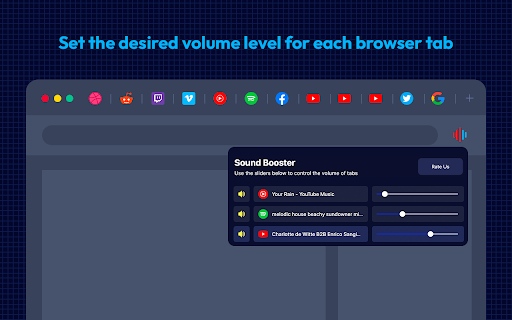
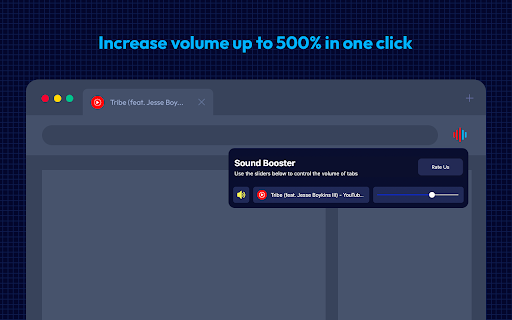
The product positions itself as a simple and fast utility to increase browser volume by up to 600%. It emphasizes separate volume control for different tabs and specific optimization for YouTube music and videos.

Inferred product pattern

Single-purpose audio utility providing gain amplification for web content.

Review-backed pain points

Users report significant audio distortion ('earrape') when boosting, some inability to enter fullscreen mode on YouTube, and occasional failure to detect tab sound.

Observed feature gaps

Lack of audio quality preservation during high amplification; reported conflicts with browser UI elements like fullscreen mode.

Tags
Volume BoosterBass BoostAudio AmplifierSound Control
Target users

- YouTube viewers

- Users with low-volume hardware

- Web-based music listeners

Primary use cases

- Boosting volume on quiet videos

- Enhancing bass in music tracks

- Managing independent volume levels across multiple tabs

Positive themes

- Simplicity of interface

- Higher quality/consistency compared to other boosters

- Ease of installation

Negative themes

- Audio distortion and saturation

- Failure to function on certain OS/browser versions

- Interference with YouTube fullscreen mode

Observed friction

- Performance complaints detected

- No pricing friction observed as the product is claimed to be free.

Evidence boundary: Data extracted from the official store listing and a sample of helpful high and low rating reviews. The review sample size is small compared to the total number of comments.
Complaint summaries
Review-backed complaint signals grouped by operational area.

Support

No specific support or account complaints observed in the samples.

Reliability

Some users report the extension does not work on Windows 10 or creates installation loops.

Privacy

No privacy or security complaints observed in the samples.

Access & pricing

- Free usage observed

- No account requirement observed

- Free plan or free usage claimed

Store listing facts

Listing assets

- Screenshots: 3

- Videos: 0

- Languages: 23

Trust signals

- Privacy policy

- Developer contact

- Official website

Store metadata

- Version: 3.3.9

- Size: 281KiB

- Last updated:

Store description excerpt
Short excerpt from the public Chrome Web Store listing; full copy is available on the official store page.
It is a simple and fast way to boost your sound on speakers or headphones. In addition, the sound amplifier helps achieve louder movies, videos, and louder music. Unleash the power of YouTube sound on your browser! Increase the volume to the max level and control it of any tab. Volume Booster allows you to improve the sound quality in the Chrome browser to get more pleasure from listening to YouTube Music and watching videos. Bass boost to the full. Volume booster boosts by 600%. It is a free and trusted sound booster extension that lets you separately control sound for any YouTube tab. It is handy when controlling the volume in different browser tabs. For example, you can quickly fade music tracks opened in separate accounts and create other effects. How to use the sound booster chrome extension: 1. Install the extension 2. Pin it in the toolbar 3. Click on the extension icon and slide…

Listing SEO keywords

Search intent keywords
Keyword signals for evaluating how users may discover, compare, or search for this extension category.

Core discovery

chrome volume boosterboost youtube soundbass booster extensionincrease browser volume

Comparison

volume booster vs volume masterbest chrome sound amplifier

Problem

youtube volume too lowlaptop speakers too quietincrease chrome volume limit

Alternative

volume master alternativechrome audio amplifier alternative

Similar extensions

Jump to related discovery paths:

FAQ

What is Sound Booster mainly used for?
A Chrome extension that amplifies audio output for speakers or headphones across any browser tab. It provides a slider interface to increase volume and bass levels beyond the standard limits.
What market signals stand out?
Established adoption with substantial review base. Last known update: 04/13/2026.
What should builders compare before entering this space?
Compare install concentration, rating quality, update recency, screenshots, developer portfolio, listing claims, and review-backed friction signals.
Is this page review-backed?
Backed by review samples. This page combines store metadata with selected review signals, while raw store metrics remain visible for comparison.

Screenshots

Sound Booster - Boost My Bass screenshot

Links