AutoDraw for skribbl.io icon

AutoDraw for skribbl.io Chrome Extension Analysis

Niche Lifestyle & Gaming Hacks

Chrome extension ID: bpnefockcbbpkbahgkkacjmebfheacjb

An automation extension designed for the online game skribbl.io. It interprets drag-and-drop image inputs from external sources to replicate drawings on the game's canvas.

Developer:galehouse5
Version:0.3.3
Size:12.39KiB
Last updated:

Overview

Installs

200K+

Rating

3.5

304 reviews

Languages

1 locales

Includes English

Market analysis

Review-backed positioning, friction, and market signals for this Chrome extension.

Backed by review samples

Macro category

Niche Lifestyle & Gaming Hacks

Pricing friction

Low review signal

Complaint intensity

Moderate review signal

Listing & review signals
Observed signals from store listing text and review samples.

Listing positioning

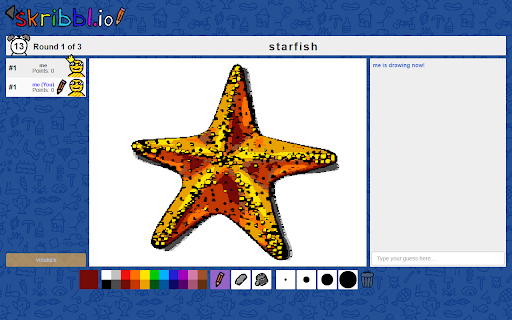
The product is positioned as an automation tool for the game skribbl.io. It claims to allow users to automatically draw images by dragging and dropping images from Google search results directly onto the game canvas.

Inferred product pattern

A niche utility that automates drawing tasks in web-based games via drag-and-drop image inputs.

Review-backed pain points

Users report that the extension frequently stops working after updates, draws too slowly due to inefficient color selection, or fails to complete lines, which can cause them to be kicked from games.

Observed feature gaps

Users suggested a more efficient color-switching algorithm to optimize drawing speed.

Tags
Auto DrawSkribbl.io HelperGame AutomationPictionary Tool
Target users

- skribbl.io players

- online game enthusiasts

Primary use cases

- Automating drawings in pictionary-style games

- Speeding up gameplay in skribbl.io

Positive themes

- Functional drawing capability

- Effective on Chrome browser

Negative themes

- Frequent breakage after updates

- Slow drawing speeds

- Incomplete or inaccurate drawings

- Functional bugs such as unintended page navigation

Observed friction

- Performance complaints detected

- No pricing information is available from the store listing or reviews.

Evidence boundary: Evidence gathered from the product description and user reviews regarding functional reliability, speed, and technical bugs. Review data is primarily composed of negative feedback regarding technical failures and performance.
Complaint summaries
Review-backed complaint signals grouped by operational area.

Support

No specific support interaction complaints were identified.

Reliability

Significant complaints regarding the tool breaking or becoming non-functional after updates.

Privacy

No privacy or security complaints were observed.

Access & pricing

- No clear monetization signal

- No account requirement observed

- No clear pricing signal

Store listing facts

Listing assets

- Screenshots: 4

- Videos: 0

- Languages: 1

Trust signals

- Developer contact

- Official website

- Support link

Store metadata

- Version: 0.3.3

- Size: 12.39KiB

- Last updated:

Store description excerpt
Short excerpt from the public Chrome Web Store listing; full copy is available on the official store page.
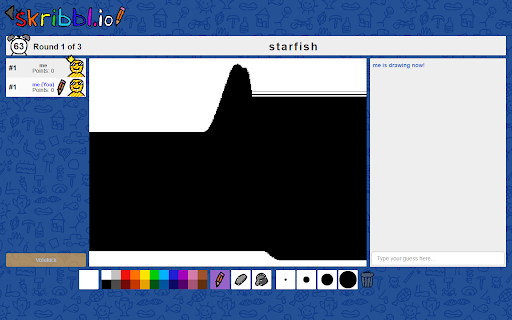
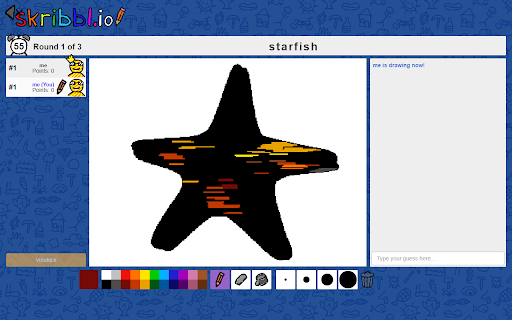
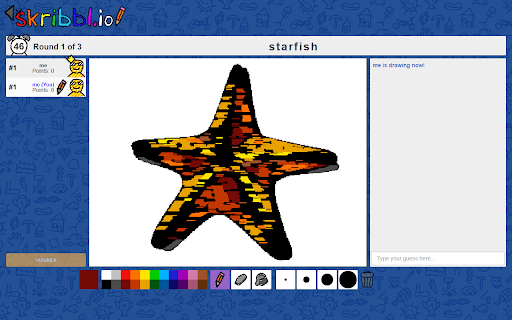
How to use (when it's your turn to draw): 1. Search for an image using Google (https://images.google.com) 2. Drag and drop it onto the canvas 3. Sit back and relax Tips: - Simple images, like clip art, draw fastest - Draws best when Chrome window is maximized Is AutoDraw active? Look for the starfish icon in Chrome's list of extensions. If it has color then the extension is active. Just drag and drop an image onto the canvas when it's your turn to draw.

Listing SEO keywords

Search intent keywords
Keyword signals for evaluating how users may discover, compare, or search for this extension category.

Core discovery

skribbl.io auto drawskribbl.io botautomatic drawing extensionpictionary automation

Comparison

AutoDraw skribbl.io vs manual drawing

Problem

skribbl.io drawing tool not workingskribbl.io auto draw slow

Alternative

skribbl.io cheatspictionary drawing bots

Similar extensions

Jump to related discovery paths:

FAQ

What is AutoDraw for skribbl.io mainly used for?
An automation extension designed for the online game skribbl.io. It interprets drag-and-drop image inputs from external sources to replicate drawings on the game's canvas.
What market signals stand out?
Established adoption with moderate review base. Last known update: 10/14/2024.
What should builders compare before entering this space?
Compare install concentration, rating quality, update recency, screenshots, developer portfolio, listing claims, and review-backed friction signals.
Is this page review-backed?
Backed by review samples. This page combines store metadata with selected review signals, while raw store metrics remain visible for comparison.

Screenshots

AutoDraw for skribbl.io screenshot

Links

Recommended Chrome extensions

Related listings from the same category, trending peers, and the same publisher portfolio.

Browse fun