
Google Meet Enhanced Experience Chrome Extension Analysis
Niche Lifestyle & Gaming HacksChrome extension ID: hodiladlefdpcbemnbbcpclbmknkiaem
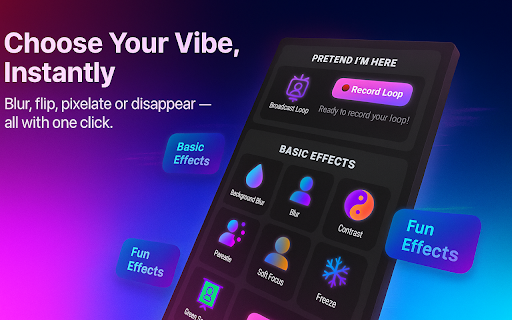
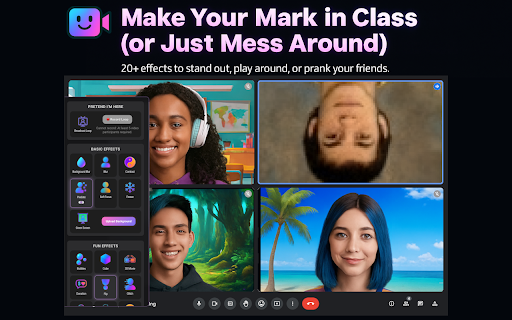
A Chrome extension that provides visual enhancements for Google Meet, including virtual backgrounds, face filters, and camera effects like freezing, pixelating, or inverting. It is designed for instant, one-click use during video calls.
Overview
Installs
900K+
Rating
★ 3.4
2,059 reviews
Languages
1 locales
Includes English
Market analysis
Review-backed positioning, friction, and market signals for this Chrome extension.
Macro category
Niche Lifestyle & Gaming Hacks
Pricing friction
Low review signal
Complaint intensity
High review signal
Listing positioning
The product is positioned as a fun, easy-to-use tool to make Google Meet calls more expressive or 'ridiculous.' It emphasizes a zero-setup experience with no account required and claims to work locally to ensure privacy.
Inferred product pattern
A high-utility visual enhancement tool for video calls that suffers from significant technical instability and hardware driver conflicts.
Review-backed pain points
Users report significant technical failures, including the extension disabling cameras/microphones, preventing screen sharing, and causing incompatibility with external USB cameras.
Observed feature gaps
Users noted the background replacement can be ineffective in busy environments and that the extension's UI can overlap with standard Google Meet features.
- Students
- Casual Users
- Remote Workers
- Adding virtual backgrounds
- Using face filters in video calls
- Pranking friends via video effects
- Simulating a frozen video feed
- Creative and fun effects
- Previously high utility before technical issues
- Camera hardware incompatibility
- Performance degradation and lag
- UI/Sidebar interference
- Unexpected camera/microphone disabling
- Performance complaints detected
- Privacy complaints detected
- No pricing friction observed; the extension appears to be free.
Support
No specific complaints regarding customer support interactions were found.
Reliability
Severe reliability issues reported, including the extension disappearing, breaking camera/mic functionality, and causing system-wide video lag.
Privacy
One user reported a camera indicator light remaining active even when the camera was not in use, raising privacy concerns.
- No clear monetization signal
- No account requirement observed
- No clear pricing signal
Store listing facts
- Screenshots: 3
- Videos: 0
- Languages: 1
- Privacy policy
- Developer contact
- Version: 4.0.0
- Size: 5.57MiB
- Last updated:
Listing SEO keywords
Core discovery
Comparison
Problem
Alternative
Similar extensions
Jump to related discovery paths:
FAQ
Screenshots
Links
Privacy policy: https://pastebin.com/w4s7PFqD






![Netflix Picture in Picture now for Prime & D+ [QVI] icon](https://extspot.com/api/v1/assets/googleusercontent/aHR0cHM6Ly9saDMuZ29vZ2xldXNlcmNvbnRlbnQuY29tLzVHUW9jRkFFOWVaWDRURmFmT3BpTTFVRVk0QUJlWm1iYy15MmtBeWlCQkRVSGpxY1lRb2tkNngwUldMQVR0V2hMVlU4R1cxWFNrNHQ0bFlKd251WDV3b3pTQQ)