
Reader Mode + AI Summary, Notes & Annotations Chrome Extension Analysis
AI & Writing AssistantsChrome extension ID: cbjbjjgipedbjgbamfodgihnfdlghcaf
Reader Mode + AI Summary, Notes & Annotations transforms any webpage into a clean, ad-free reading view while saving an offline copy. It provides AI-powered summaries, allows users to highlight passages and add personal notes, and offers organization through tags and export options. The extension facilitates focused reading and personal knowledge management for web content.
Overview
Installs
2K+
Rating
★ 4.3
6 reviews
Languages
1 locales
Includes English
Market analysis
Review-backed positioning, friction, and market signals for this Chrome extension.
Macro category
AI & Writing Assistants
Pricing friction
Low review signal
Complaint intensity
Moderate review signal
Listing positioning
The store listing positions this extension as a comprehensive tool for distraction-free reading, offering AI summaries, note-taking, and offline saving capabilities. It emphasizes long-term knowledge retention and organization for content consumers. The product is highlighted as being free, easy to use, and not requiring a sign-up for basic functionalities.
Inferred product pattern
A freemium productivity extension designed for enhanced web content consumption, offering distraction-free reading, AI summaries, note-taking, and offline storage. It positions itself as a personal knowledge management tool with a free basic tier and premium features accessible via an optional account.
Review-backed pain points
A significant pain point observed is the inability for some users to disable the reader mode, leading to the necessity of finding alternative tools. There's also a noted desire for additional font customization options and instances of the extension not functioning as expected.
Observed feature gaps
One observed feature gap is the request for more web/screen-optimized serif font options. While the listing promotes saving notes/highlights, a review indicated a desire for this in the free tier, potentially highlighting a gap in the free user experience or a lack of clarity around premium features.
- Researchers
- Students
- Writers
- Academics
- Newsletter Curators
- Curious Minds
- Engaging in distraction-free reading of web articles
- Generating AI-powered summaries of web pages
- Saving web content for offline access and long-term retention
- Highlighting key information and adding notes to articles
- Organizing and archiving saved web content
- Aesthetically pleasant and useful for reading
- Effective for academic studies and test preparation (e.g., IELTS Reading)
- Overall great and excellent tool
- Difficulty disabling reader mode and returning to the normal web view
- Requests for more font options, specifically web/screen-optimized serif fonts
- General functionality issues (e.g., 'it no working')
- Desire for saved notes and highlights to be accessible in the free tier (implied by Vietnamese review, though a premium feature)
- No specific pricing friction complaints were observed. The listing clearly outlines what is available for free and what features require a premium account, often with a 7-day free trial without a credit card.
Support
Review-backed data on support, account, or refund complaints is not available. The developer provides direct contact information in the listing.
Reliability
Complaints indicate reliability issues, specifically a critical bug preventing users from exiting reader mode and general reports of the extension 'not working,' which can severely impact usability.
Privacy
Review-backed data on privacy or security complaints is not available. The listing explicitly states that user data is private by default, with no profiling, ads, or data selling.
- Free entry with paid features
- No account requirement observed
- Limited free usage observed
Store listing facts
- Screenshots: 4
- Videos: 0
- Languages: 1
- Privacy policy
- Developer contact
- Official website
- Version: 2.0.2
- Size: 5.23MiB
- Last updated:
Listing SEO keywords
Core discovery
Comparison
Problem
Alternative
Similar extensions
Jump to related discovery paths:
FAQ
Screenshots
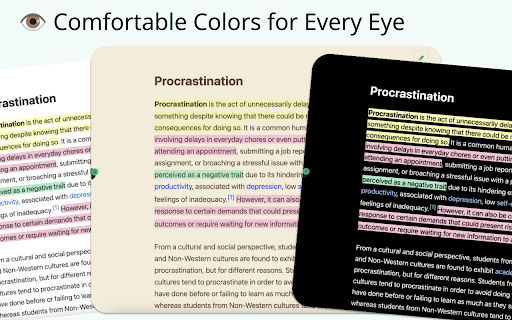
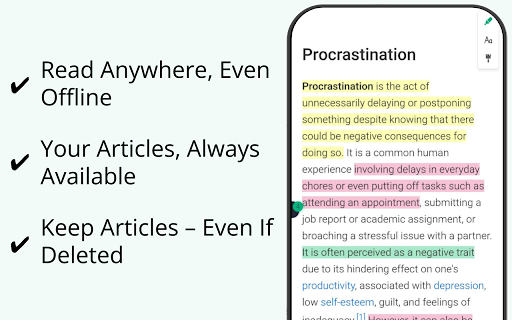
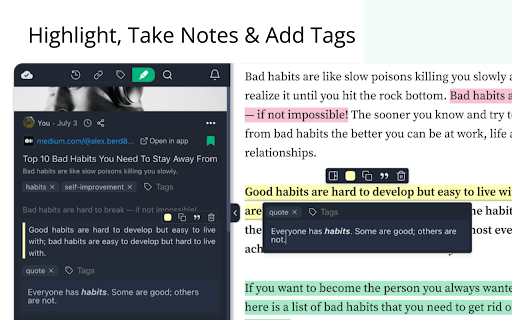
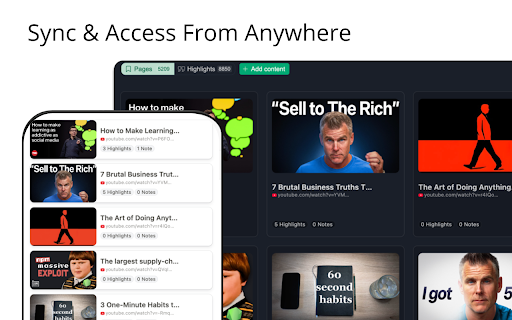
Links
Website: web-highlights.com
Privacy policy: https://web-highlights.com/legal/privacy-policy