Web Highlights: PDF & Web Highlighter + Notes & AI Summary icon

Web Highlights Chrome Extension Analysis

Automation & Workflow Efficiency

Store listing title: Web Highlights: PDF & Web Highlighter + Notes & AI Summary

Chrome extension ID: hldjnlbobkdkghfidgoecgmklcemanhm

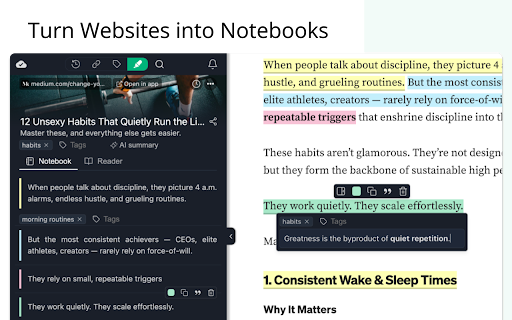
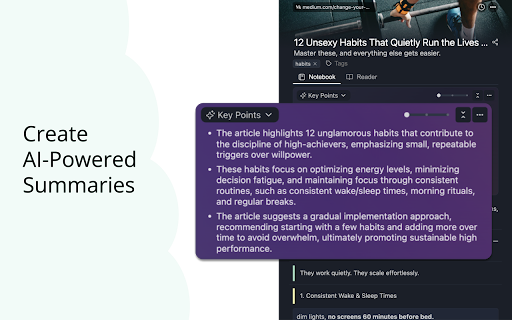
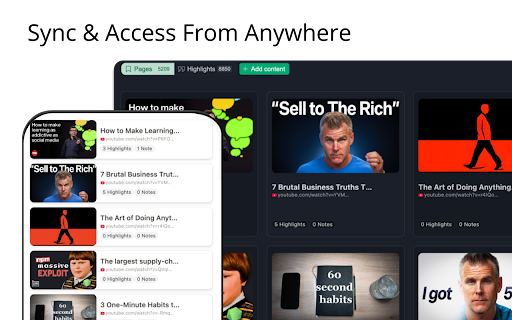
Web Highlights is a browser extension that allows users to annotate websites and PDFs, take notes, and organize information with tags and bookmarks. It includes AI-powered features for content summarization and chat, with support for cross-device synchronization and document export.

Developer:Marius Bongarts
Version:13.0.28
Size:5.55MiB
Last updated:

Overview

Installs

200K+

Rating

4.8

4,852 reviews

Languages

1 locales

Includes English

Market analysis

Review-backed positioning, friction, and market signals for this Chrome extension.

Backed by review samples

Macro category

Automation & Workflow Efficiency

Pricing friction

Moderate review signal

Complaint intensity

High review signal

Listing & review signals
Observed signals from store listing text and review samples.

Listing positioning

Positions itself as a comprehensive, all-in-one productivity tool for students, researchers, and professionals to manage online content. It emphasizes ease of use, offline functionality, and seamless integration with popular note-taking ecosystems like Notion and Obsidian.

Inferred product pattern

Browser-based research management tool transitioning into an AI-enhanced productivity suite.

Review-backed pain points

Users report frustration with 'GiveFreely' marketing popups, inconsistent persistence of highlights, and difficulty exporting data without a paid subscription.

Observed feature gaps

Users noted the lack of native compatibility with Google Drive files and difficulties in maintaining exact context when tracing highlights back to original sources.

Tags
Web HighlighterPDF AnnotationNote TakingAI SummaryResearch Tool
Target users

- Students

- Researchers

- Legal professionals

- Content creators

- Lifelong learners

Primary use cases

- Highlighting text on web pages and PDFs

- Capturing notes and annotations for research

- Summarizing long-form content using AI

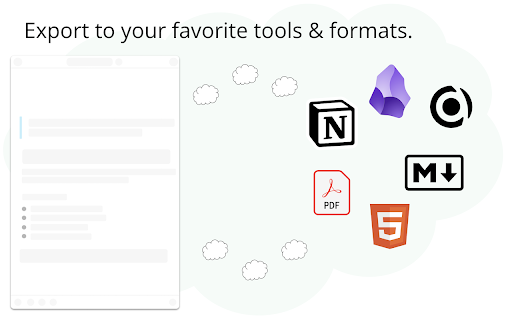
- Exporting research to tools like Notion or Obsidian

- Saving online content for future reading

Positive themes

- Clean and intuitive interface

- Excellent organization for research and study

- Useful integration with PKM apps like Capacities

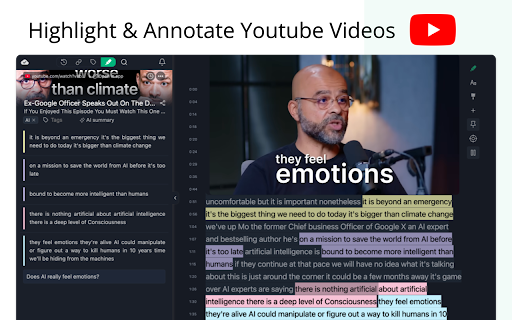
- Effective PDF and YouTube transcript annotation

Negative themes

- Unsolicited promotional popups (GiveFreely)

- Data loss or failure of highlights to persist

- Functional inconsistency across different websites

- Aggressive permission requests causing tab reloads

Observed friction

- Free-tier complaints detected

- Performance complaints detected

- Privacy complaints detected

- Users expressed frustration over features (like exports) being locked behind a paywall and complained about perceived 'greed' regarding free-tier limitations.

Evidence boundary: Analysis based on 200,000+ users and 4,700+ store reviews, covering functional reliability and user feedback on monetization tactics. Review sentiment is polarized between power-users relying on the tool for professional study and users frustrated by technical bugs and marketing popups.
Complaint summaries
Review-backed complaint signals grouped by operational area.

Support

No specific support interaction complaints found, but users are vocal about broken functionality and invasive marketing popups.

Reliability

Reports of highlights disappearing, failure to save across sessions, and performance issues where extensions conflict with page loading.

Privacy

Concerns raised regarding the injection of promotional popups on shopping sites, which users interpreted as invasive behavior.

Access & pricing

- Free entry with paid features

- Login needed for core features

- Limited free usage observed

Store listing facts

Listing assets

- Screenshots: 5

- Videos: 1

- Languages: 1

Trust signals

- Privacy policy

- Developer contact

- Official website

Store metadata

- Version: 13.0.28

- Size: 5.55MiB

- Last updated:

Store description excerpt
Short excerpt from the public Chrome Web Store listing; full copy is available on the official store page.
Stay organized online with Web Highlights — a powerful Chrome extension to highlight text on websites, annotate PDFs, take notes, manage bookmarks, and generate AI summaries of your content. Whether you're a student, blogger, developer, researcher, or lifelong learner, Web Highlights helps you stay productive, save, organize, and revisit what matters — all in one place. Use it as your personal text highlighter for Chrome with smart note-taking, PDF annotation, tagging, full-text search, and AI-powered content summarization. Choose offline use or sync everything to the cloud via the web app. ⭐ TOP FEATURES ⭐ 🟢 Highlight websites and PDFs (including local files) 🎨 Multiple highlighter colors ✍️ Take notes and connect them with your highlights 🤖 AI Summary - Generate smart summaries of your highlights and websites 💬 AI Chat - Our AI understands the full context of the website, so you c…

Listing SEO keywords

Search intent keywords
Keyword signals for evaluating how users may discover, compare, or search for this extension category.

Core discovery

chrome highlighterweb annotation toolPDF highlighter extensionresearch note takingAI web summarizer

Comparison

alternative to GlaspWeb Highlights vs Linerbest web clipper for Obsidian

Problem

highlights not savingextension spambrowser extension malware flaghow to export web highlights

Alternative

Liner extensionGlaspHighlyHypothesis

Similar extensions

Jump to related discovery paths:

FAQ

What is Web Highlights mainly used for?
Web Highlights is a browser extension that allows users to annotate websites and PDFs, take notes, and organize information with tags and bookmarks. It includes AI-powered features for content summarization and chat, with support for cross-device synchronization and document export.
What market signals stand out?
Established adoption with substantial review base. Last known update: 06/27/2026.
What should builders compare before entering this space?
Compare install concentration, rating quality, update recency, screenshots, developer portfolio, listing claims, and review-backed friction signals.
Is this page review-backed?
Backed by review samples. This page combines store metadata with selected review signals, while raw store metrics remain visible for comparison.

Screenshots

Web Highlights: PDF & Web Highlighter + Notes & AI Summary screenshot

Links

Recommended Chrome extensions

Related listings from the same category, trending peers, and the same publisher portfolio.

Browse workflow