Auto Clicker icon

Auto Clicker Chrome Extension Analysis

Automation & Workflow Efficiency

Chrome extension ID: cpedeojecpbkcomgcolphimkjdnikbck

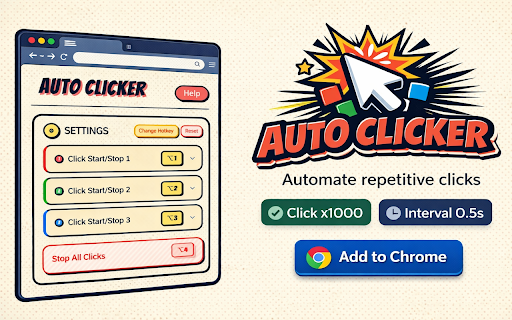
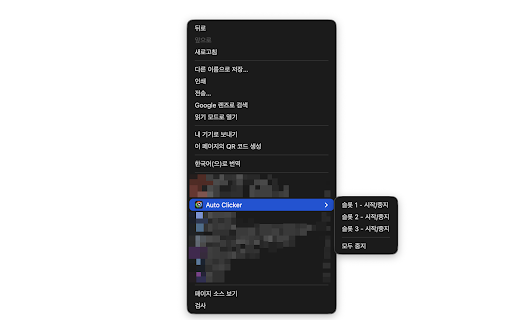
Auto Clicker is a browser utility that allows users to automate mouse clicks at up to three different locations. It provides settings for click intervals, total click limits, and follows the cursor in its primary slot.

Developer:tesilio
Version:3.9.1
Size:81.94KiB
Last updated:

Overview

Installs

200K+

Rating

2.3

968 reviews

Languages

6 locales

Includes Deutsch, English, español, français...

Market analysis

Review-backed positioning, friction, and market signals for this Chrome extension.

Backed by review samples

Macro category

Automation & Workflow Efficiency

Pricing friction

Low review signal

Complaint intensity

High review signal

Listing & review signals
Observed signals from store listing text and review samples.

Listing positioning

The extension is positioned as a tool to automate repetitive clicking tasks through multiple simultaneous slots. It highlights customizable click delays, limits, and various click modes to ensure compatibility with different web elements.

Inferred product pattern

A utility extension for web automation that struggles with technical limitations on modern web technologies (Canvas/WebGL) and recent stability issues.

Review-backed pain points

Users report that the extension has stopped working following updates, fails to work on certain games despite troubleshooting, and occasionally triggers browser security warnings regarding settings changes.

Observed feature gaps

The product cannot automate clicks on Canvas/WebGL-based games or downloaded desktop applications like Roblox, which is a limitation noted by users seeking gaming automation.

Tags
Auto ClickerTask AutomationMouse AutomationProductivity Tool
Target users

- Gamers

- Users performing repetitive web tasks

- Chromebook users

Primary use cases

- Automating clicker-style web games

- Reducing manual repetitive clicking

- Automating web-based task intervals

Positive themes

- Previously effective for Chromebook users

- Useful for certain web-based tasks

Negative themes

- Functionality broken by recent updates

- Incompatibility with specific game types

- Bugs in multi-slot activation

Observed friction

- Performance complaints detected

- Privacy complaints detected

- No pricing information or friction observed in the provided data.

Evidence boundary: Analysis based on store listing feature descriptions and a sample of user reviews highlighting performance and compatibility issues. The analysis is limited to the provided review samples and does not represent the sentiment of the entire 200,000 user base.
Complaint summaries
Review-backed complaint signals grouped by operational area.

Support

No direct complaints about support responsiveness, but users expressed high frustration when troubleshooting steps failed to resolve issues.

Reliability

Significant reliability issues reported, specifically regarding the extension ceasing to function after updates and failing to trigger clicks as intended.

Privacy

One user reported concerns regarding the extension potentially changing browser settings or search engines.

Access & pricing

- No clear monetization signal

- No account requirement observed

- No clear pricing signal

Store listing facts

Listing assets

- Screenshots: 2

- Videos: 0

- Languages: 6

Trust signals

- Developer contact

Store metadata

- Version: 3.9.1

- Size: 81.94KiB

- Last updated:

Store description excerpt
Short excerpt from the public Chrome Web Store listing; full copy is available on the official store page.
Auto Mouse Clicker Automates repetitive clicking tasks for you. Click up to 3 locations simultaneously. ━━━━━━━━━━━━━━━━━━━━ 🖱️ How to Use ━━━━━━━━━━━━━━━━━━━━ 1. Place your mouse where you want to click 2. Press Ctrl+, to start clicking 3. Press Ctrl+. to stop clicking ━━━━━━━━━━━━━━━━━━━━ ⭐ Key Features ━━━━━━━━━━━━━━━━━━━━ • 3 Slots: Click 3 different locations at different speeds simultaneously. • Click Delay: Set the interval between clicks in milliseconds (1000 = 1 second). Can be changed while clicking. • Click Limit: Set a limit by count (e.g., 100 clicks) or time (e.g., 1 minute). • Click Indicator: Shows where clicking is happening and displays the click count. • Follow Cursor: In slot 1, you can set it to keep clicking wherever the mouse moves. • Click Mode: If regular clicking doesn't work, try Mousedown or Compatibility mode. ━━━━━━━━━━━━━━━━━━━━ ⌨️ Shortcuts ━━━━━━━━━━━━━…

Listing SEO keywords

Search intent keywords
Keyword signals for evaluating how users may discover, compare, or search for this extension category.

Core discovery

auto clickermouse clickerautomatic clickerclick automationbrowser clicker

Comparison

OP Auto Clicker

Problem

auto clicker not workingclicker for gamesauto clicker broken

Alternative

mouse automation extensionclicker tool

Similar extensions

Jump to related discovery paths:

FAQ

What is Auto Clicker mainly used for?
Auto Clicker is a browser utility that allows users to automate mouse clicks at up to three different locations. It provides settings for click intervals, total click limits, and follows the cursor in its primary slot.
What market signals stand out?
Established adoption with moderate review base. Last known update: 03/24/2026.
What should builders compare before entering this space?
Compare install concentration, rating quality, update recency, screenshots, developer portfolio, listing claims, and review-backed friction signals.
Is this page review-backed?
Backed by review samples. This page combines store metadata with selected review signals, while raw store metrics remain visible for comparison.

Screenshots

Auto Clicker screenshot

Recommended Chrome extensions

Related listings from the same category, trending peers, and the same publisher portfolio.

Browse tools
WebChatGPT: Prompt library with web access icon

WebChatGPT: Prompt library with web access

WebChatGPT

Augment your ChatGPT prompts with relevant web search results through web browsing.

Installs

1.0M+

Rating

4.2

Ecosia - The search engine that plants trees icon

Ecosia - The search engine that plants trees

Ecosia GmbH

This extension sets your search engine to Ecosia and customizes your new tab page so you can plant trees with every search.

Installs

1.0M+

Rating

4.7

BlockSite Block Websites & Stay Focused icon

BlockSite Block Websites & Stay Focused

BlockSite

Stay focused and boost productivity: Custom blocklist, Scheduled site blocking, and Password protection.

Installs

1.0M+

Rating

4.5

YouTube Summary with ChatGPT & Claude icon

YouTube Summary with ChatGPT & Claude

Glasp

Summarize YouTube videos, web articles, and PDFs to save time, powered by ChatGPT, Claude, Mistral AI, and Gemini.

Installs

1.0M+

Rating

4.3

Screen Recorder & Screenshot App for Chrome | Scrnli icon

Screen Recorder & Screenshot App for Chrome | Scrnli

scrnli

Screen recorder for Chrome: capture, edit, share screenshots and videos instantly

Installs

1.0M+

Rating

4.7

Transpose ▲▼ pitch ▹ speed ▹ loop icon

Transpose ▲▼ pitch ▹ speed ▹ loop

Tune73

Change the pitch and speed of music and loop sections directly on YouTube, Spotify and many other streaming platforms.

Installs

1.0M+

Rating

4.5

CSFloat Market Checker icon

CSFloat Market Checker

CSFloat Inc.

Shows the float value, paint seed, and more of Counter-Strike (CS:GO & CS2) items on the Steam Market or Inventories

Installs

1.0M+

Rating

3.9

Video Downloader Plus icon

Video Downloader Plus

Video Downloader Plus

Download and save videos from any website instantly. A fast, simple video downloader that just works.

Installs

1.0M+

Rating

4.5

Wordtune: AI Paraphrasing and Grammar Tool icon

Wordtune: AI Paraphrasing and Grammar Tool

Wordtune

Unlock your potential with Wordtune's free AI writer – paraphrase, rewrite, translate, fix grammar, and more.

Installs

1.0M+

Rating

4.6

Dark Mode icon

Dark Mode

Grephy

A global dark theme for the web.

Installs

1.0M+

Rating

3.6