ProctorExam Activity Sharing Chrome Extension Analysis
Automation & Workflow EfficiencyChrome extension ID: digojkgonhgmnohbapdfjllpnmjmdhpg
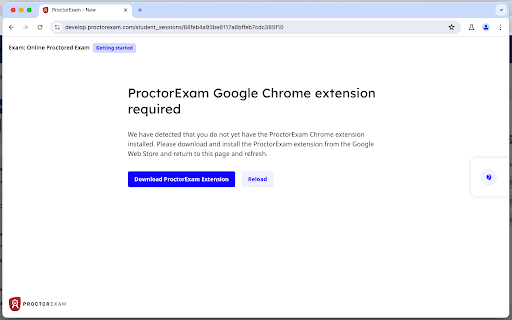
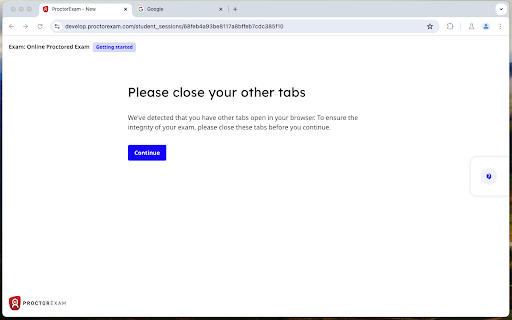
This extension facilitates remote proctoring by allowing the ProctorExam platform to monitor a user's browser activity. It is designed to work in conjunction with institutional exam requirements to maintain academic integrity.
Overview
Installs
800K+
Rating
★ 1.6
353 reviews
Languages
1 locales
Includes English
Market analysis
Review-backed positioning, friction, and market signals for this Chrome extension.
Macro category
Automation & Workflow Efficiency
Pricing friction
Low review signal
Complaint intensity
High review signal
Listing positioning
The extension is positioned as a mandatory tool for enabling browser activity sharing during online exams on the ProctorExam platform. It claims to ensure privacy by only sharing activity when an exam is actively being conducted.
Inferred product pattern
A high-stakes, mandatory utility extension for educational proctoring that suffers from severe reliability and hardware compatibility issues.
Review-backed pain points
Users report significant issues with microphone detection, screen sharing failures on macOS, and sudden white screens during exams. Technical support is frequently described as unhelpful, providing generic troubleshooting that fails to address specific hardware conflicts.
Observed feature gaps
Improved hardware driver compatibility for Mac and external peripherals, and more robust technical support beyond basic browser troubleshooting.
- Students taking online exams
- Educational institutions
- Professional certification candidates
- Remote exam proctoring
- Browser activity monitoring during assessments
No positive theme data.
- Hardware compatibility failure
- Inadequate technical support
- High resource consumption
- Critical software breakage
- Performance complaints detected
- Privacy complaints detected
- No direct pricing friction reported, as usage is typically mandated by the user's institution.
Support
Technical support is criticized for being ineffective, often suggesting standard steps like clearing cache or disabling VPNs which do not resolve the reported hardware issues.
Reliability
Significant reliability issues reported, including the inability to detect microphones and cameras, and software crashes (white screens) during high-stakes testing.
Privacy
Some users expressed discomfort and concerns regarding the extent of the browsing activity monitoring and general surveillance capabilities.
- No clear monetization signal
- Login needed for core features
- No clear pricing signal
Store listing facts
- Screenshots: 2
- Videos: 1
- Languages: 1
- Privacy policy
- Developer contact
- Official website
- Support link
- Version: 1.8.1
- Size: 145KiB
- Last updated:
Listing SEO keywords
Core discovery
Comparison
Problem
Alternative
Similar extensions
Jump to related discovery paths:
FAQ
Screenshots
Links
Website: proctorexam.com
Privacy policy: https://www.proctorexam.com/privacy
Support links: https://proctorexam.com/test-taker-support/
Videos: Watch