Extension for Bilibili Player icon

Extension for Bilibili Player Chrome Extension Analysis

Niche Lifestyle & Gaming Hacks

Chrome extension ID: ffoljpljalicgkljioegejmigkkkincm

A utility for Bilibili that provides extensive keyboard shortcuts for playback control, screen mode switching, and bullet screen (Danmaku) management. It allows users to automate default settings such as autoplay, lighting, and the initial state of the bullet screen.

Version:3.0.2
Size:90.07KiB
Last updated:

Overview

Installs

10K+

Rating

4.6

157 reviews

Languages

3 locales

Includes English, 中文(中国), 中文(台灣)

Market analysis

Review-backed positioning, friction, and market signals for this Chrome extension.

Backed by review samples

Macro category

Niche Lifestyle & Gaming Hacks

Pricing friction

Low review signal

Complaint intensity

Moderate review signal

Listing & review signals
Observed signals from store listing text and review samples.

Listing positioning

The extension positions itself as a lightweight utility to enhance the Bilibili video player. It emphasizes productivity through a comprehensive set of keyboard shortcuts and the ability to set default player behaviors.

Inferred product pattern

Platform-specific UX enhancer focusing on shortcut mapping and default state overrides.

Review-backed pain points

Users report that the space bar shortcut for play/pause interferes with typing in the comment section. Some users have experienced specific shortcuts (like M, F, and C) becoming inactive or triggering incorrect actions.

Observed feature gaps

Requests for system media key support for fast-forward/rewind, true full-screen mode beyond web fullscreen, and a one-click favorite/unfavorite button.

Tags
BilibiliVideo PlayerKeyboard ShortcutsPlayer EnhancementsBilibili Tools
Target users

- Bilibili viewers

- Power users who prefer keyboard navigation

- Users who dislike default bullet screen settings

Primary use cases

- Controlling Bilibili video playback via keyboard

- Quickly toggling bullet screen and captions

- Automating player defaults like wide screen or 'lights off' mode

Positive themes

- General utility and usefulness

- User loyalty

Negative themes

- Shortcut conflicts with comment input fields

- Functional regressions of specific shortcuts

- Conflicts with other video controller extensions

Observed friction

- No pricing friction observed as the extension appears to be free.

Evidence boundary: Analysis based on store listing data and a sample of 11 reviews. The review sample size is small compared to the total user base; some reports may refer to legacy versions of the extension.
Complaint summaries
Review-backed complaint signals grouped by operational area.

Support

No direct support complaints, though users utilize reviews to request bug fixes.

Reliability

Reports of shortcut failures and conflicts with other browser extensions or site input fields.

Privacy

No privacy or security complaints observed.

Access & pricing

- Free usage observed

- No account requirement observed

- Free plan or free usage claimed

Store listing facts

Listing assets

- Screenshots: 5

- Videos: 0

- Languages: 3

Trust signals

- Privacy policy

- Developer contact

- Official website

Store metadata

- Version: 3.0.2

- Size: 90.07KiB

- Last updated:

Store description excerpt
Short excerpt from the public Chrome Web Store listing; full copy is available on the official store page.
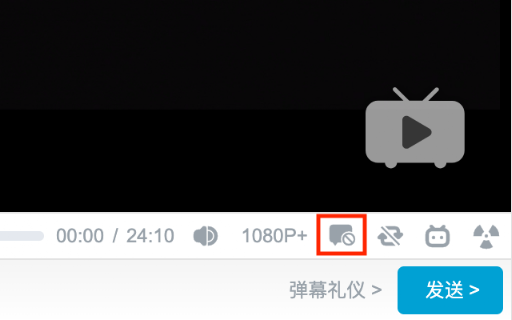
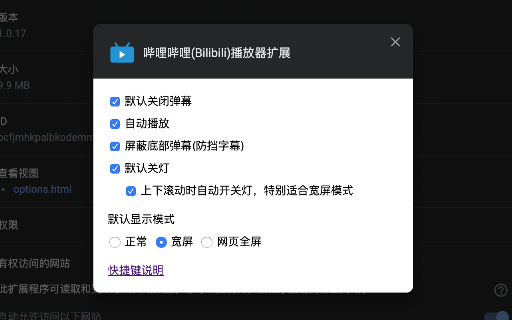
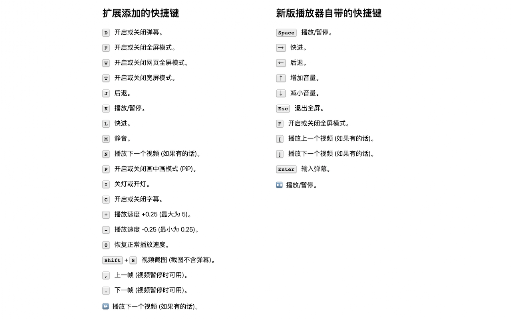
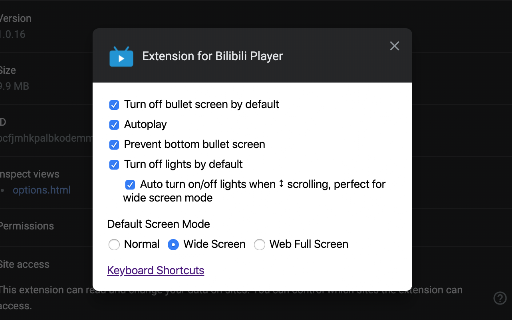
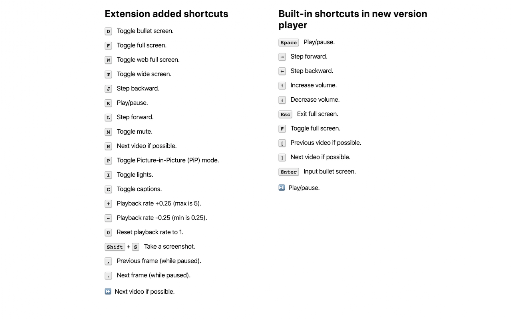
This is a simple and small extension for Bilibili player. 3.0 Updates (2024/11/26): Now you can customize individual shortcuts, and disable specific shortcuts individually! The options for bilibili video player: ∙ Enable keyboard shortcuts. ∙ The space bar is always used for play/pause. ∙ Turns off bullet screen by default. ∙ Autoplay. ∙ Exit fullscreen when video ended. ∙ Prevent bottom bullet screen. ∙ Turn off lights by default. ∙ Auto turn on/off lights when ↕ scrolling. ∙ Set default screen mode: normal | wide screen | web fullscreen. * It turns off bullet screen(also known as Barrage/Danmaku/弹幕/Danmu) on www.bilibili.com by default. But you can change this behavior in the options. Keyboard shortcuts for bilibili video player: ∙ D Key: Toggle bullet screen. ∙ Shift+D Key: Show bullet screen on/off status. ∙ F Key: Toggle full screen. ∙ W Key: Toggle web full screen. ∙ T Key: Toggle…

Listing SEO keywords

Search intent keywords
Keyword signals for evaluating how users may discover, compare, or search for this extension category.

Core discovery

Bilibili shortcutsBilibili player extensionBilibili danmaku controlBilibili playback speed

Comparison

Bilibili player extension vs defaultvideo speed controller vs Bilibili extension

Problem

Bilibili keyboard shortcutsdisable Bilibili bullet screenBilibili video screenshot

Alternative

Bilibili enhancerBilibili tools

Similar extensions

Jump to related discovery paths:

FAQ

What is Extension for Bilibili Player mainly used for?
A utility for Bilibili that provides extensive keyboard shortcuts for playback control, screen mode switching, and bullet screen (Danmaku) management. It allows users to automate default settings such as autoplay, lighting, and the initial state of the bullet screen.
What market signals stand out?
Visible niche traction with moderate review base. Last known update: 10/21/2025.
What should builders compare before entering this space?
Compare install concentration, rating quality, update recency, screenshots, developer portfolio, listing claims, and review-backed friction signals.
Is this page review-backed?
Backed by review samples. This page combines store metadata with selected review signals, while raw store metrics remain visible for comparison.

Screenshots

Extension for Bilibili Player screenshot

Links

Website: guokai.dev

Privacy policy: https://guokai.dev/privacy/

Recommended Chrome extensions

Related listings from the same category, trending peers, and the same publisher portfolio.

Browse entertainment