Streaming enhanced Netflix Disney Prime Video Chrome Extension Analysis
Niche Lifestyle & Gaming HacksChrome extension ID: akaimhgappllmlkadblbdknhbfghdgle
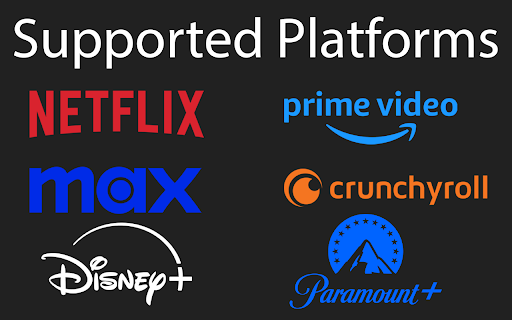
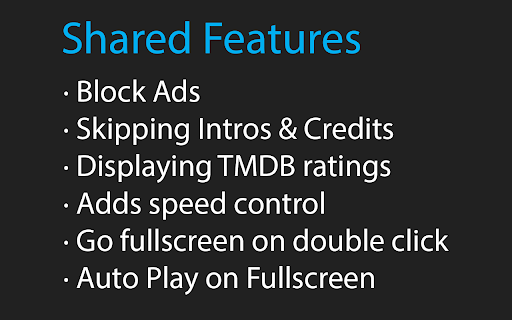
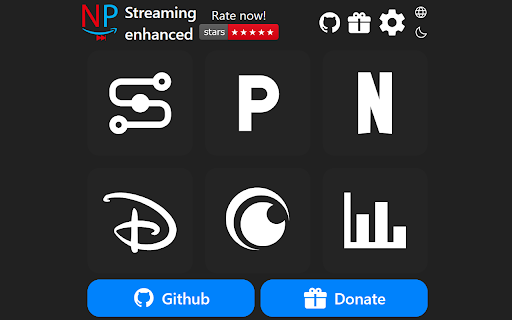
This extension enhances browser-based streaming media players with automated controls and user interface adjustments. It auto-skips intros, recaps, credits, and promotional ads on platforms like Netflix, Prime Video, Disney+, and Crunchyroll. It also adds keyboard shortcuts for customized playback speed and fullscreen modes.
Overview
Installs
40K+
Rating
★ 4.7
191 reviews
Languages
1 locales
Includes English
Market analysis
Review-backed positioning, friction, and market signals for this Chrome extension.
Macro category
Niche Lifestyle & Gaming Hacks
Pricing friction
Low review signal
Complaint intensity
Moderate review signal
Listing positioning
The store listing positions this extension as an all-in-one quality-of-life utility for major video streaming platforms. It promises to automate tedious tasks like clicking skip buttons and waiting through ads or intros. It highlights its nature as a free, open-source project actively maintained by a single developer.
Inferred product pattern
Client-side DOM element monitoring and programmatic playback event trigger injection to automate ad and intro skipping.
Review-backed pain points
The most prominent pain points occur when underlying streaming platform interfaces update, causing auto-skip features to stop functioning. Users also report specific platform locks, such as Disney+ blocking playback entirely when the extension is active, and UI visual issues like a white bar on top of the screen in fullscreen mode on Brave.
Observed feature gaps
Reviews indicate a desire for cloud-based setting synchronization or automatic backups, as users currently have to handle settings manually. Additionally, localized coverage gaps exist, such as difficulties getting advertised HBO Max (Max) features working under regional accounts.
- Binge-watchers
- Streaming service subscribers
- Users seeking custom video playback controls
- Ad-blocking enthusiasts
- Automatically skipping video intros and credits on Netflix
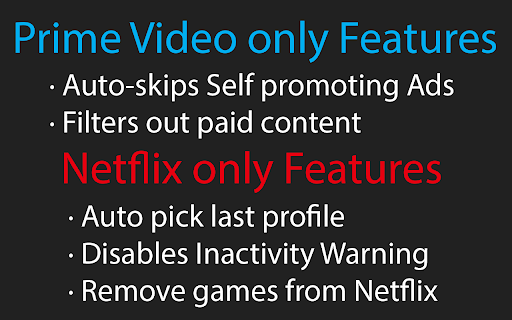
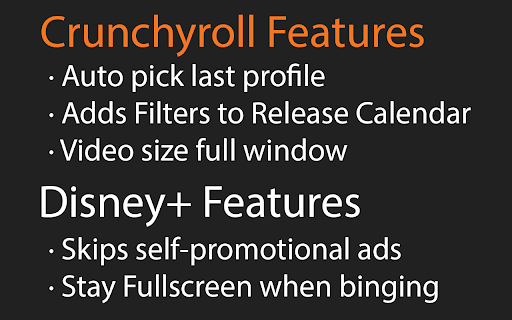
- Bypassing self-promotional ads on Prime Video and Disney+
- Adjusting video playback speed using customizable hotkeys
- Enabling automatic fullscreen execution on video start
- Highly effective ad blocking that improves the streaming experience
- Valuable quality-of-life improvements for Netflix users
- Appreciated for being completely free and open-source
- Incompatibility on Disney+ where playback gets disabled or blocked
- Sudden functional failure on Prime Video and Crunchyroll after site updates
- Visual glitches such as a persistent white bar in fullscreen mode on specific browsers
- Performance complaints detected
- No pricing complaints exist; the extension is fully free, open-source, and relies on optional support/donations.
Support
No explicit negative comments target developer support, though the developer proactively sets expectations on Github that fixes can take time due to being a solo project.
Reliability
Reliability is highly dependent on external streaming platforms. Recent updates have broken Crunchyroll and Prime Video skip features for some users, and Disney+ DRM or ad detection causes playback failures. A visual rendering bug on Brave causes a white bar in fullscreen.
Privacy
No privacy or security complaints have been observed in public user feedback.
- Free usage observed
- No account requirement observed
- Free plan or free usage claimed
Store listing facts
- Screenshots: 5
- Videos: 0
- Languages: 1
- Developer contact
- Official website
- Support link
- Version: 1.1.98
- Size: 332KiB
- Last updated:
Listing SEO keywords
Core discovery
Comparison
Problem
Alternative
Similar extensions
Jump to related discovery paths:
FAQ
Screenshots
Links
Website: github.com
Support links: https://github.com/Dreamlinerm/Netflix-Prime-Auto-Skip/issues