
Chrome Capture Chrome Extension Analysis
Automation & Workflow EfficiencyStore listing title: Chrome Capture - Screenshot & GIF
Chrome extension ID: ggaabchcecdbomdcnbahdfddfikjmphe
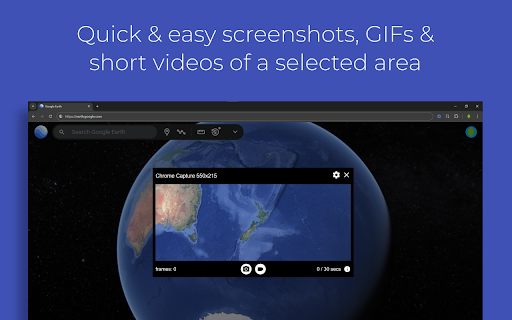
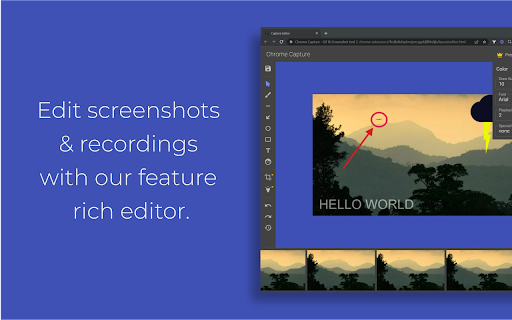
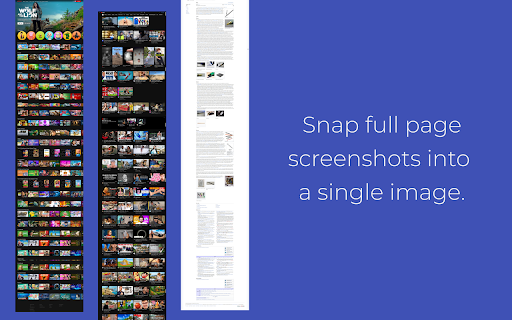
This extension provides screen recording (GIF/WebM/MP4) and screenshot capabilities, including full-page capture and area selection. It includes a built-in editor for annotations and basic editing, alongside features for sharing captures via clipboard or direct links.
Overview
Installs
300K+
Rating
★ 4.7
1,866 reviews
Languages
51 locales
Includes Deutsch, English, English (United Kingdom), Indonesia...
Market analysis
Review-backed positioning, friction, and market signals for this Chrome extension.
Macro category
Automation & Workflow Efficiency
Pricing friction
Moderate review signal
Complaint intensity
Moderate review signal
Listing positioning
Chrome Capture is positioned as an all-in-one visual communication tool that eliminates the need for multiple applications. It emphasizes ease of use, fast workflow integration, and the ability to capture, edit, and share content directly from the browser.
Inferred product pattern
A functional screen capture and utility tool that leverages a freemium model to convert high-volume users into premium subscribers for advanced editing and recording time limits.
Review-backed pain points
Users reported frustration with non-sequential or confusing file naming conventions, synchronization errors with premium status, and perceived limited functionality in the free version.
Observed feature gaps
Lack of persistent storage for past captures after closing the browser and limitations when capturing content in developer/responsive modes.
- Remote workers
- Students
- Content creators
- Customer support professionals
- Recording screen to GIF/Video
- Capturing full-page screenshots
- Annotating images for feedback
- Quick visual communication
- Efficiency in daily workflows
- Convenience of having both screenshot and recording tools
- User-friendly interface
- Effective full-page capture functionality
- Issues with file naming and directory management
- Frustration with premium subscription recognition
- Perception of restrictive free tier
- Forced hotkey bindings
- Free-tier complaints detected
- Performance complaints detected
- Users have expressed frustration regarding the transition to premium and occasional failure of the app to recognize previously purchased premium subscriptions.
Support
Limited specific support complaints, though users express general frustration with account-related premium status sync issues.
Reliability
Performance concerns include file overwriting issues due to naming conventions and occasional failure to capture specific window states.
Privacy
No specific privacy breaches reported; complaints center on unauthorized hotkey assignments.
- Free entry with paid features
- No account requirement observed
- Limited free usage observed
Store listing facts
- Screenshots: 3
- Videos: 0
- Languages: 51
- Privacy policy
- Developer contact
- Official website
- Version: 3.3.7
- Size: 2.83MiB
- Last updated:
Listing SEO keywords
Core discovery
Comparison
Problem
Alternative
Similar extensions
Jump to related discovery paths:
FAQ
Screenshots
Links
Website: leolime.com
Privacy policy: https://leolime.com/privacy-policy