Senso Extension icon

Senso Extension Chrome Extension Analysis

Automation & Workflow Efficiency

Chrome extension ID: gkncegdiihdghhkfpnnodppcbjeeimkc

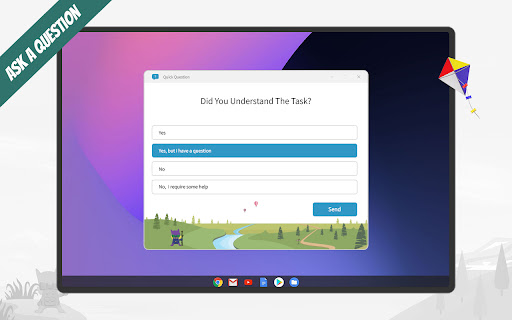
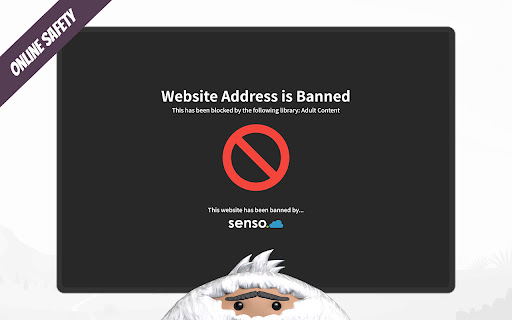
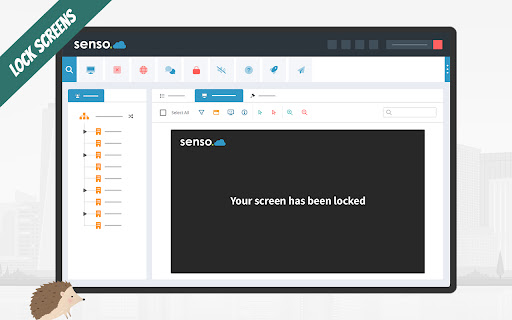
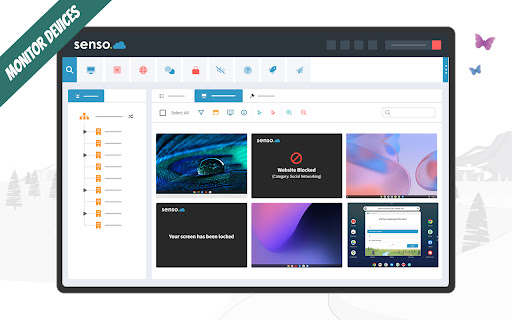
Senso Extension is a classroom management and student safeguarding utility designed for school-managed Chrome devices. It provides real-time screen monitoring, content filtering, and visual threat detection to assist in managing digital learning environments.

Developer:senso.cloud
Version:3.0.7.4
Size:182KiB
Last updated:

Overview

Installs

300K+

Rating

1.0

16 reviews

Languages

1 locales

Includes English

Market analysis

Review-backed positioning, friction, and market signals for this Chrome extension.

Backed by review samples

Macro category

Automation & Workflow Efficiency

Pricing friction

Moderate review signal

Complaint intensity

High review signal

Listing & review signals
Observed signals from store listing text and review samples.

Listing positioning

The extension is positioned as a tool for teachers and administrators to seamlessly teach, monitor, and safeguard students on Chrome devices. It emphasizes AI-driven visual threat analysis and 24/7 monitoring to ensure student safety and classroom engagement.

Inferred product pattern

B2B educational management and student safeguarding tool for school-managed Chrome devices.

Review-backed pain points

Users report extreme privacy concerns due to constant surveillance, significant device slowdowns, and restrictive filtering that blocks essential research websites.

Observed feature gaps

Users report a clunky and confusing interface and claim the content filter lacks the nuance to distinguish between learning tools and distractions.

Tags
Classroom ManagementStudent MonitoringSafeguardingContent Filtering
Target users

- Teachers

- School Administrators

- Designated Safeguarding Leads

Primary use cases

- Classroom monitoring

- Student safeguarding

- Web content filtering

- Remote device management

Positive themes

- Review-backed positive data is not available.

Negative themes

- Privacy intrusion

- Device performance degradation

- Overly restrictive web filtering

- Software glitches

Observed friction

- Payment required for meaningful usage

- Performance complaints detected

- Privacy complaints detected

- No specific pricing friction mentioned in reviews.

Evidence boundary: Data extracted from the product listing and 10 low-rating user reviews. The review sample consists entirely of low-rating feedback; high-rating or helpful reviews are not available in the provided data.
Complaint summaries
Review-backed complaint signals grouped by operational area.

Support

No specific support or refund complaints identified in the provided reviews.

Reliability

Users report frequent glitches, random logouts, and significant system slowdowns on Chromebooks.

Privacy

Extensive complaints regarding continuous background monitoring, lack of privacy, and concerns about digital footprint usage.

Access & pricing

- Subscription model observed

- Login needed for core features

- Paid-only usage observed

Store listing facts

Listing assets

- Screenshots: 5

- Videos: 1

- Languages: 1

Trust signals

- Privacy policy

- Developer contact

- Official website

- Support link

Store metadata

- Version: 3.0.7.4

- Size: 182KiB

- Last updated:

Store description excerpt
Short excerpt from the public Chrome Web Store listing; full copy is available on the official store page.
Connect your Chrome devices to senso.cloud to seamlessly teach, monitor and safeguard students from anywhere. Important: Only use this extension if you have migrated to our new environment (app.senso.cloud). If you are unsure which environment you are currently on, please contact support before attempting to deploy. This extension is required for customers using Senso Cloud to monitor Chromebook devices and can be used with existing Senso Client licenses, subject to your license limits. For help and support, please visit https://support.senso.cloud. ----- Student Safety Tools: Ensure student safety on school-owned Chrome devices with our safeguarding software. Senso.cloud detects harmful or inappropriate behaviour and promptly alerts designated staff about users who may be vulnerable, at risk, or potentially pose a threat to others. Powered by advanced, AI-driven visual threat analysis,…

Listing SEO keywords

Search intent keywords
Keyword signals for evaluating how users may discover, compare, or search for this extension category.

Core discovery

Classroom ManagementStudent MonitoringSafeguarding ToolsContent Filtering

Comparison

Netsweeper Workspace Admin

Problem

Privacy ConcernsDevice SlowdownRestrictive Web FilterGlitchy Extension

Alternative

Netsweeper Workspace Admin

Similar extensions

Jump to related discovery paths:

FAQ

What is Senso Extension mainly used for?
Senso Extension is a classroom management and student safeguarding utility designed for school-managed Chrome devices. It provides real-time screen monitoring, content filtering, and visual threat detection to assist in managing digital learning environments.
What market signals stand out?
Established adoption with limited review base. Last known update: 06/19/2026.
What should builders compare before entering this space?
Compare install concentration, rating quality, update recency, screenshots, developer portfolio, listing claims, and review-backed friction signals.
Is this page review-backed?
Backed by review samples. This page combines store metadata with selected review signals, while raw store metrics remain visible for comparison.

Screenshots

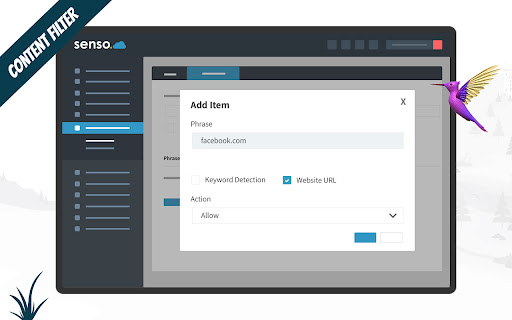
Senso Extension screenshot

Links

Recommended Chrome extensions

Related listings from the same category, trending peers, and the same publisher portfolio.

Browse tools