Salesforce Inspector Reloaded Chrome Extension Analysis
Developer & Designer ToolsChrome extension ID: hpijlohoihegkfehhibggnkbjhoemldh
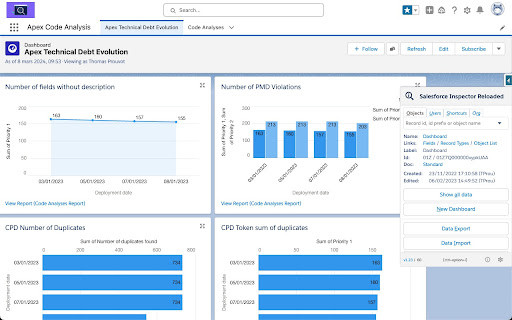
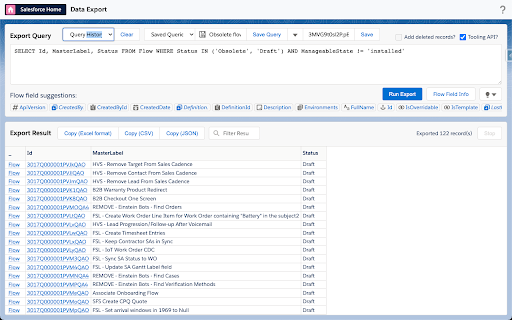
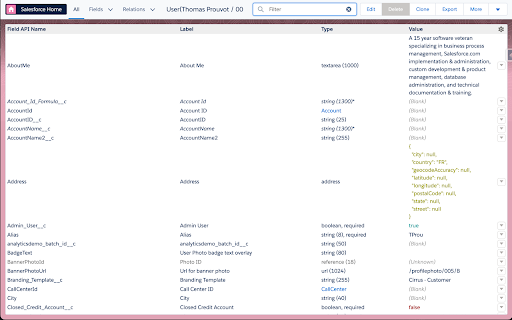
A browser extension that adds an inspection layer to Salesforce, allowing users to run SOQL/SOSL queries, manage metadata, and access setup shortcuts. It provides tools for bulk field creation and API exploration without requiring external software.
Overview
Installs
500K+
Rating
★ 4.8
235 reviews
Languages
1 locales
Includes English
Market analysis
Review-backed positioning, friction, and market signals for this Chrome extension.
Macro category
Developer & Designer Tools
Pricing friction
Low review signal
Complaint intensity
Moderate review signal
Listing positioning
The product is positioned as a productivity suite for Salesforce administrators and developers. It emphasizes the ability to inspect data and metadata directly within the Salesforce UI to save time and effort.
Inferred product pattern
A power-user utility extension that enhances a primary SaaS platform by exposing hidden API capabilities and metadata shortcuts.
Review-backed pain points
Users report the 'Show All Data' button disappearing after updates and 'Select All' not working for metadata downloads. Some users are frustrated by the extension's icon appearing inside Salesforce HTML fields during saves.
Observed feature gaps
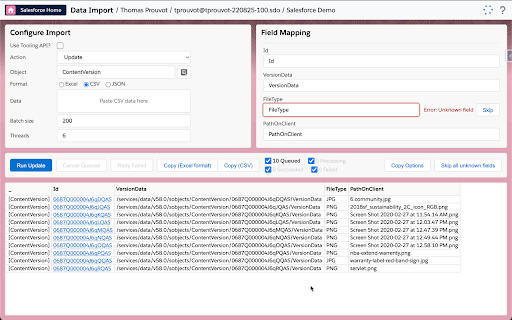
Lack of a quick toggle switch to disable the extension without entering browser settings; missing clickable record IDs on Mac; lack of a delay option in Data Import to avoid API limits.
- Salesforce Administrators
- Salesforce Developers
- Inspecting record data and metadata
- Executing SOQL and SOSL queries
- Bulk creating fields
- Downloading and deploying metadata
- Monitoring platform events
- Significant time savings for admins
- Ease of installation and use
- High utility of 'login-as' and field editing features
- Appreciation for being a free tool
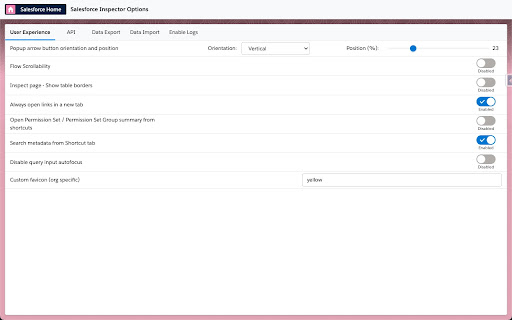
- UI bugs regarding the side arrow visibility
- Regressions in the 'Show All Data' functionality
- Interference with rich text/HTML fields
- Inconsistencies between Windows and Mac versions
- Performance complaints detected
- No pricing friction observed; users explicitly praise the tool for being free.
Support
The developer directs all bugs and questions to a GitHub repository; no specific complaints about the support quality were observed in samples.
Reliability
Reports of specific versions (e.g., 1.26) causing the UI arrow to disappear and regressions in the Data Import tool where selected actions reset to 'Insert'.
Privacy
No privacy complaints observed; one user specifically mentioned positive feelings toward the privacy policy.
- Free usage observed
- No account requirement observed
- Free plan or free usage claimed
Store listing facts
- Screenshots: 5
- Videos: 1
- Languages: 1
- Privacy policy
- Developer contact
- Support link
- Version: 1.27
- Size: 875KiB
- Last updated:
Listing SEO keywords
Core discovery
Comparison
Problem
Alternative
Similar extensions
Jump to related discovery paths:
FAQ
Screenshots
Links
Privacy policy: https://github.com/tprouvot/Salesforce-Inspector-reloaded/blob/master/PRIVACY.md
Support links: https://github.com/tprouvot/Chrome-Salesforce-inspector/issues
Videos: Watch