

Magical Chrome Extension Analysis
Automation & Workflow EfficiencyStore listing title: Magical: Text Expander & Autofill
Chrome extension ID: iibninhmiggehlcdolcilmhacighjamp
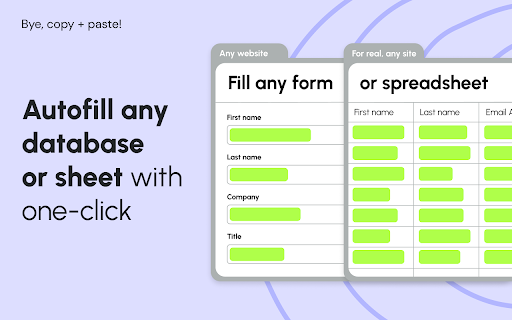
Magical is a browser-based automation tool that enables users to create text shortcuts and automate data entry across various web platforms. It functions as a text expander and a data transfer utility, allowing users to move information between applications like CRMs, spreadsheets, and messaging tools.
Overview
Installs
300K+
Rating
★ 4.4
3,533 reviews
Languages
25 locales
Includes Deutsch, English, English (United Kingdom), English (United States)...
Market analysis
Review-backed positioning, friction, and market signals for this Chrome extension.
Macro category
Automation & Workflow Efficiency
Pricing friction
High review signal
Complaint intensity
High review signal
Listing positioning
Magical positions itself as a universal automation layer that works across any website or application without requiring complex integrations or APIs. It emphasizes time-saving for professionals in high-volume roles like sales, recruiting, and customer support by automating text expansion and data transfer tasks.
Inferred product pattern
Browser-based workflow automation and text expansion platform.
Review-backed pain points
Users report significant technical instability, including browser crashes and the unexpected loss of saved snippets, alongside frustration regarding the transition from a free to a paid model and difficult customer support experiences.
Observed feature gaps
Reliable data backup/sync mechanisms, consistent offline or local-first functionality, and a functional free-tier stability that avoids aggressive paywalls.
- Sales Representatives
- Recruiters
- Customer Support Agents
- Healthcare Professionals
- Educators
- Operations Administrators
- Text snippet expansion for messaging
- Automating lead/contact data entry into CRMs
- Moving data into spreadsheets and ATS systems
- Personalizing template responses for email and chat
- Initial utility for reducing repetitive typing
- Efficiency improvements for high-volume workflows
- Frequent software crashes and browser lag
- Sudden removal or limitation of free features
- Billing issues and charges post-cancellation
- Loss of saved data/snippets
- Payment required for meaningful usage
- Free-tier complaints detected
- Account blocking complaints detected
- Refund complaints detected
- Performance complaints detected
- High friction; users frequently complain about aggressive paywalls, being charged after cancellation, and the sudden deprecation of free-tier functionality.
Support
Complaints mention slow, unresponsive, or dismissive human support and frustration with AI-driven support agents.
Reliability
High concern; reports of Chrome browser crashes, application lag, and critical data loss (deleted snippets) are prevalent.
Privacy
No specific privacy or data collection complaints observed.
- Free entry with paid features
- Account required for core usage
- Trial or limited free usage before paid plan
Store listing facts
- Screenshots: 4
- Videos: 1
- Languages: 25
- Privacy policy
- Developer contact
- Official website
- Support link
- Version: 3.119.1
- Size: 8.2MiB
- Last updated:
Listing SEO keywords
Core discovery
Comparison
Problem
Alternative
Similar extensions
Jump to related discovery paths:
FAQ
Screenshots



Links
Website: getmagical.com
Privacy policy: https://www.getmagical.com/legal/privacy
Support links: https://support.getmagical.com/
Videos: Watch


