RingCentral for Google icon

RingCentral for Google Chrome Extension Analysis

Automation & Workflow Efficiency

Chrome extension ID: fddhonoimfhgiopglkiokmofecgdiedb

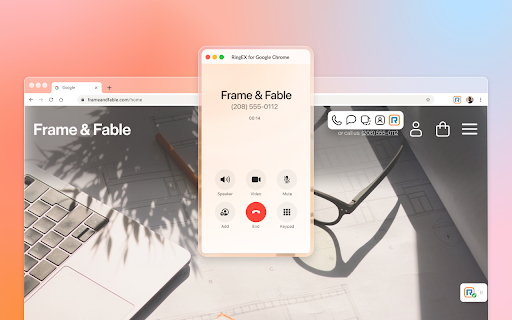
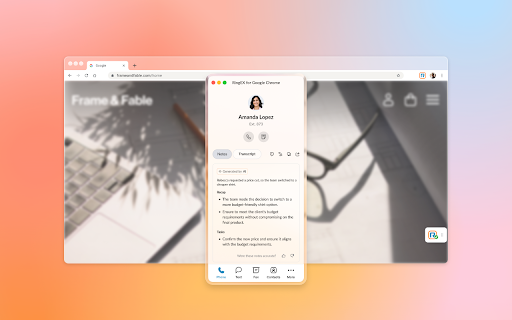
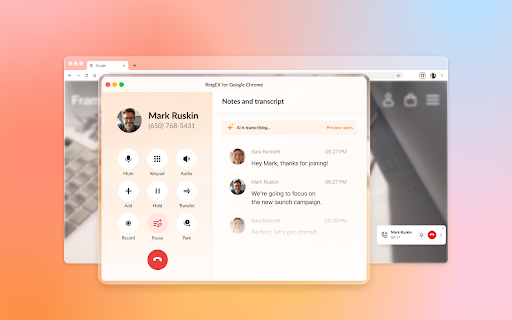
This extension provides business communication features such as click-to-call, digital faxing, and SMS management within Google Chrome. It includes AI-powered capabilities like Live Notes and an AI Receptionist to streamline professional workflows.

Developer:RingCentral
Version:26.2.20
Size:69.55MiB
Last updated:

Overview

Installs

200K+

Rating

3.0

253 reviews

Languages

1 locales

Includes English

Market analysis

Review-backed positioning, friction, and market signals for this Chrome extension.

Backed by review samples

Macro category

Automation & Workflow Efficiency

Pricing friction

Moderate review signal

Complaint intensity

High review signal

Listing & review signals
Observed signals from store listing text and review samples.

Listing positioning

The product is positioned as a unified, enterprise-grade communication layer designed to live within the Chrome browser. It aims to minimize context switching by integrating telephony, SMS, and AI-driven tools directly into Google Workspace environments.

Inferred product pattern

A professional communication bridge for Google Workspace that currently faces major stability and integration challenges with its desktop ecosystem.

Review-backed pain points

Users report significant technical issues including the need to frequently reinstall the extension, audio dropping during calls, and broken SMS/click-to-call functionality.

Observed feature gaps

Users have expressed a need for improved spam database/filtering to manage unwanted calls.

Tags
Business CommunicationGoogle Workspace IntegrationClick To CallCloud Telephony
Target users

- Enterprise teams

- Google Workspace users

- Customer support agents

- Business professionals

Primary use cases

- Click-to-call from web pages

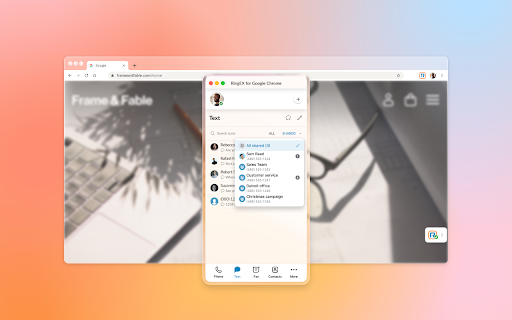
- Managing shared SMS inboxes

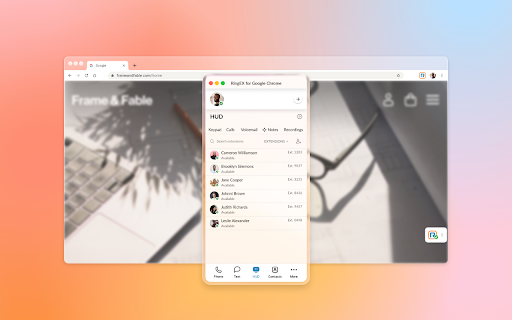
- Handling inbound call queues

- Automated call note taking

Positive themes

- No positive themes identified in the provided review sample.

Negative themes

- Software instability following updates

- Conflicts between extension and desktop application

- Broken core features like click-to-dial

- Audio connectivity and dropouts

Observed friction

- Payment required for meaningful usage

- Account blocking complaints detected

- Performance complaints detected

- Users expressed significant frustration regarding being billed on a per-seat basis for a service that they claim is currently non-functional or highly unreliable.

Evidence boundary: Analysis based on the official store listing and a series of highly critical user reviews detailing technical failures and support issues. The review data is heavily skewed toward low ratings, which likely emphasizes extreme failure cases rather than the average user experience.
Complaint summaries
Review-backed complaint signals grouped by operational area.

Support

Complaints indicate poor customer service experiences, including unreturned calls and support staff disclaiming responsibility for the extension.

Reliability

The extension is described as glitchy and unreliable, with specific reports of audio failure, duplicate texts, and data loss in faxing features.

Privacy

No privacy or security complaints were found in the provided data.

Access & pricing

- Subscription model observed

- Login needed for core features

- Trial or limited free usage before paid plan

Store listing facts

Listing assets

- Screenshots: 5

- Videos: 1

- Languages: 1

Trust signals

- Privacy policy

- Developer contact

- Support link

Store metadata

- Version: 26.2.20

- Size: 69.55MiB

- Last updated:

Store description excerpt
Short excerpt from the public Chrome Web Store listing; full copy is available on the official store page.
For organizations powered by Google Chrome, Workspace and ChromeOS, the browser is the primary engine of productivity. However, fragmented tools and "context switching" between work and separate communication apps can hinder team focus and data consistency. RingEX for Google makes it easy for your teams to access key phone features without leaving their Google applications, simplifying workflow, and increasing productivity. The new version of RingEX for Google Chrome provides a unified, enterprise-grade and feature-rich communication layer that lives in the Chrome browser where your teams work. At an overview, this version offers: ✅ Eliminate manual dialing or copy-paste using click-to-call and other actions from any browser webpage ✅ Efficient client handoffs with contextual transfer from an AI Receptionist to a staff member ✅ Handle high-volume inbound traffic with integrated Queue Ca…

Listing SEO keywords

Search intent keywords
Keyword signals for evaluating how users may discover, compare, or search for this extension category.

Core discovery

RingCentral Chrome ExtensionGoogle Workspace PhoneClick to Call ChromeBusiness SMS Browser

Comparison

RingCentral vs Desktop AppRingCentral alternatives

Problem

RingCentral extension not workingRingCentral audio issuesRingCentral login error

Alternative

Google Workspace communication toolsBrowser-based VoIP

Similar extensions

Jump to related discovery paths:

FAQ

What is RingCentral for Google mainly used for?
This extension provides business communication features such as click-to-call, digital faxing, and SMS management within Google Chrome. It includes AI-powered capabilities like Live Notes and an AI Receptionist to streamline professional workflows.
What market signals stand out?
Established adoption with moderate review base. Last known update: 06/22/2026.
What should builders compare before entering this space?
Compare install concentration, rating quality, update recency, screenshots, developer portfolio, listing claims, and review-backed friction signals.
Is this page review-backed?
Backed by review samples. This page combines store metadata with selected review signals, while raw store metrics remain visible for comparison.

Screenshots

RingCentral for Google screenshot

Links

Recommended Chrome extensions

Related listings from the same category, trending peers, and the same publisher portfolio.

Browse communication
RingCentral Contact Center Voice icon

RingCentral Contact Center Voice

RingCentral

RingCentral Contact Center Voice plug-in connects agents directly to RingCentral Contact Center.

Installs

30K+

Rating

2.9

Voila – AI Assistant, Copilot and AI Writer icon

Voila – AI Assistant, Copilot and AI Writer

Initial condition

Seamless personal AI assistant powered by GPT-5 to help you create, write, summarize, brainstorm, and research on any website.

Installs

70K+

Rating

4.7

Grammar Checker and AI tool - Correcto icon

Grammar Checker and AI tool - Correcto

product-development-correcto

Improve your writing with the AI-powered online grammar and spelling checker in Spanish and our paraphrasing tool.

Installs

70K+

Rating

4.6

Share link via email icon

Share link via email

Cobote

Adds a button and context menu item to send the page URL or a link URL via email

Installs

70K+

Rating

3.9

Mail Merge for Gmail - Mailmeteor icon

Mail Merge for Gmail - Mailmeteor

Mailmeteor

Free mail merge with email tracker and auto follow-ups.

Installs

60K+

Rating

4.8

Cursorful - Screen Recorder with Auto Zoom icon

Cursorful - Screen Recorder with Auto Zoom

Cursorful

Cursorful creates beautiful screen recordings with automatic zooms and pans that keep the viewer engaged.

Installs

60K+

Rating

4.9

Auto BCC for Gmail™ by cloudHQ icon

Auto BCC for Gmail™ by cloudHQ

cloudHQ

Setup automatic blind copies to your CRM or any other email address

Installs

60K+

Rating

4.2

Kommodo Screen Recorder & SOP icon

Kommodo Screen Recorder & SOP

kgrauer

Record screen and get a magical SOP with an AI Summary

Installs

50K+

Rating

4.6

CrankWheel Screen Sharing icon

CrankWheel Screen Sharing

CrankWheel

Easier screen sharing. No app needed for viewers, even on their mobile. Record your screen or webcam.

Installs

50K+

Rating

4.8

Reminders for Google Calendar™ icon

Reminders for Google Calendar™

SMS Reminder for Google Calendar™

Send reminders by SMS/Text from your Google Calendar™. Use it for your customers or your own appointments.

Installs

50K+

Rating

3.6