Web Paint Tool - draw online icon

Web Paint Tool Chrome Extension Analysis

Automation & Workflow Efficiency

Store listing title: Web Paint Tool - draw online

Chrome extension ID: iklgljbighkgbjoecoddejooldolenbj

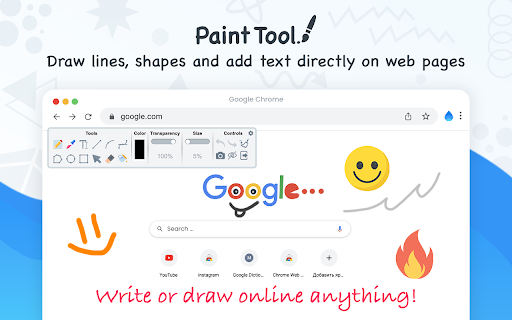
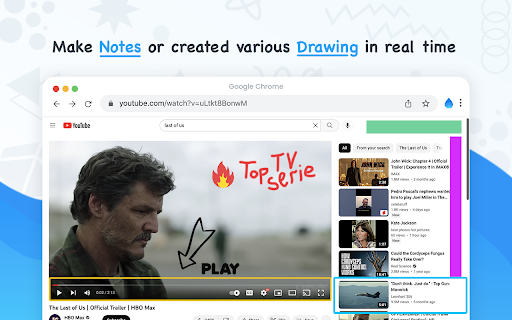
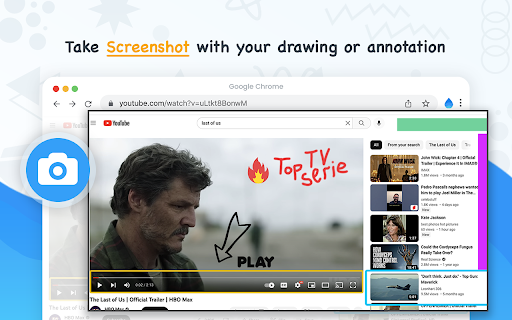
A browser utility that enables users to draw shapes, add text, and place emojis directly on web content. It includes a screenshot feature to capture and download customized annotated images.

Developer:Draw Online
Version:1.0.7
Size:198KiB
Last updated:

Overview

Installs

100K+

Rating

4.5

4,982 reviews

Languages

16 locales

Includes Deutsch, English, English (United States), Türkçe...

Market analysis

Review-backed positioning, friction, and market signals for this Chrome extension.

Backed by review samples

Macro category

Automation & Workflow Efficiency

Pricing friction

Low review signal

Complaint intensity

Moderate review signal

Listing & review signals
Observed signals from store listing text and review samples.

Listing positioning

The extension positions itself as an absolutely free, lightweight digital program for drawing and annotating on any webpage. It emphasizes ease of use through recognizable icons and a variety of tools similar to MS Paint.

Inferred product pattern

A free annotation tool that provides a comprehensive drawing toolkit but suffers from DOM interference and poor state management between tabs.

Review-backed pain points

Users report significant technical issues including violent shaking or flickering of the YouTube comment section and general HTML/layout glitches on various websites even when the tool is inactive.

Observed feature gaps

Drawings are not isolated to specific tabs, causing sketches from one page to appear on another; also, the tool exhibits cursor misalignment when zooming or using a stylus.

Tags
Web AnnotationScreenshot ToolDigital DrawingOnline Paint
Target users

- Students

- Teammates

- Content Creators

- Educators

Primary use cases

- Webpage annotation

- Creating tutorials

- Taking digital notes

- Capturing annotated screenshots

Positive themes

- Intuitive toolset

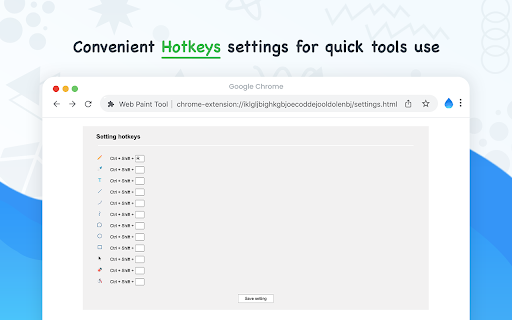
- Helpful keyboard shortcuts

- Convenient menu hiding

Negative themes

- Website layout interference

- Visual flickering on YouTube

- Lack of drawing isolation between tabs

Observed friction

- Performance complaints detected

- No pricing friction observed as the product is marketed as free.

Evidence boundary: Data derived from the Chrome Web Store listing and a collection of user reviews detailing both functionality and technical bugs. Review data reflects specific user experiences and may not represent the entire user base's technical environment.
Complaint summaries
Review-backed complaint signals grouped by operational area.

Support

No direct support complaints, though one user noted aggressive review prompting.

Reliability

Users report frequent reliability issues regarding website stability, specifically UI flickering and layout corruption.

Privacy

No verified privacy complaints, although some users expressed suspicion due to unexpected technical glitches.

Access & pricing

- Free usage observed

- No account requirement observed

- Free plan or free usage claimed

Store listing facts

Listing assets

- Screenshots: 4

- Videos: 0

- Languages: 16

Trust signals

- Privacy policy

- Developer contact

- Official website

Store metadata

- Version: 1.0.7

- Size: 198KiB

- Last updated:

Store description excerpt
Short excerpt from the public Chrome Web Store listing; full copy is available on the official store page.
Web Paint Tool is absolutely free lightweight digital program to created various drawing that comes loaded with brushes, fonts, shapes, and other resources. Our Paint Tool extension has a simple and easy to use design. It is not confusing and easily recognisable tool icons (pencil, paint bucket, eraser and others tool) are used in the app which makes it easy for everyone to use. Paint online or add information on a webpage to highlight moments, then take a screenshot of a full webpage or just a selected area with an option to download or share it. Fully customized screenshot that could be printed, saved or sent instantly. It contains the tools you need: - Pencil tool - draw custom lines - Text tool - add annotation - Emoji - add fine emoji on any web pages - Bucket fill tool - fill shapes and drawn with any color from palette - Line tool - put start and end point to paint straight line…

Listing SEO keywords

Search intent keywords
Keyword signals for evaluating how users may discover, compare, or search for this extension category.

Core discovery

web paintdraw on websitescreenshot toolannotate webpageonline drawing

Comparison

MS Paint for browserPage Marker

Problem

website flickeringyoutube comment glitchwebpage layout error

Alternative

markup toolscreen capture extension

Similar extensions

Jump to related discovery paths:

FAQ

What is Web Paint Tool mainly used for?
A browser utility that enables users to draw shapes, add text, and place emojis directly on web content. It includes a screenshot feature to capture and download customized annotated images.
What market signals stand out?
Established adoption with substantial review base. Last known update: 12/03/2025.
What should builders compare before entering this space?
Compare install concentration, rating quality, update recency, screenshots, developer portfolio, listing claims, and review-backed friction signals.
Is this page review-backed?
Backed by review samples. This page combines store metadata with selected review signals, while raw store metrics remain visible for comparison.

Screenshots

Web Paint Tool - draw online screenshot

Links

Recommended Chrome extensions

Related listings from the same category, trending peers, and the same publisher portfolio.

Browse fun