MATH Keys Chrome Extension Analysis
Developer & Designer ToolsStore listing title: MATH Keys - Equation & Formula Editor
Chrome extension ID: imcaiokpoocfeplmgemffhmdokiaallo
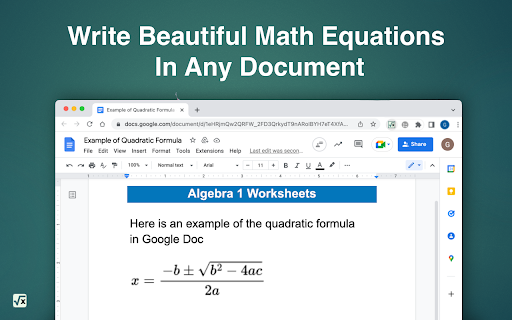
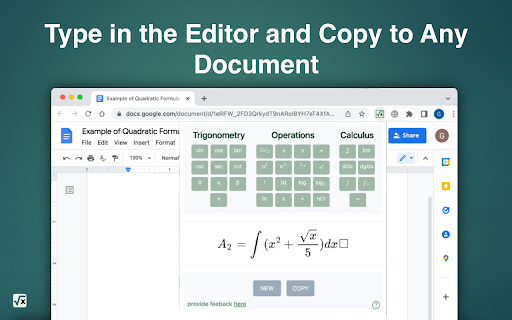
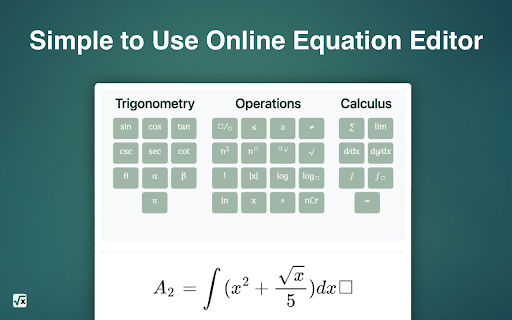
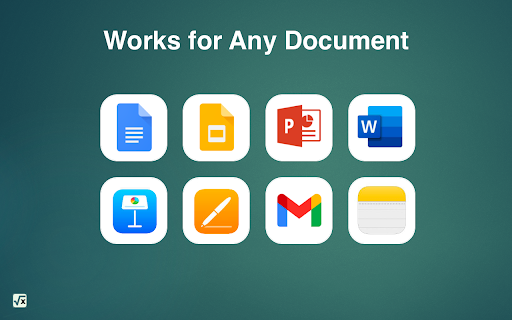
This Chrome extension provides an on-screen keyboard and interface for typing complex mathematical notation, including calculus, algebra, and trigonometry symbols. It outputs formulas as images for easy pasting into various document platforms like Google Docs or presentations.
Overview
Installs
70K+
Rating
★ 4.8
311 reviews
Languages
52 locales
Includes Deutsch, English, Filipino, Indonesia...
Market analysis
Review-backed positioning, friction, and market signals for this Chrome extension.
Macro category
Developer & Designer Tools
Pricing friction
Low review signal
Complaint intensity
Moderate review signal
Listing positioning
MATH Keys positions itself as a free, user-friendly equation editor that simplifies the creation of mathematical symbols and formulas without requiring deep knowledge of LaTeX. It targets students, teachers, and academics by offering an intuitive interface that integrates with standard document workflows via copy-to-clipboard functionality.
Inferred product pattern
Free utility tool for academic productivity focusing on visual formula creation.
Review-backed pain points
Users find it frustrating that the extension window closes automatically when switching tabs or applications, which disrupts the writing workflow. There are also reported inconsistencies in the copy-to-clipboard function, occasionally requiring multiple attempts.
Observed feature gaps
Lack of sidebar-docking capability for multi-tasking and occasional friction with automated character substitution (auto-formatting interfering with standard typing).
- Students
- Teachers
- Researchers
- Academic Professionals
- Creating mathematical formulas for homework
- Developing classroom presentation materials
- Writing scientific reports
- Academic drafting
- Intuitive interface
- No LaTeX knowledge required
- Useful history feature
- Fast and easy integration with document tools
- Consistent utility for academic assignments
- Frequent closing of the extension window when switching tabs
- Unreliable copy-to-clipboard functionality
- Formatting/auto-correct interference with plain text
- Incompatibility with some spreadsheet applications
- Performance complaints detected
- No pricing friction; the tool is reported as completely free by the developer and confirmed as such by user feedback.
Support
Minimal support-related complaints; frustration is directed primarily at UX/UI limitations rather than lack of support.
Reliability
Some users report that the extension window closes too easily during tab switching and occasionally fails to copy the generated formula to the clipboard.
Privacy
No privacy or security complaints identified in the provided review samples.
- Free usage observed
- No account requirement observed
- Free plan or free usage claimed
Store listing facts
- Screenshots: 4
- Videos: 1
- Languages: 52
- Privacy policy
- Developer contact
- Official website
- Support link
- Version: 4.0.9
- Size: 447KiB
- Last updated:
Listing SEO keywords
Core discovery
Comparison
Problem
Alternative
Similar extensions
Jump to related discovery paths:
FAQ
Screenshots
Links
Website: mathkeyboards.com
Privacy policy: https://www.mathkeyboards.com/privacy-policy
Support links: https://www.mathkeyboards.com/help
Videos: Watch