Jam icon

Jam Chrome Extension Analysis

Developer & Designer Tools

Chrome extension ID: iohjgamcilhbgmhbnllfolmkmmekfmci

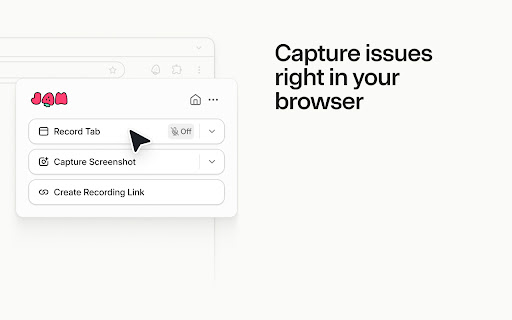
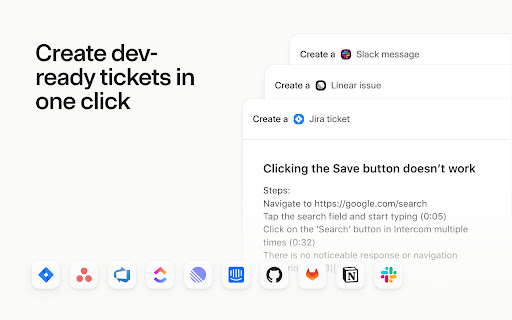
A Chrome extension that allows users to record their screen or take screenshots to document software issues. It utilizes AI to generate reproduction steps and integrates with various project management tools like Jira, GitHub, and Linear.

Developer:Jam
Version:5.67.1
Size:5.12MiB
Last updated:

Overview

Installs

200K+

Rating

4.5

295 reviews

Languages

1 locales

Includes English

Market analysis

Review-backed positioning, friction, and market signals for this Chrome extension.

Backed by review samples

Macro category

Developer & Designer Tools

Pricing friction

Moderate review signal

Complaint intensity

High review signal

Listing & review signals
Observed signals from store listing text and review samples.

Listing positioning

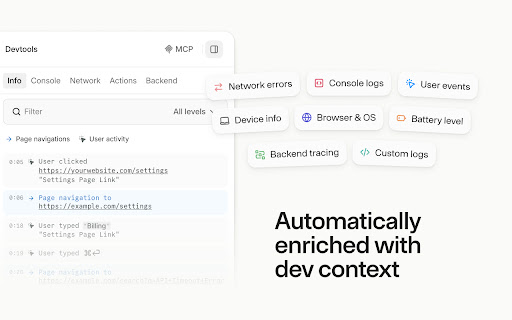
Jam positions itself as a smart screen recorder specifically for software teams to streamline bug reporting and QA. It emphasizes the automatic capture of technical context—such as console logs and network requests—to eliminate debugging back-and-forth between testers and engineers.

Inferred product pattern

Technical bug-capture utility that converts visual screen recordings into structured developer tickets enriched with system metadata.

Review-backed pain points

Users report frequent crashes requiring full re-installation, frustration over a reduction in free recording limits, and instances where the extension breaks the styling or functionality of the websites they are visiting.

Observed feature gaps

Ineffective draft management (difficulty deleting existing 'draft' jams) and inconsistent OS detection on certain websites.

Tags
Bug ReportingScreen RecorderQA TestingDeveloper ToolsAI Documentation
Target users

- QA Engineers

- Software Developers

- Product Managers

- Customer Support Specialists

Primary use cases

- Bug reporting

- QA documentation

- User feedback collection

- Technical issue triage

Positive themes

- Strong product concept

- Useful for non-technical users to provide developer-ready reports

Negative themes

- Stability and crashing

- Lack of support responsiveness

- Intrusive permission requests

- Pricing limit changes

- Website CSS interference

Observed friction

- Free-tier complaints detected

- Performance complaints detected

- Privacy complaints detected

- Strong anger regarding the reduction of the free recording limit to 30 recordings per month.

Evidence boundary: Analysis based on store listing and 10 sample reviews ranging from 1 to 3 stars. The review sample provided contains no 4 or 5-star ratings, resulting in a lack of explicit positive theme data beyond conceptual praise.
Complaint summaries
Review-backed complaint signals grouped by operational area.

Support

Users report receiving generic 'working on it' responses, no responses to emails, and the removal of a previously available chat support option.

Reliability

Severe stability issues including constant crashing (marked by an emoji), loading loops, and interference with site CSS (particularly Chakra UI/NextJS).

Privacy

Users expressed concern over excessive permissions requested during GitHub authentication, including read access to private project boards and organizations.

Access & pricing

- Free entry with paid features

- Account required for core usage

- Limited free usage observed

Store listing facts

Listing assets

- Screenshots: 5

- Videos: 1

- Languages: 1

Trust signals

- Privacy policy

- Developer contact

- Official website

Store metadata

- Version: 5.67.1

- Size: 5.12MiB

- Last updated:

Store description excerpt
Short excerpt from the public Chrome Web Store listing; full copy is available on the official store page.
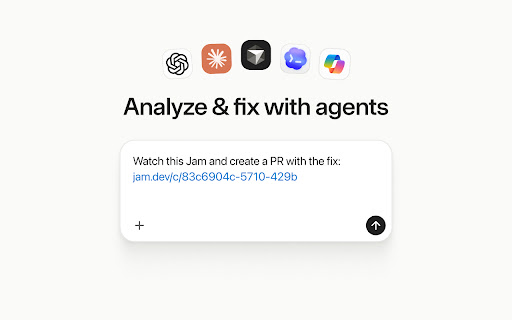
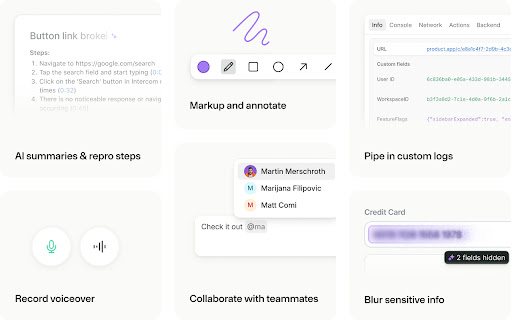
Use the Jam Chrome extension to capture bugs, feedback, feature ideas, and QA notes right from your browser. Every recording is automatically enriched with the visual and technical context engineers and AI agents need to understand what happened and move work forward. ➤ How Jam works - Click the Jam extension to record your screen or take a screenshot - Get an AI summary of the issue with repro steps, plus the option to add voiceover, comments, or visual annotations - Share a link to the Jam with all the visual and technical context your team needs to understand and action the issue ➤ Reduce debugging back-and-forth - Automatically capture console logs, network requests, user actions, device details, and more - Give engineers the context they need to reproduce, triage, and resolve issues faster - Request a recording from customers and teammates with a link ➤ Turn feedback into trackable…

Listing SEO keywords

Search intent keywords
Keyword signals for evaluating how users may discover, compare, or search for this extension category.

Core discovery

screen recorder for developersbug reporting chrome extensioncapture console logsQA screen capture tool

Comparison

Jam vs Loombest bug reporting tools for software teamsJam alternatives

Problem

reduce debugging back-and-forthhow to capture network requests for bugsautomate bug reproduction steps

Alternative

Jam alternativedeveloper screen recording tool

Similar extensions

Jump to related discovery paths:

FAQ

What is Jam mainly used for?
A Chrome extension that allows users to record their screen or take screenshots to document software issues. It utilizes AI to generate reproduction steps and integrates with various project management tools like Jira, GitHub, and Linear.
What market signals stand out?
Established adoption with moderate review base. Last known update: 06/25/2026.
What should builders compare before entering this space?
Compare install concentration, rating quality, update recency, screenshots, developer portfolio, listing claims, and review-backed friction signals.
Is this page review-backed?
Backed by review samples. This page combines store metadata with selected review signals, while raw store metrics remain visible for comparison.

Screenshots

Jam screenshot
Jam screenshot
Jam screenshot
Jam screenshot
Jam screenshot

Links

Website: jam.dev

Privacy policy: https://jam.dev/privacy

Videos: Watch

Recommended Chrome extensions

Related listings from the same category, trending peers, and the same publisher portfolio.

Browse developer