ColorPick Eyedropper Chrome Extension Analysis
Developer & Designer ToolsChrome extension ID: ohcpnigalekghcmgcdcenkpelffpdolg
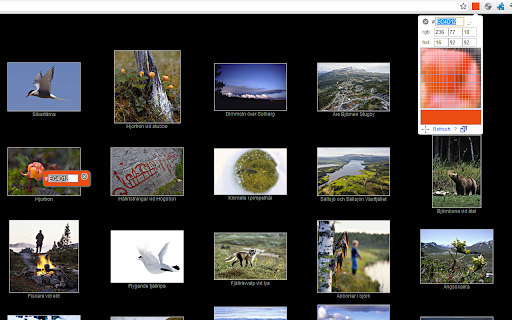
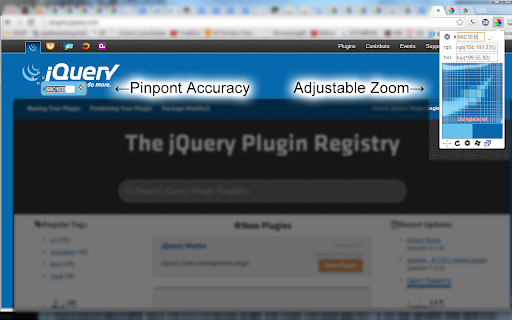
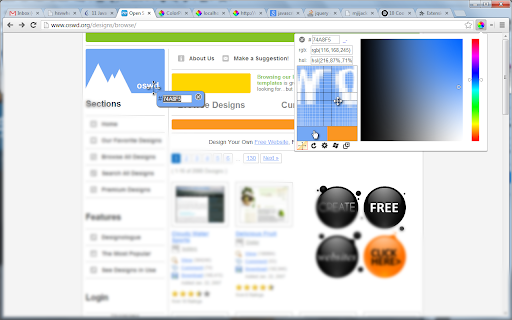
This extension allows users to select colors from any webpage by clicking or hovering, providing zoomed-in views for precise pixel selection. It supports various color formats like HEX and RGB and provides additional utilities for webpage region magnification.
Overview
Installs
900K+
Rating
★ 4.2
1,234 reviews
Languages
48 locales
Includes Deutsch, English, Indonesia, Kiswahili...
Market analysis
Review-backed positioning, friction, and market signals for this Chrome extension.
Macro category
Developer & Designer Tools
Pricing friction
Low review signal
Complaint intensity
High review signal
Listing positioning
ColorPick Eyedropper is positioned as a professional, highly configurable color selection utility for web developers and designers. It emphasizes features like zoom magnification, pixel-perfect accuracy, and flexibility in copying color formats.
Inferred product pattern
Long-standing, feature-rich utility tool with legacy performance quirks and aggressive monetization transparency.
Review-backed pain points
Users report significant performance degradation (slow page loads), difficulty exiting the picker mode, and confusion regarding monetization features like affiliate link tracking and payment registration.
Observed feature gaps
Requires frequent manual page reloads or 're-snapping' to function due to browser security constraints; lacks native compatibility with all browser environments and file:// pages without additional configuration.
- Web Developers
- UI/UX Designers
- Front-end Engineers
- Sampling colors from websites
- Magnifying page areas for pixel alignment
- Capturing hex/rgb color codes for design projects
- Helpful zoom/magnification feature for precision
- Effective for UI/UX design work
- Good utility when it functions correctly
- High latency/slow page rendering
- Affiliate link rewriting concerns
- Bugs in UI/exiting picker mode
- Perceived intrusive permission requests
- Frustration regarding payment/registration issues
- Account blocking complaints detected
- Refund complaints detected
- Performance complaints detected
- Privacy complaints detected
- Users have reported confusion regarding optional registration/payment requests and unsuccessful refund attempts.
Support
Some users expressed frustration over technical issues and lack of response for issues involving paid features.
Reliability
Common reports of slow page rendering, failure to exit picker mode, and sporadic functionality requiring page refreshes.
Privacy
Concerns raised regarding the wide scope of 'all websites' permissions and optional affiliate link rewriting practices.
- Free entry with paid features
- No account requirement observed
- Limited free usage observed
Store listing facts
- Screenshots: 3
- Videos: 1
- Languages: 48
- Privacy policy
- Developer contact
- Official website
- Support link
- Version: 0.0.3.3
- Size: 1.59MiB
- Last updated:
Listing SEO keywords
Core discovery
Comparison
Problem
Alternative
Similar extensions
Jump to related discovery paths:
FAQ
Screenshots
Links
Website: vidsbee.com
Privacy policy: http://vidsbee.com/ColorPick/Privacy/
Support links: http://vidsbee.com/Contact/
Videos: Watch