Authenticator App icon

Authenticator App Chrome Extension Analysis

Privacy, Security & Ad Blockers

Chrome extension ID: ioimeaeldphbhdlokejbgcakkihmnpbl

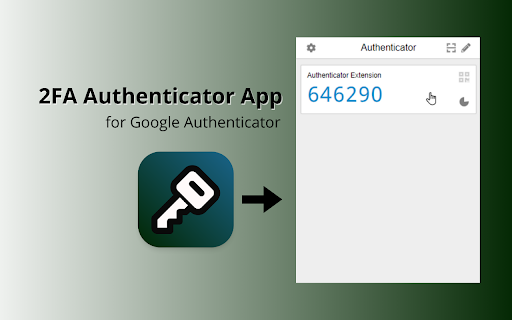
This Chrome extension is a local two-factor authentication (2FA) code generator designed to secure online accounts. Users can swiftly scan QR codes to add accounts, encrypt their local 2FA vault with a password, and synchronize their data across devices using third-party cloud storage. It serves as a browser-based companion to traditional mobile authenticator apps.

Version:1.2.0
Size:3.12MiB
Last updated:

Overview

Installs

20K+

Rating

3.7

14 reviews

Languages

50 locales

Includes Deutsch, English, Filipino, Indonesia...

Market analysis

Review-backed positioning, friction, and market signals for this Chrome extension.

Backed by review samples

Macro category

Privacy, Security & Ad Blockers

Pricing friction

Low review signal

Complaint intensity

Moderate review signal

Listing & review signals
Observed signals from store listing text and review samples.

Listing positioning

The store listing positions the extension as a highly secure, easy-to-use, and entirely free two-factor authentication tool. It emphasizes peace of mind, global availability in over 52 languages, and robust backup capabilities across platforms like Google Drive, OneDrive, and Dropbox. Additionally, it highlights transparency by claiming the product is open-source and operates strictly locally to protect user privacy.

Inferred product pattern

A local browser-based 2FA generator leveraging third-party cloud integrations for backup without requiring a proprietary account.

Review-backed pain points

Reviewers express frustration with technical reliability, noting instances where the extension displays a blank screen or generates invalid codes. There are also notable trust concerns from users who accuse the developer of copying an existing open-source extension, removing original source links, and displaying inconsistent branding.

Observed feature gaps

While the listing advertises planned cross-platform capabilities for iOS, Windows, and Mac, the product is currently limited to the browser. Additionally, the lack of an active, verifiable repository link despite 'open source' claims represents an transparency gap highlighted by users.

Tags
AuthenticatorTwo-Factor Authentication2FASecurity Tool
Target users

- Users wanting to manage 2FA without relying on a mobile phone

- Professionals handling work-related authentication on their computers

- Privacy-conscious web users seeking local 2FA encryption

Primary use cases

- Generating 2FA codes directly within the web browser

- Backing up and syncing 2FA tokens using personal cloud storage

- Importing existing 2FA configurations from Google Authenticator

Positive themes

- Extremely easy and straightforward setup process

- Convenient alternative to using personal phones for work authentication

- Provides a strong sense of local data security

Negative themes

- Accusations of being a direct copy/rip-off of another popular open-source authenticator extension

- Technical issues where the extension interface goes completely blank

- Occasional failures in generating valid authentication codes

Observed friction

- Performance complaints detected

- The product is listed as fully free, and there are no complaints regarding monetization, hidden fees, or gated features.

Evidence boundary: The analysis is based on the official Chrome Web Store listing for the Authenticator App, which reports over 20,000 users and a 3.71 rating. Review evidence from the sample includes positive comments highlighting its utility for phone-free work authentication, alongside negative feedback pointing out blank screens, invalid codes, and plagiarism claims regarding the original Authenticator extension. The findings are based on a small sample of 10 qualitative reviews, which may not represent the full user base's sentiment or technical experience.
Complaint summaries
Review-backed complaint signals grouped by operational area.

Support

No direct customer support complaints were observed, though users noted a lack of professional consistency and branding alignment between the Web Store search results and the installation page.

Reliability

Users have reported severe reliability bugs, such as the interface loading into a blank white screen and the extension generating invalid codes that fail authentication checks.

Privacy

No technical privacy or security breaches were reported, though one user expressed hesitation to activate the tool due to trust issues surrounding inconsistent store branding.

Access & pricing

- Free usage observed

- No account requirement observed

- Free plan or free usage claimed

Store listing facts

Listing assets

- Screenshots: 1

- Videos: 0

- Languages: 50

Trust signals

- Privacy policy

- Developer contact

Store metadata

- Version: 1.2.0

- Size: 3.12MiB

- Last updated:

Store description excerpt
Short excerpt from the public Chrome Web Store listing; full copy is available on the official store page.
🔐 In a world where digital threats loom large, protecting your online presence is paramount. Meet authenticator app, your stalwart companion in the fight against cyber perils. Whether you're a seasoned cybersecurity passionate or a newcomer to the realm of online protection, this chrome extension is your beacon of security. Join us as we delve into the myriad features that make Authenticator app the ultimate choice for fortifying your digital fortress. 🧑‍💻 How to make the most of authenticator: - Install extension pressing the button Add to Chrome - Scan QR codes - Authenticate accounts - See your authentication codes Remember to always keep a backup of your secret codes in a safe location. We also recommend you encrypt your secret codes. 🌟 Effortless Account Management: Say goodbye to tedious data entry! With 2FA authenticator, adding accounts is a breeze. Simply scan QR codes to s…

Listing SEO keywords

Search intent keywords
Keyword signals for evaluating how users may discover, compare, or search for this extension category.

Core discovery

authenticator app chrome extension2fa authenticator browsertwo factor authentication chrome

Comparison

google authenticator vs browser authenticatormicrosoft authenticator alternative chrome

Problem

generate 2fa codes without phonebackup google authenticator keys to pc

Alternative

google authenticator extensionmicrosoft authenticator pc

Similar extensions

Jump to related discovery paths:

FAQ

What is Authenticator App mainly used for?
This Chrome extension is a local two-factor authentication (2FA) code generator designed to secure online accounts. Users can swiftly scan QR codes to add accounts, encrypt their local 2FA vault with a password, and synchronize their data across devices using third-party cloud storage. It serves as a browser-based companion to traditional mobile authenticator apps.
What market signals stand out?
Visible niche traction with limited review base. Last known update: 04/03/2026.
What should builders compare before entering this space?
Compare install concentration, rating quality, update recency, screenshots, developer portfolio, listing claims, and review-backed friction signals.
Is this page review-backed?
Backed by review samples. This page combines store metadata with selected review signals, while raw store metrics remain visible for comparison.

Screenshots

Authenticator App screenshot

Links

Recommended Chrome extensions

Related listings from the same category, trending peers, and the same publisher portfolio.

Browse tools
Disable YouTube Shorts icon

Disable YouTube Shorts

developmentbycores

Use Disable YouTube Shorts extension to deep focus and stay unhooked. Distraction free tool will help you to hide Youtube shorts!

Installs

10K+

Rating

3.2

Planet Search icon

Planet Search

Free VPN Planet

Enchanced default search engine.

Installs

2.0M+

Rating

3.4

Lightshot (screenshot tool) icon

Lightshot (screenshot tool)

Skillbrains

Simple and convenient screenshot tool. Select an area, edit your screenshot and upload it to the server.

Installs

2.0M+

Rating

4.4

PrintFriendly: Print Clean Pages, Save as PDF & Screenshot, AI Tools icon

PrintFriendly: Print Clean Pages, Save as PDF & Screenshot, AI Tools

PrintFriendly

Print clean web pages, save as PDF, take screenshots, or use reader mode. AI summaries & ad removal. Works on ChatGPT & Gemini.

Installs

1.0M+

Rating

4.6

Mobile simulator - responsive testing tool icon

Mobile simulator - responsive testing tool

François Duprat

Smartphone and tablet simulator on computer with several models to test mobile responsive websites.

Installs

1.0M+

Rating

4.9

Chat with all AI models (Gemini, Claude, DeepSeek…) & AI Agents | AITOPIA icon

Chat with all AI models (Gemini, Claude, DeepSeek…) & AI Agents | AITOPIA

AITOPIA AI Sidebar

AI Agent Marketplace & AI Sidebar with all AI models (Gemini, Claude, DeepSeek & more) and hundreds of AI Agents

Installs

1.0M+

Rating

4.9

Codex icon

Codex

OpenAI

Control Chrome with Codex.

Installs

1.0M+

Rating

3.8

HID Credential Management Extension icon

HID Credential Management Extension

hid-global-chrome-web-store

Browser extension for HID credential management solution.

Installs

1.0M+

Rating

1.3

Keywords Everywhere - Keyword Tool icon

Keywords Everywhere - Keyword Tool

Axeman Technology Solutions LLP

Keyword search volume, cpc and competition for 15+ websites like Google™ Search Console, YouTube™, Amazon™ & more

Installs

1.0M+

Rating

4.5

WebChatGPT: Prompt library with web access icon

WebChatGPT: Prompt library with web access

WebChatGPT

Augment your ChatGPT prompts with relevant web search results through web browsing.

Installs

1.0M+

Rating

4.2