
CSV Editor Chrome Extension Analysis
Web Scraping & Data ExtractionChrome extension ID: jmbcbeepjfenihlocplnbmbhimcoooka
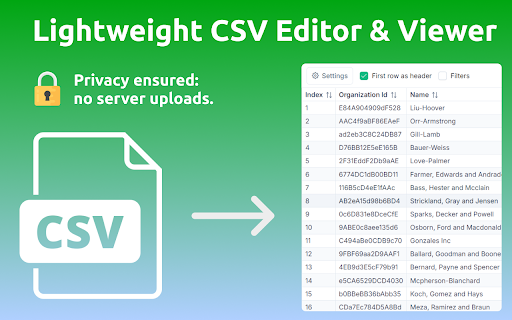
This Chrome extension provides an online CSV viewer and editor that allows users to open CSV, TSV, and PSV files directly in their browser. It offers features like data filtering, sorting, customizable display options, and support for various delimiters, aiming to streamline data analysis workflows.
Overview
Installs
1K+
Rating
★ 4.9
13 reviews
Languages
52 locales
Includes Deutsch, English, Filipino, Indonesia...
Market analysis
Review-backed positioning, friction, and market signals for this Chrome extension.
Macro category
Web Scraping & Data Extraction
Pricing friction
Low review signal
Complaint intensity
Low review signal
Listing positioning
The extension positions itself as a quick, hassle-free online CSV viewer and editor designed to open, filter, and sort delimited files directly in the browser. It highlights convenience, speed, and user-friendliness, emphasizing its ability to handle large datasets and offer robust features as an alternative to traditional spreadsheet software.
Inferred product pattern
A free, client-side browser extension for quick viewing, filtering, and sorting of delimited data files (CSV, TSV, PSV) without needing external software or an account.
Review-backed pain points
No review-backed pain points are available, as all provided reviews are highly positive.
Observed feature gaps
No specific feature gaps are highlighted in the listing or the available reviews.
- Data Analysts
- Professionals handling data
- Students learning data analysis
- Developers exploring system logs
- Researchers extracting insights from datasets
- Quickly viewing and exploring CSV files online
- Analyzing financial reports directly in the browser
- Managing customer databases without dedicated software
- Reviewing system logs efficiently
- Processing educational data and large datasets
- Convenience and quick assessment without needing external software
- Simple, intuitive, and easy-to-use user interface
- Fast performance, even with large files, without delays
- Effective sorting and filtering capabilities by column values
- Overall usefulness and ability to get the job done
No negative theme data.
- The listing indicates the extension is free to use, and no pricing friction is mentioned in reviews.
Support
No support, account, or refund complaints are available in the reviews.
Reliability
Reviews praise the extension's speed and ability to handle large files without performance issues, indicating no reliability complaints.
Privacy
The listing explicitly states that data is processed locally on the user's device, ensuring privacy. No privacy complaints are found in reviews.
- Free usage observed
- No account requirement observed
- Free plan or free usage claimed
Store listing facts
- Screenshots: 1
- Videos: 0
- Languages: 52
- Privacy policy
- Developer contact
- Official website
- Version: 1.2.0
- Size: 2.71MiB
- Last updated:
Listing SEO keywords
Core discovery
Comparison
Problem
Alternative
Similar extensions
Jump to related discovery paths:
FAQ
Screenshots
Links
Website: csveditor.online
Privacy policy: https://csveditor.online/privacy.html