
Web to PDF Chrome Extension Analysis
Automation & Workflow EfficiencyChrome extension ID: pamnlaoeobcmhkliljfaofekeddpmfoh
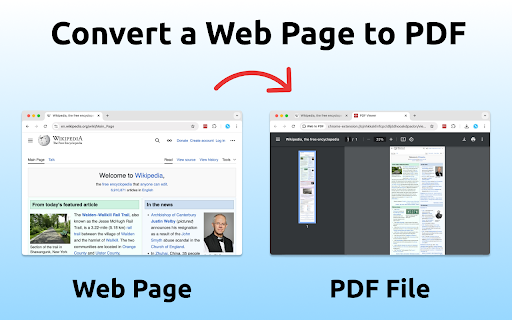
A Chrome extension that allows users to save active web pages as PDF documents. It offers flexible layout options, including single-page or page-break formats, utilizing Chrome's native PDF tools for conversion.
Overview
Installs
100K+
Rating
★ 4.8
1,439 reviews
Languages
52 locales
Includes Deutsch, English, Filipino, Indonesia...
Market analysis
Review-backed positioning, friction, and market signals for this Chrome extension.
Macro category
Automation & Workflow Efficiency
Pricing friction
High review signal
Complaint intensity
High review signal
Listing positioning
The product is positioned as a one-click solution to convert web pages into high-quality PDFs while preserving original styles and clickable links. It emphasizes utility for offline reading and archiving as a superior alternative to screenshots.
Inferred product pattern
A utility tool leveraging browser print functions to offer 'enhanced' saving, monetized via an aggressive subscription model.
Review-backed pain points
Users report significant frustration over a shift to a paid model ($10/month) with very limited free usage (e.g., 3 pages). Technical complaints include the loss of table and list formatting and conflicts with other screen-capture extensions.
Observed feature gaps
Lack of a sustainable free tier, inability to maintain complex web formatting (tables/lists) consistently, and lack of support for translated content during conversion.
- Students
- Professionals
- Researchers
- Bloggers
- Archiving news articles
- Saving legal documents
- Storing receipts and confirmations
- Offline recipe saving
- Clean conversion quality
- Convenience of one-click operation
- Superior to standard PDF tools for specific web captures
- Unexpected paywalls
- Formatting degradation after updates
- Subscription cancellation difficulties
- Privacy and permission concerns
- Payment required for meaningful usage
- Free-tier complaints detected
- Refund complaints detected
- Performance complaints detected
- Privacy complaints detected
- High friction; users express anger over hidden monthly costs ($10/mo) and a restrictive free tier that only allows a few pages.
Support
Users have reported being unable to cancel their subscriptions after signing up.
Reliability
Reports of the extension failing to generate PDFs entirely or producing documents where text merges into a single block and formatting is lost.
Privacy
One user highlighted 'spyware behavior' and excessive permission requests for all web pages.
- Subscription model observed
- No clear access signal
- Limited free usage observed
Store listing facts
- Screenshots: 1
- Videos: 0
- Languages: 52
- Privacy policy
- Developer contact
- Official website
- Version: 3.4.1
- Size: 8.01MiB
- Last updated:
Listing SEO keywords
Core discovery
Comparison
Problem
Alternative
Similar extensions
Jump to related discovery paths:
FAQ
Screenshots
Links
Website: webtopdf.space
Privacy policy: https://webtopdf.space/privacy/