YouTube Notes to Notion with Udemy, Coursera, BiliBili and more by Snipo Chrome Extension Analysis
Automation & Workflow EfficiencyChrome extension ID: kojibkalenabblnhoihknojdfapbbmig
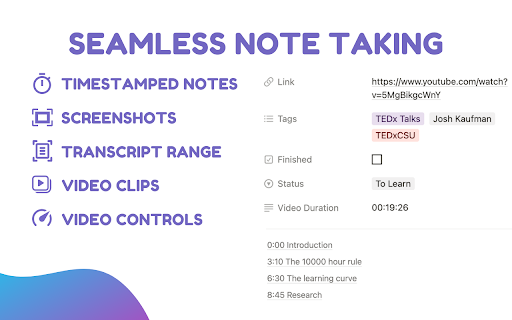
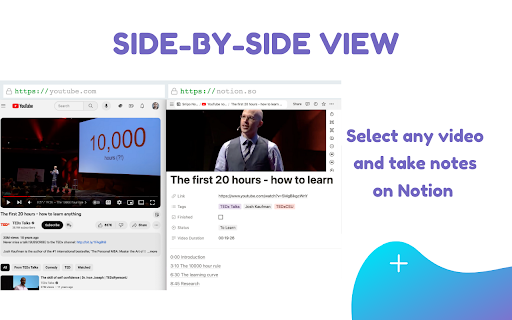
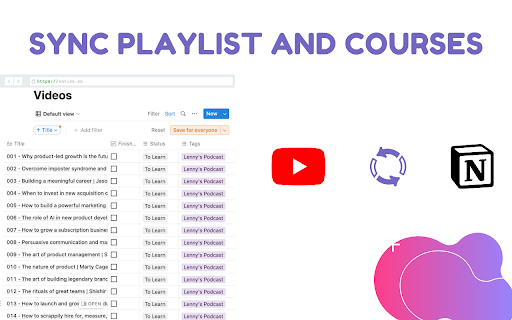
This extension functions as a note-taking overlay for video platforms, allowing users to sync content, transcripts, and screenshots directly into their Notion databases. It provides keyboard shortcuts and specialized modes to assist students and researchers in capturing information from online courses.
Overview
Installs
40K+
Rating
★ 4.6
179 reviews
Languages
54 locales
Includes Deutsch, English, English (United Kingdom), English (United States)...
Market analysis
Review-backed positioning, friction, and market signals for this Chrome extension.
Macro category
Automation & Workflow Efficiency
Pricing friction
High review signal
Complaint intensity
Moderate review signal
Listing positioning
Snipo positions itself as an all-in-one educational productivity companion that bridges video platforms like YouTube and Udemy with Notion. It emphasizes a feature-rich environment for taking timestamped notes, capturing screenshots, and automating flashcard generation to improve study workflows.
Inferred product pattern
A productivity bridge tool that relies on third-party API integration (Notion), currently transitioning from a broad free utility to a more restricted freemium model.
Review-backed pain points
Users frequently report technical failures including broken screenshot functionality, transcription service timeouts, and connectivity issues when linking to Notion. There is also specific user pushback regarding forced upgrade prompts before being able to test core features.
Observed feature gaps
Lack of support for livestream videos, limitations on AI-generated flashcard quantity and relevance, and a desire for better management of duplicate transcript content during the sync process.
- Students
- Online Course Learners
- Researchers
- Content Curators
- Timestamped note-taking during video playback
- Exporting video content to Notion
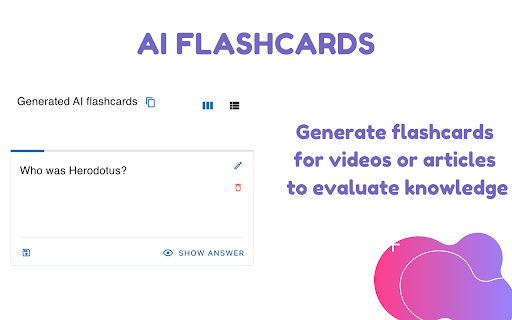
- Generating AI flashcards for Anki
- Capturing screenshots for study notes
- Utility for streamlining study workflows
- Effective integration with Notion
- Useful keyboard shortcuts for video navigation
- Technical connection errors with Notion
- Frustration over aggressive paywalls
- Bugs in screenshot and transcription features
- UI/UX inconsistencies in Side Panel mode
- Payment required for meaningful usage
- Free-tier complaints detected
- Performance complaints detected
- Users expressed frustration over being prompted to upgrade immediately upon installation without the ability to test basic functionality, leading to perceptions of an aggressive paywall.
Support
Users reported intermittent failures in core integrations, such as Notion connection errors and the transcription feature becoming unresponsive during use.
Reliability
Significant reports of features 'spinning endlessly', failing to capture screenshots, or failing to sync content, indicating potential stability issues for power users.
Privacy
No specific privacy or data security complaints noted in the sample.
- Free entry with paid features
- Account required for core usage
- Trial or limited free usage before paid plan
Store listing facts
- Screenshots: 5
- Videos: 1
- Languages: 54
- Privacy policy
- Developer contact
- Official website
- Version: 4.6.0
- Size: 2.41MiB
- Last updated:
Listing SEO keywords
Core discovery
Comparison
Problem
Alternative
Similar extensions
Jump to related discovery paths:
FAQ
Screenshots