EXIF Viewer Classic icon

EXIF Viewer Classic Chrome Extension Analysis

Developer & Designer Tools

Chrome extension ID: nafpfdcmppffipmhcpkbplhkoiekndck

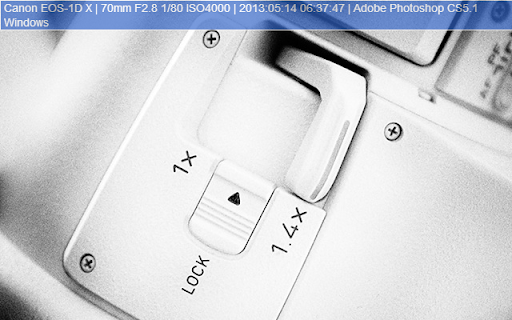
EXIF Viewer Classic is a browser extension that allows users to extract and view technical metadata (EXIF) from web images. It provides details on camera settings and geographical location data when available.

Developer:Rodrigue
Version:3.0.1
Size:186KiB
Last updated:

Overview

Installs

80K+

Rating

3.5

644 reviews

Languages

5 locales

Includes English, français, 中文(中国), 中文(台灣)...

Market analysis

Review-backed positioning, friction, and market signals for this Chrome extension.

Backed by review samples

Macro category

Developer & Designer Tools

Pricing friction

Low review signal

Complaint intensity

High review signal

Listing & review signals
Observed signals from store listing text and review samples.

Listing positioning

The product is positioned as a quick-access utility for viewing EXIF data of any image encountered in the Chrome browser. It emphasizes ease of use via a right-click context menu and supports features like GPS data, caching, and Manifest V3 compatibility.

Inferred product pattern

A legacy utility tool showing signs of technical decay and potential security compromise.

Review-backed pain points

Users report frequent failures to detect EXIF data, intrusive 'extension is working' pop-ups, and severe security warnings from antivirus software regarding port scanning and malware.

Observed feature gaps

Loss of the previous on-hover information display in favor of a less intuitive sidebar; failure to work on images within frames.

Tags
EXIF ViewerImage MetadataPhotography ToolPhoto Analysis
Target users

- Photographers

- Digital Artists

- OSINT Researchers

- Web Designers

Primary use cases

- Checking camera settings of a photo

- Extracting GPS coordinates from images

- Verifying image metadata properties

Positive themes

No positive theme data.

Negative themes

- Security and Malware Alerts

- Functional Failure

- UI Regressions

- Intrusive Notifications

Observed friction

- Performance complaints detected

- Privacy complaints detected

- No pricing friction observed as the tool appears to be free.

Evidence boundary: Data extracted from the official store listing and a sample of 10 helpful reviews, all of which were low-rated. The provided review sample consists exclusively of negative feedback, preventing the identification of positive user themes.
Complaint summaries
Review-backed complaint signals grouped by operational area.

Support

No specific support interaction complaints, but users express frustration over unaddressed bugs and security issues.

Reliability

High volume of complaints stating the extension 'does not work' or fails to find EXIF data even when it exists.

Privacy

Severe reports of the extension being flagged as malware, performing port scans, and potentially compromising user passwords.

Access & pricing

- Free usage observed

- No account requirement observed

- Free plan or free usage claimed

Store listing facts

Listing assets

- Screenshots: 4

- Videos: 0

- Languages: 5

Trust signals

- Privacy policy

- Developer contact

- Support link

Store metadata

- Version: 3.0.1

- Size: 186KiB

- Last updated:

Store description excerpt
Short excerpt from the public Chrome Web Store listing; full copy is available on the official store page.
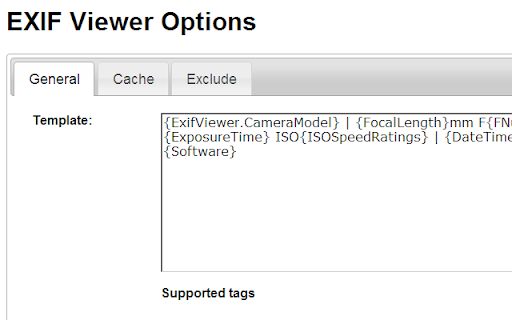
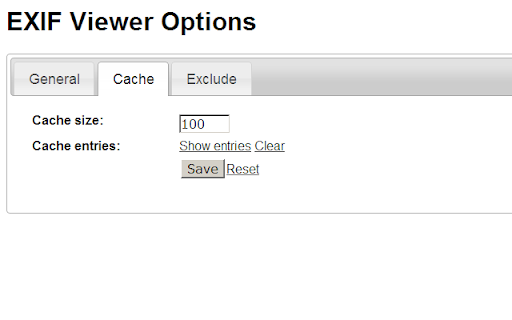
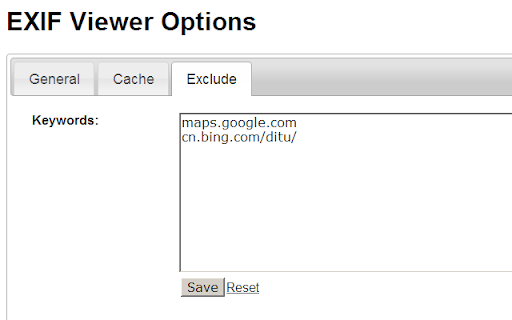
Quick access to EXIF data of any image you view in Google Chrome Just right-click on any image on the web contains EXIF data and you will see the dialog with EXIF properties of related image Also, supports Template, Cache, Exclude and more features in Options page. ==== QUESTIONS ==== "Read and change all your data on the websites you visit"? - "Read"? To get the details/properties of all images/pictures on any website - "Change"? To display the EXIF data by changing/displaying the attributes of those images ==== UPDATES ==== 3.0.1 - Support enhanced chrome feature as part of manifest v3 version - Takes less CPU and faster, and safer as well 2.5 - Added new features and crushed some bugs - Added notification system to better co-ordinate with users 2.4.4 - Fixed previous bug of hiding overlay information 2.4.3 * Fixed few bugs * Added useful notification features * ISSUE: We just noticed…

Listing SEO keywords

Search intent keywords
Keyword signals for evaluating how users may discover, compare, or search for this extension category.

Core discovery

EXIF viewer chromeimage metadata extensionview photo exif online

Comparison

EXIF Viewer vs Exifybest chrome exif viewer

Problem

how to see exif data on chromeview image metadata browser

Alternative

EXIF Viewer alternativebest image metadata tool

Similar extensions

Jump to related discovery paths:

FAQ

What is EXIF Viewer Classic mainly used for?
EXIF Viewer Classic is a browser extension that allows users to extract and view technical metadata (EXIF) from web images. It provides details on camera settings and geographical location data when available.
What market signals stand out?
Visible niche traction with moderate review base. Last known update: 05/31/2024.
What should builders compare before entering this space?
Compare install concentration, rating quality, update recency, screenshots, developer portfolio, listing claims, and review-backed friction signals.
Is this page review-backed?
Backed by review samples. This page combines store metadata with selected review signals, while raw store metrics remain visible for comparison.

Screenshots

EXIF Viewer Classic screenshot

Links

Recommended Chrome extensions

Related listings from the same category, trending peers, and the same publisher portfolio.

Browse art
The QR Extension icon

The QR Extension

Rodrigue

Quick QR Code generator with options like edit, colors, width.

Installs

10K+

Rating

4.7

Galaxy Wallpaper icon

Galaxy Wallpaper

Galaxy Wallpaper

Replace your basic new tab with galaxy space backgrounds. Designed especially for galaxy space fans.

Installs

20K+

Rating

4.7

Cartoon Yourself icon

Cartoon Yourself

airallineed

With our service you can quickly create Avatars or a Cartoon of Yourself directly online without any software installs and for free!

Installs

20K+

Rating

3.3

imgur Uploader icon

imgur Uploader

graeme phillips

Right-click uploading of images and screenshots anonymously or to your imgur account.

Installs

20K+

Rating

3.7

Backgrounds for Chrome-Chan icon

Backgrounds for Chrome-Chan

browserkun

Sets a random anime wallpaper for your new tabs.

Installs

20K+

Rating

3.9

ColorPickster – One-Click Color Picker & Eyedropper Tool icon

ColorPickster – One-Click Color Picker & Eyedropper Tool

John Conklin

ColorPickster lets you quickly pick colors from any site or image. Simple color picker and eyedropper tool – no extra setup.

Installs

10K+

Rating

4.3

Popify - Youtube Themes & Customizers icon

Popify - Youtube Themes & Customizers

Software - Moxo

Improves boring youtube thumbnails with popify, benify, dogify & more!

Installs

10K+

Rating

4.7

Instant Save for Instagram and Flickr icon

Instant Save for Instagram and Flickr

dangardiner

This extension allows saving of any Instagram or Flickr image via a single click on the context menu.

Installs

10K+

Rating

3.7

View Image Button icon

View Image Button

Muyor

Bring back the view image button for Google image search results.

Installs

10K+

Rating

3.8

ScreenCatch - Snipping Tool for Screenshot (Full Page, Visible, Selection) icon

ScreenCatch - Snipping Tool for Screenshot (Full Page, Visible, Selection)

Brayan Hejny

Capture full page, scrolling, visible, or selected screenshots fast. Edit and refine each screen capture in one snipping tool.

Installs

10K+

Rating

4.5