Search all Tabs icon

Search all Tabs Chrome Extension Analysis

Tab & Bookmark Productivity

Chrome extension ID: ndfnfhnlgoocpbbjjjfmiojdfcgcfomn

Search all Tabs is a browser extension designed to help users locate specific information across multiple open tabs. It supports complex search operators, multiple languages, and works entirely offline to ensure speed and privacy.

Developer:lunu.bounir
Version:0.6.3
Size:865KiB
Last updated:

Overview

Installs

10K+

Rating

4.6

65 reviews

Languages

20 locales

Includes Deutsch, English, Nederlands, Türkçe...

Market analysis

Review-backed positioning, friction, and market signals for this Chrome extension.

Backed by review samples

Macro category

Tab & Bookmark Productivity

Pricing friction

Low review signal

Complaint intensity

Moderate review signal

Listing & review signals
Observed signals from store listing text and review samples.

Listing positioning

The extension positions itself as a powerful, offline content searching tool that indexes tab titles and page content. It emphasizes privacy through zero server-side interaction and performance through specialized indexing engines.

Inferred product pattern

A privacy-centric, high-performance tab indexing tool for heavy browser users.

Review-backed pain points

Users find it frustrating that the tool does not highlight the search term once the tab is activated, requiring a manual Ctrl+F; additionally, the small popup window makes scanning results difficult.

Observed feature gaps

Search history/recent searches, automatic in-page text highlighting upon tab activation, and customizable popup window dimensions.

Tags
Tab SearchContent IndexingBrowser ProductivityOffline Search
Target users

- Tab hoarders

- Researchers

- Power users with many open tabs

Primary use cases

- Searching for specific text content within open tabs

- Locating tabs via title or body text

- Managing large volumes of open browser windows

Positive themes

- High performance even with hundreds of tabs

- Low CPU usage compared to competitors

- Effective direct navigation to matched tabs

Negative themes

- Lack of automatic text highlighting in the destination tab

- Restrictive/small popup window UI

- Inconsistent search results in certain contexts

Observed friction

- No pricing friction observed; users suggest a donation-based support model for the free software.

Evidence boundary: Analysis based on store description claims and user reviews regarding performance, UI limitations, and specific feature gaps. The analysis is based on a limited number of reviews (64 total).
Complaint summaries
Review-backed complaint signals grouped by operational area.

Support

No support complaints observed.

Reliability

Some users reported instances where the search failed to find content that was manually visible on the page.

Privacy

No privacy complaints; the product's offline-only claim is central to its positioning.

Access & pricing

- Free entry with paid features

- No account requirement observed

- Free plan or free usage claimed

Store listing facts

Listing assets

- Screenshots: 5

- Videos: 1

- Languages: 20

Trust signals

- Privacy policy

- Developer contact

- Official website

Store metadata

- Version: 0.6.3

- Size: 865KiB

- Last updated:

Store description excerpt
Short excerpt from the public Chrome Web Store listing; full copy is available on the official store page.
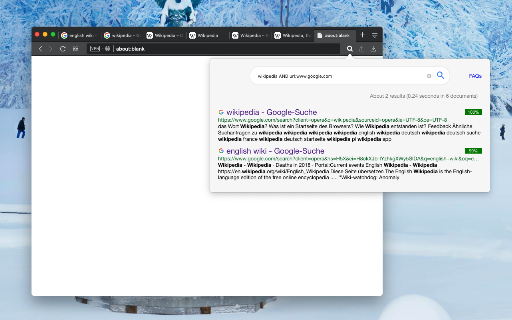
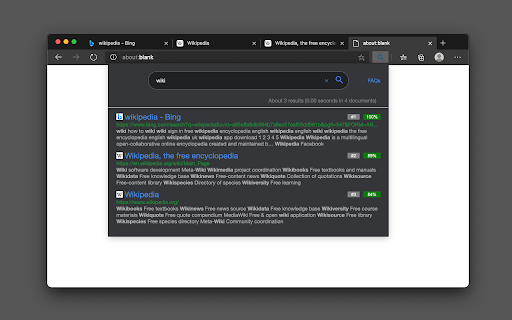
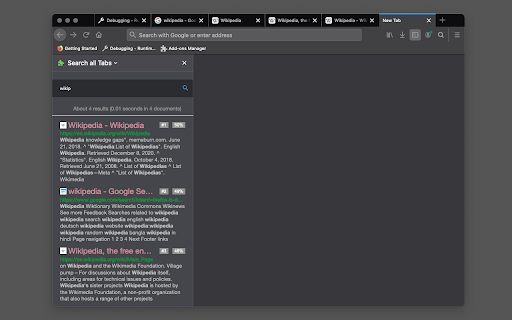
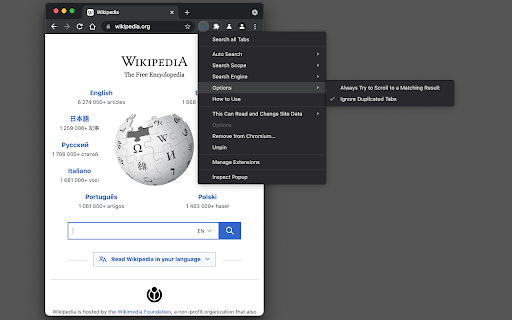
Preview: https://www.youtube.com/watch?v=ks0PDxFBrA0 This extension provides a powerful content searching tool for you to easily find the relevant tab among many open ones. Like all search engines, this extension supports search operators like "AND" and "OR". You can use this extension to find the relevant content when there are many open tabs like a normal tab manager extension. It is also possible to index local files as well. This extension supports parsing content from around 30 languages and displays a preview (snippet) for the matching result. You can click on each search entry to directly activate the container tab. Notes: 1. Make sure to read the FAQs page to get yourself familiar with the search operators and keywords. 2. This extension works offline and stores the indexing database in your browser memory. There is no server-side interaction whatsoever. 3. This extension suppor…

Listing SEO keywords

Search intent keywords
Keyword signals for evaluating how users may discover, compare, or search for this extension category.

Core discovery

search tabs contentfind text in tabsbrowser tab searchoffline tab indexing

Comparison

TabliSuburb tab manager

Problem

find open tabsearch across tabslocate tab by content

Alternative

tab managertab organizercontent search extension

Similar extensions

Jump to related discovery paths:

FAQ

What is Search all Tabs mainly used for?
Search all Tabs is a browser extension designed to help users locate specific information across multiple open tabs. It supports complex search operators, multiple languages, and works entirely offline to ensure speed and privacy.
What market signals stand out?
Visible niche traction with limited review base. Last known update: 07/07/2025.
What should builders compare before entering this space?
Compare install concentration, rating quality, update recency, screenshots, developer portfolio, listing claims, and review-backed friction signals.
Is this page review-backed?
Backed by review samples. This page combines store metadata with selected review signals, while raw store metrics remain visible for comparison.

Screenshots

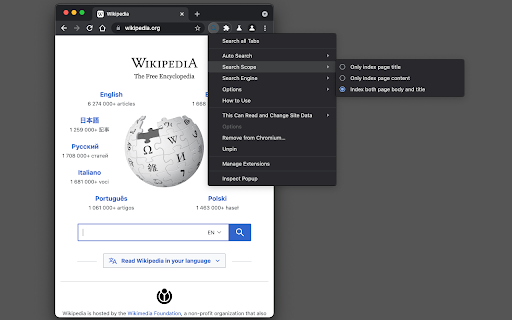
Search all Tabs screenshot

Links

Recommended Chrome extensions

Related listings from the same category, trending peers, and the same publisher portfolio.

Browse tools